What Is A CRM And How Can These CRM Solutions Help Your Business?

What Is A CRM?

CRM comes from the acronym Customer Relationship Management, translated, as Management of customer relations. CRM is an intelligent approach composed of a set of tools and technologies that help companies improve the relationships they have with existing customers and win new customers in a short time.

The Use Of CRM Solutions Within A Company

CRM-type applications are used by at least one department within a company.

The key department that will continuously use the application is the Sales department. The CRM helps the sales teams to organize their databases, and diaries about clients, so that the information about them is very well structured and easy to find and filter.

Sales consultants can record relevant information about customers and the interactions they have had with them. Managers of sales departments also frequently use CRM software to create and impose new relations procedures with existing customers and win new customers by applying relevant sales strategies.

CRM is not just for the sales team Another department that will be interested in interacting with the CRM is the Marketing Department.

What Does CRM Mean In Marketing:

Accessing the data from the database and better understanding the client and the evolution of the market, the staff from this department is the main beneficiary of using the application. They use customer segmentation, helping them launch personalized marketing campaigns and, as a result, win new customers.

Another department that accesses CRM software is the Customer Relations Department, which records all interactions with customers: by phone, online, and at the headquarters. Thus, a complete picture of the client is gathered, helping to create an approach centered around her.

What Is The Purpose Of A CRM Application?

The purpose of a CRM is to unify the interactions that a company has had with its customers, in any possible way, so that it can then use this information to determine a company strategy.

How Do You Know That You Have Chosen The Perfect CRM Solution For You?

To ensure a perfect dynamic for your company, the implementation of a CRM starts with understanding how to approach existing customers and win new ones. The interfaces are easy and generate reports that will help you observe your business at 360 degrees.

CRM Advantages

Beneficial influence on sales growth, by optimizing the 4 most important factors: decreasing the average length of the sales cycle, increasing the number of potential customers and thus sales opportunities, increasing their conversion rate, as well as increasing the average value of a contract.

Sales can be efficiently and continuously monitored, customized flows can be established depending on the client and best practices can be improved at the company level, all of which contribute to the quality of the sales process.

Among the advantages of CRM is the fact that marketing activities can be automated in the marketing department, creating more sales opportunities.

In addition to all these advantages, CRM increases the quality of the relationship with customers. Within the application, employees always have access to complete information about customers, with the help of which they can solve any problem in the shortest possible time.

Other CRM advantages: providing employees with automated workflows induces a massive increase in productivity within the company. The CRM application can be accessed from any type of mobile device, desktop, or laptop, allowing the sales team to work from anywhere, anytime.

So, you have learned what a CRM is and what are the advantages of this application.

What Requirements Should A Good Website Meet?

Do you want to have a website made or do you jump in the deep end yourself? Whichever of the two cases it is, you want your website to be a good website that keeps up with the times. The world is changing rapidly, including the online world. Visitors expect more and more, everything has to be faster and Google is getting smarter all the time. So more and more is being asked of a website, but what are the characteristics of a good website? Or rather, what requirements should a good website meet?

Are you going to have a website made or are you planning to make your own? We have listed the characteristics of a good website. With this checklist, you can check whether your website meets the requirements that a good website must meet! 

  1. The Website Must Be Well-Designed And Functional :

Eye-catchy web design is very important for websites, just as a neat-looking interior is important for shops. Once a potential customer lands on your page, it only takes 50 milliseconds to decide whether they want to continue browsing or stay on your website. The web design must be in line with your brand strategy so that people immediately recognize your company when they land on the website.

Another important point to consider in the design is the usability of the website. Make sure the website is user-friendly in any browser. The best thing about web design is that there are no restrictions and you can experiment and innovate as you, please. After researching your customers’ preferences, you can act on what your customer keeps on the website and converts.

A beautiful website is nice, but a good website must also work well. Therefore, always make sure that the functionality of your website is not at the expense of the design of your website. If a website does not work correctly, there is a good chance that visitors will also drop out quickly.

  1. A Fast-Loading Website Is Essential :

A slow website is quickly abandoned and does not convert. The society we live in demands that everything is done as soon as possible. If your page takes 5 seconds to submit, your visitor will drop out and go to your competitor. A slow loading time also results in a poorer position in search engines such as Google. Not entirely unimportant if you ask us! The speed of a website or a page can be measured in different ways. The most popular tool for this is PageSpeed ​​Insights. This tool is from Google itself and therefore very reliable. When you run your website through PageSpeed ​​Insights, you will have to be patient. After a few seconds, the tool will give your website a score of 0-100 for both the mobile version and the desktop version. They are also nice enough to mention what is wrong with the website in terms of speed and how you can optimize this!

  1. The Website Must Have Clear CTAs :

And we have arrived at the ‘CTAs‘, but what are these anyway? A CTA is a Call To Action. CTAs are often displayed in the form of buttons such as “Contact Now” or “Request Quote”. A CTA translates as ‘Call to action. You want the visitor to your website to do something. With a good CTA, you can bring visitors to where you want them within 1 click. Think about the purpose of your website and make sure there are clear CTAs.

  1. A Good Website Shows Customer Reviews :

Customer reviews show that you have proven yourself before and thus inspire confidence among potential new customers. Think about it for yourself, if you want to buy a product and you are in doubt between two parties. One party has a lot of good reviews and the other party has none. Then you are more inclined to purchase the product from the party that does have reviews. After all, this party has proven itself and provides good service.

Building trust is very important. People now know that unfortunately, not every site is equally reliable and often even prefer to spend a little more money for more security than to buy something from the cheapest, without being sure whether the service is good.

  1. A Good Website Has A Portfolio :

This also applies to the previous one. As we said, trust is important. People simply want to purchase services from companies with experience and expertise. Show your portfolio and make sure that it contains works that you are proud of and of the type of customers you would like to attract again. A portfolio often has little relation to a site such as a webshop, but for a construction company or other type of company that offers a service, a portfolio is nowadays essential.

  1. The Website Should Tell Your Story :

Make it personal! Make sure you tell the story behind your company. In this way, you build a bond with your customer and they also see that there are people behind your company. By telling your story, you also inspire confidence. It doesn’t matter whether you’re a B2B or B2C company; people do business with people. Potential customers, therefore, want to know who they are doing business with. 

  1. The Website Must Contain A Frequently Asked Questions Section (FAQ) :

This is a perk, but very useful. If you have good content, all of your customer’s questions are often already answered. However, some visitors just like to have quick answers to all their questions. It is useful to prepare a FAQ for this. Here visitors can see all their questions and answers to these questions at a glance. Moreover, an FAQ does not take up too much on your page.

Top 6 Benefits Of Cloud Computing For Your Business

The cloud has become an indispensable part of our daily lives. We come into contact with it every time we open our emails, watch Netflix or follow an online course. Thanks to the increase in applications, the popularity of cloud services are all the more true for businesses. The shift to fully digital solutions is well underway and there are very good reasons for this. 

In some cases, cloud computing means completely shifting your office to a digital environment that can be accessed from just about anywhere with an internet connection. But even with a less drastic move to ‘the cloud’, cloud computing gives you a huge increase in functionalities via the browser and an increase in the number of devices that can connect to the internet to get started with your company data. 

Here are the most important benefits for you and discuss how they can make a difference for your company.

  1. Savings on IT and Infrastructure

Switching to cloud computing can save you a lot in IT costs. For starters, you no longer have to worry about purchasing and maintaining all kinds of server installations to store data. You no longer have to configure this, you no longer have to make room for it and the associated electricity costs disappear.

Many cloud services also offer ready-made software packages, so you no longer have to invest in this. In addition, you also need fewer experts within your company who have to maintain your IT infrastructure and provide everything with updates, or you can use them for more important tasks. In case of problems, you can immediately contact the administrator of your cloud to assist you. All of this makes it extremely easy for starting companies.

  1. Flexibility

Working in the cloud gives you enormous flexibility. By placing the entire digital work environment of your organization in the cloud, you can actually work with your data from anywhere and at any time, whether you are visiting a customer or want to quickly check something during the weekend. This also allows those employees who do not need direct access to the company to work from home. For example, it also gives you the opportunity to have experts from all over the world participate in your projects without any problem. Where in the past you always had to work with a fixed computer, that has become completely unnecessary. After all, many cloud applications are also accessible via a smartphone or tablet. 

  1. Scalability

By moving your data and activities to the cloud, you have the advantage that you can easily determine the scale of your activities yourself. Would you like to expand everything quickly and do you want to be sure that your systems can handle the influx? This usually does not have to take long and in some cases, it can even be solved with a limited number of mouse clicks. Has the attention for your organization decreased somewhat and would you rather slow down? That’s no problem either. Everything can be perfectly adjusted to your needs, which gives you enormous flexibility. So you don’t have to worry about purchasing additional equipment

  1. Security of your data

Putting your data and productivity applications all in the cloud can seem quite scary. After all, your data is no longer with you, so what if something happens to it? However, cloud providers are increasingly aware of the appeal of all the data residing on their servers, which is why they invest heavily in all possible means to keep the information safe, both in the event of disasters and external actors. This quickly ensures that your data is in safer hands with them than on your own IT infrastructure. Your data is often copied across different servers, so in case of an emergency, there is still a copy available.

Working with the cloud also gives you the option to work with multiple backups of your data and software. If something does go wrong, you can easily reset all data from your own cloud very quickly. Everything can be easily copied and re-applied, immediately limiting your potential downtime. So you don’t have to worry too much that your business will ever come to a standstill, regardless of your size.

  1. Better Collaboration

The increase in home working has made it all the more clear how important it is to have an environment in which your employees can communicate easily with each other. However, cloud computing makes collaboration a breeze. The information your employees have to work with is available to everyone and can therefore be shared easily and securely. Some cloud services even offer standard collaboration software, which makes creating, adapting, and distributing information together child’s play. So you lose as little time as possible on communication errors and give employees the opportunity to interact as productively as possible.

  1. Automatic Updates

Software needs to be updated regularly and that can quickly prove to be a time-consuming activity for your IT department. Thanks to the cloud, however, these updates take place behind the scenes and your provider always provides you with the latest software. In addition to software updates, automatic upgrades to the servers can also take place, so that you can always get started with the fastest and most powerful infrastructure.

Why You Should Adopt An Agile Working Methodology?

Agile Working Methodology is a way of thinking, working, and organizing. It allows organizations to respond quickly and effectively to changes in the outside world. Customer satisfaction is paramount, especially in light of company well-being and healthy results.

          Nowadays Agile working is often applied in organizations; efficiency and effectiveness are central to this working method. Why should you also consider Agile working? Here are the reasons you should consider using this technique in your organization.

  1. Increased Product/Service Quality

Logically, a customer does not want to buy bad products, but developers within a Scrum team do not want to deliver a bad product anymore. By working in Agile, developers have plenty of time to focus on developing the product, while other team members worry about peripheral issues. As a result, the product will be delivered on time and of high quality.

  1. Predictability Is Made Possible By Agile Working

Where organizations were previously able to provide few details about the delivery time, making the switch to Agile makes the development process more transparent: customers know exactly how long it takes to develop a product and what to expect from it. With sprints as a guideline, the delivery rhythm of a Scrum team is extremely predictable. That’s what makes it so pleasant for customers.

  1. Creating The Right Products/Services

Although this reason is very similar to the previous one, there is certainly an important difference. It is possible that a Scrum team builds exactly what the customer asks for, but that this product is put into use in a completely different way than was intended beforehand. So no value is created for the customer, even though that is precisely the goal. By delivering a partial product after each sprint and then improving it, the Scrum team has a better idea of ​​the customer’s actual wishes and what the product is ultimately used for.

  1. Customer Satisfaction

Although Agile is not a panacea, customers do have the opportunity to follow the development process of the product. The Scrum team remains in constant communication with the customer to deliver the best possible product together. In addition, you make a customer extra happy when a team can add new functions to an existing product or service.

  1. Agile Working Reduces The Risks

When an organization starts working with Agile, this has a direct effect on reducing the risks related to the delivery of wrong products and/or services. Agile itself is risk management. Because partial products are presented to the customer every 2 – 4 weeks and immediate feedback is given, the chance that an incorrect end product will ultimately be delivered is greatly reduced.

  1. Faster Time To Market

A common problem that organizations encounter is the lengthy delivery period. This regularly results in the delivery of wrong products or services that the customer is no longer interested in. By working Agile you avoid this issue completely because a delivery period of 2 – 4 weeks is used.

Interested in Creating Your Own Website? Here’s a Checklist.

Do you want a unique website developed for you? What considerations do you need to make then? For new websites, SMEs, independent business owners, and international corporations. A reliable website is essential if you want your business to succeed. This website checklist will help you make the right choice of a suitable website design agency.

These are the most important things to keep in mind when you want to create a new custom website. 

In this case, Ouriken helps you to design your website as per your requirement so that your website must meet; your objective and ambition, budget, technical conditions, and the choice of the right website design agency.

Purpose Of Your Website :

Know what you want, why you want this, and for whom you want your website made. Is it intended to attract clients, publicize an event, or promote the sale of goods or services? The objectives are many.

A well-thought-out custom website can help you with that. Your requirements are catered to and your goals are aided by a professional website in a number of ways:

  • User Experience design (user-friendliness)
  • Storytelling (brand story)
  • Customer Journey

Search engine optimization (SEO)

Determine Your Budget In Advance :

What budget have you set aside for creating your new website? Do you want your website designer to integrate the content for you, do you do it yourself, or do your employees do it?  Do you have enough knowledge of Photoshop to create web-optimized images? All these questions determine the final costs for your website because this work will have to be done.

Everything stands or falls with your intention; what should the website bring you and what is it worth to you? This decides if you go for a one-page site, a custom WordPress site, or a standard topic.

In case you do not have a good idea for website designing, ouriken can help you with this by making your website and creating a lively innovation that will draw customers with a global reach toward your business.

Pick A Website Design Agency That Suits You :

Would you like to have an expert site made? Then the website composition organization doesn’t need to be huge. The size of the Website Design Agency doesn’t express anything about the quality. A dream team of these 2 tough superheroes is usually sufficient;

An experienced website designer

An excellent programmer

A decent website specialist doesn’t just make a delightful plan. He/she assists you with settling on the right essential decisions so your site becomes fruitful.

Ouriken is a website design agency that will help you to build your website, which is considered a very important part of the business, and the one which acts as the front desk for your Internet business. Which will have a better impact on website users, who are potential clients.

Search Engine Optimization (SEO) :

Obviously, you need to have a site made that is enhanced for web search tools like Google and Bing. What do you need to consider and how would you best move toward this? How would you expand your possibilities of getting a spot on the primary page of Google-indexed lists?

Your organization should consider this in fact ahead of time and set it up so that your site is viewed as well. Together with external service partners, he ensures a strong SEO.

A good website developer should be able to understand the basics of SEO and integrate that into your website’s DNA. Through that, you can build your possibilities by being highlighted at Google’s top. Ouriken can provide you with the SEO services you may require for your website.

Own Input VS Experienced Advice :

Do you need to give a ton of info yourself or do you get solid counsel from your website specialist about the plan, technique, and execution of your design website? Direction from an accomplished website specialist is fundamental for a fruitful site.

As a customer, you do not have all the knowledge in a monopoly and you have to be able to rely 100% on the expertise of your designer. So if you have to give too much input yourself without getting good advice, it may not be the right agency for your needs.

Getting good advice from an experienced website designer is crucial here. Ouriken is an expert in website design with a year of experience in this field. Your objectives and ambitions will be met by Ouriken

Why Google Analytics Is Important For A Website?


           The new start-ups usually don’t have the idea of google analytics. In this case, Ouriken helps you with the Analytics Solution. Ouriken will let you know its advantages. How to use it? Where to use it? and why you should use it.

 With Google Analytics you can find out the behavior of the average visitor. It is important when you have a website, to analyze your data with Google Analytics. It recreates a major part of optimizing a website. You gain insight into the behavior of the visitor, which you can adjust your website to.

Analyze

By analyzing well you can find out the following things:

⦁ Through which channel the visitor comes?

⦁ How long does a visitor spend on a website on average?

⦁ The visitor does click through to other pages on the website.

⦁ You can see through which channel the conversions are made.

⦁ By regularly checking this online tool, you are more likely to increase your conversion on the website. You could already achieve this with a number of relatively simple adjustments.

Measuring Is Knowing!

An often-used term in online marketing is to measure is to know! With Google Analytics you can measure how many conversions have been made per month and where they come from. By drawing up a weekly/monthly report, you can immediately adjust the website so that the performance continues to improve.

More From Google Analytics

Google Analytics is a free package that simply helps you improve your website. It is also possible to link your Analytics account with your AdWords account. giving you more insight into the effectiveness of the campaigns and keywords.

It is also possible to create custom reports, you can arrange the reports according to your own wishes so that you can find out everything in a report.

In short, Google Analytics is indispensable when you manage a website.

Tips To Increase Your Sales In E-Commerce

 E-Commerce Your webshop has been up and running for a while and everything is running fine. Yet you have the feeling that you have not got everything out of your webshop. But what can you do to change this? And how can you remove this feeling and maximize the turnover of your webshop? This is a struggle for many entrepreneurs. That is why tips have been bundled below that are guaranteed to improve your turnover in e-commerce!

Request Feedback From Your Customers :

Who better to tell you where your areas for improvement lie than your customers? People who have previously bought your products or used a service, most likely have an opinion about your webshop, service, or product. To find out, you can send a questionnaire to your customers. Set the questionnaire to anonymous, because then you will get the most honest responses. Of course, you can’t do anything with two empty questionnaires, since that is not reliable enough. Therefore, try to send around 500 questionnaires so that you can draw a reliable conclusion.

Show Recommended Products When Making A Purchase :

When a visitor makes a purchase, it is practical to see if you can recommend certain products that might make you sell more. These products must be related to the purchased product and are usually accessories.

Rewrite Your Product And Service Descriptions :

Take a look at your product descriptions. And now again. Are the lyrics attractively written? Is the SEO OK? Are all properties named? Are there no spelling errors? A spelling mistake in the description can quickly ensure that your product or service hardly sells. Imagine yourself as a customer and ask yourself questions a customer would ask: What is the delivery time? What are the shipping costs? With which products can I use the item? Make sure that all answers to possible questions can be found in your product description. You can of course also put a chatbot or a link to the FAQs page with the product.

Add A Timer :

An effective and efficient way to get visitors to buy faster is by adding a timer. For example, add a timer to products that have a temporary discount. This way you create a moment of urgency and pressure on the visitor, which will lead to a faster purchase.

Show USPs That Distinguish Your Webshop From Others :

As a webshop, you have several USPs with which you can distinguish yourself. There is a reasonable chance that a visitor will also look at e-commerce competitors before purchasing. Therefore, research your competitors’ USPs and see if you can distinguish your webshop from the rest. For e-commerce you could use these:

⦁ Ordered today, delivered tomorrow 

⦁ Choose your delivery time yourself 

⦁ Free shipping

⦁ Discounts 

Show Customer Reviews On Your Products :

When a visitor is about to buy a product or order a service, he/she usually scrolls past the written reviews of previous customers. This provides the visitor with a certain reassurance and can be decisive to buy a product (or not of course). Always make sure that there is an option to leave a review and that all visitors can see this.

Seasonal Promotions :

You can find a reason to organize an action throughout the year. A promotion ensures that a visitor still takes a look around the webshop for a nice deal. This will generate more revenue for you. For example, consider these types of actions:

⦁ Diwali Discount 

⦁ Christmas Discount 

⦁ Holi Discount

There are of course many more reasons to hold a promotion, so have fun!

Why Website Management Is Important?

Your competitors’ websites are not only beautiful but also offer great functionality and features. These websites are attractive because of the many reasons why they invest in them.
You may notice that your website is not very well designed or thought through. Or that your visitor numbers have been declining for a while. You could fall for one of the pitfalls that web designers try hard to avoid.
It seems that a beautiful and appealing website is no longer possible. Websites are way too dramatic now. A sloppy website can be like stealing money from the front door, as is a well-known saying. Small business owners often choose website development to save money. These small savings can cost you a lot in the long run.
So, now it has become very important to choose the best web developer with a piece of great knowledge. many questions have arisen in your mind where we will get the best developer? How can we reach them?
The Answer to all of your queries is Ouriken.

Ouriken is a platform that helps you with Strategy, Design, and Development. It gives you the best IT solutions and expert ideas, tips, and guidance.

What Is Website Management?

Before we get into the do’s and don’ts of website management, let’s first define what exactly website management is all about.
Website management is the procedure of arranging and preserving a website. Good website management is crucial to your success, whether you are a blogger or a brick-and-mortar business owner.
As Ouriken knows what is the requirement of the website holder. It helps you with all your concerns and delivers you the Best Website Management which will help you to grow your Business.

Why Is It Important?

Website management has many advantages. These are the top reasons to make website management a priority.

  1. Improved website functionality
  2. Better search engine ranking
  3. Better user experience
  4. Improved website security
  5. A better business reputation

These are the Crucial matters which could infrequently be known. As Ouriken is a Technology Company it consists of a greater understanding of it compared to different Web-Developing companies.

How to utilise Email to drive traffic to your blog?

Email marketing is still one of the most successful ways to communicate directly with your audience (and customers). Social contests, RSS feeds, and opt-in pop-ups can help you grow your amazing email list. Then, to attract plenty of traffic to your blog posts, create fantastic emails.In this article, we are going to tell tips on how to drive traffic to your blog using Emails:

1. Social marketing strategy might help you generate email leads

You undoubtedly already run contests and prizes on social media. The majority of socially conscious businesses do.Social contests not only expand your brand’s reach, but they’re also a fun method to acquire emails. Create a contest on your Facebook page, Twitter account, or blog. As an easy way to enter, request an email.

You may even incentivize individuals to spread the news about your offer by running a referral campaign, where you reward them for getting their friends to give you their email addresses as well!

2. More ideas for generating Social Emails

There is plenty of other fun and productive ways to gather emails through your social media channels. All of your social media profiles should have a link to your blog. Email-gated material, such as webinars, ebooks, and coupons, can be posted. You can create a Facebook tab for email signups and reward people who join up with special incentives.

Tips for collecting Emails from Social Media Sites:

  • Webinars and ebooks are examples of email-gated content that you can post on your social media sites.
  • Encourage email signups by making it simple on Facebook and Twitter – and in exchange, provide special incentives.
  • In the about or bio parts of your social media platforms, include links to your blog.

3.Design an RSS feed for your blog

Make it simple for those who have visited your site and want to hear more from you to stay in touch. Create a nice RSS subscription button for your blog and add it to your site.

Make it stand out by using contrasting colours and placing it near the top of your page.

4. Add Opt-in pop-ups

Yes, pop-up newsletters can be annoying. They can, however, help you grow your email list. They work so effectively, in fact, that they are used by almost every blog site, from large corporations to individual bloggers.

Choose the correct placement for your popup and use a popup builder that is optimised for it. Give reasons why your site visitors need your newsletters and how your content will help them live a better life or run a more profitable business. You’ll get more sign-ups if you include words like “free” or “exclusive content.” Maintain a friendly tone. It makes your incursion all the more welcome.

Tips for email popups:

  • Email popups are inconvenient, but they work, and they’re utilised by both large and small businesses.
  • Only individuals who have been interested in your site for a long time will see the popup.
  • To enhance your signup rates, make your popups inviting and informative.

5.Use your email to get email

You communicate with a large number of people via email. To get a lot of people to visit your blog, use your email signature.

In your email signature, provide a nice call to action urging recipients to visit your blog. Give a concise benefit to entice action, such as the topic of your blog. Include a simple link to click.

Tips on How to include Email Signatures

  • In your email signature, provide a link to your blog, and encourage your coworkers to do the same
  • Give people a compelling reason to visit your blog.
  • To generate more clicks use Signatures in your emails

6.Hook ‘em with the subject line

Your subject line will determine whether or not people will read your message.

Spend some time thinking about your line. Keep it brief and to the point, with a snappy call to action (CTA). Use marketing techniques such as posing a question, instilling a sense of urgency, inducing a scared state of scepticism, or emphasising a significant benefit your email will give.

A/B test your topics and use the one that gets the most opens, reads, and click-throughs with your target audience.

Tips for creating a great subject line

  • To attract people to open your email, create a sense of urgency.
  • Make it succinct and to the point.
  • Use marketing techniques like “…” to pique interest and encourage more involvement.

Related Post: How Email Marketing is beneficial for businesses?

7. Get real with your body

Make your email content real to attract people to click through to your blog or blog post. Emails that are generic, business, and impersonal are no longer effective. Keep in mind that you’re up against a slew of other emails in that mailbox.

Write emails as if you’re communicating with colleagues. In your material, use the terms “you” and “myself.” Make a conversational tone that is appealing to your target audience. Maintain a professional tone while remaining conversational.

By being genuine, you may strengthen your relationship with your email subscribers and invite them to join you on your blog.

Tips on how to keep your emails friendly

  • When sending emails, think about how you can connect with your readers
  • Treat your internet customers the same way you would offline customers, by speaking to them as if they were friends.
  • To improve your reader relationship, use the words “you” and “me.

8.Personalise those Notes

Keep your emails individualized in the same way that you keep them authentic. Include people’s names as well as any other pleasant personal information you have on your email subscribers.

Mention their company name and how the piece will help them if your blog article is about their business.According to the Aberdeen Group, personalized email click-through rates improve by 14%.

Tips for Personalizing your emails

  • Personalized emails improve click-through rates by 14%.
  • Personalize emails with names using a CRM like Sendinblue or Constant Contact.
  • Use Wishpond’s Social Marketing Suite to simply send personalised emails with a direct link while you’re conducting a contest on your blog.

9. Segment your emails

Based on your company needs, segment your large email list into focused groups.

Send blog pieces and newsletters to the people who are most likely to read them. You may even create many emails and newsletters that all link to the same blog post.

If you’re sending emails to your business suppliers, for example, you’ll probably want to differentiate them from emails to your active customers.

Tips for Segmenting your Emails list

  • To segment your email lists, use a CRM like Sendinblue or Constant Contact.
  • Use other tools to segment email addresses based on contest participation, Facebook likes, and geographic area, such as Wishpond Social Contact Database.
  • Send separate emails to your various email lists.

Related Post: What is Email Marketing and How to improve the Open Rate of your emails?

10. Create clear Call to Actions

In your communications, make it clear what you’re asking for. When you want people to read your blog content, simply ask them. As a result, your response rate will improve.

Make it simple for others to respond to your request. Make sure the link to your blog article is easy to find and click. Colored CTA buttons can also be incorporated in your email. Many newsletter formatting tools make it simple to generate CTA buttons. Make use of them.

Tips for a clear call to actions

  • Create clickable, color-contrasting buttons that do the action you desire.
  • To make professional-looking buttons for your CTAs, use newsletter formatting tools like Stamplia, Fusion, Sendinblue, and others.
  • To enhance conversion rates, employ newsletter templates to accelerate the development process and design best practices.

11. Schedule to build trust

Make a schedule for publishing your blog articles on a regular basis. Not only will this make it easy for you to keep track of when you need new content, but it will also benefit your readers.

By posting on a regular basis, you can send regular articles to anyone who has subscribed to your RSS feeds. As consumers learn when to expect your next blog item, this can establish a habit in your readership, develop familiarity, and deepen trust in your business.

Tips for scheduling your Blog Articles

  •  Write your articles whenever you like, but post them on the same days and times every week.
  • Make a calendar to keep track of when each article will be published.
  • Create a schedule for your blog posts on WordPress or another blogging platform.

12.Send Visual newsletters

Isn’t it true that you prefer visual information? Your readers feel the same way. With image-heavy mailings, you can entice them to visit your blog. Include article summaries that convey your primary idea, but finish with a teaser and a clickable “read more” link or button.

Tips for Sending Email newsletters

  • To make your newsletter more user-friendly and engaging, include pictures.
  • To encourage visitors to your site, provide summaries of your articles with clickable “read more” buttons.
  • Keep in touch with your customers by sending out newsletters on a weekly, monthly, or quarterly basis.

Conclusion:

Email marketing is a great way to attract people to read and click on your blog posts. Use these suggestions to expand your email list and send effective emails that will outperform and drive traffic to your site.

email marketing services for blog

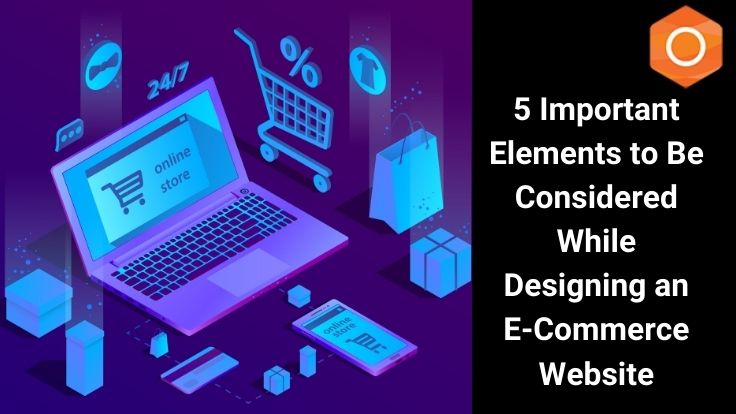
5 Important Elements to Be Considered While Designing an E-Commerce Website

Creating an ecommerce website can be difficult. There are numerous factors to consider, ranging from site performance to user engagement. Its one thing to create a simple website, but creating an ecommerce website presents its own set of challenges. To begin with, ecommerce sites are designed not only to inform and showcase your brand online, but also to allow customers to shop. As a result, designers must ensure that the site is intuitive and simple to use in order to generate sales. Without sales, the website’s entire purpose is lost. If you’ve ever wondered what the rules and website design ideas are for creating an ecommerce website, you’ve come to the right place. In this article, I’ll show you some of the most important features an ecommerce site should have:

As more consumers prefer to buy goods online, launching an ecommerce website can help you take your business to the next level. ouriken consulting, to be similar to what you were doing with your shared website.

How does that help you?

An online store can help you reach more people around the world, retain existing customers, and attract new ones. It allows people to look at your products and buy them from anywhere, at any time. Because an ecommerce store is always open. Simply put, the number of ecommerce businesses is growing for a reason. Regardless of the size of your company, you should plan and build an ecommerce store.

Is there anything else?

However, in order to ensure the success of your online store, you must create an eye-catching and functional ecommerce website design. You must create a visually appealing website with a good user interface that is optimized to increase conversions.  So, what does it take to create a fantastic online store with an eye-catching ecommerce website design? Let’s take a closer look.

Related Post: New trends of Web Designing in 2021

How Do You Design an Effective Ecommerce Website for Your Business?

A good ecommerce website design can assist you in presenting yourself as a trustworthy and legitimate company, which is what customers are looking for. If you want to successfully grow your online business, your ecommerce corporate website design should include the following elements.

  1. A Simple and Clean Design

The success of an online store is heavily influenced by the design of its website. In fact, 48% of people judge a company’s credibility based on its website design. Busy designs quickly lose their appeal. Similarly, the more elements you place on a web page, the more they may distract users from the store’s main purpose. Removing unnecessary elements can assist you in drawing your visitors’ attention to what is most important. And there’s more.

A minimalist website will also load faster, allowing you to reduce bounce rates and engage more visitors. If you don’t want to make a mistake with the look and feel of your website, website design templates can come in handy. They are code-free and professionally designed to give your website a clean, professional appearance. So, if you want to optimize your store for more conversions, keep it simple and keep the focus on closing the sale. Ecommerce website designs that are clean and simple are always preferable.

  1. It Is Essential to Conduct a Site Search

According to statistics, 30% of visitors to ecommerce websites use search to find the products they are looking for, so it is critical to ensure that the search functionality is available and easy to use. Furthermore, it is a good idea to use features such as auto complete to assist users in finding popular products or items related to their searches.

Another important method for assisting users in finding products is faceted search. This feature allows them to narrow their search in a variety of ways, such as by department, size, price range, manufacturer, and so on. Providing this functionality empowers users to find what they need by allowing them to narrow their searches to exactly what they are looking for.

A word of advice: Make sure product information is fully defined and well organized in order for searches to return the best results. This will allow for faceted search and better search results in general.

  1. Security is important.

SSL should be supported by all ecommerce website sites in order to encrypt sensitive information. This is especially true for credit card and payment information, but it also applies to any customer information such as address, phone number, email address, and so on. Customers expect their personal information to be secure when they make an online purchase, so ensuring that SSL is implemented is not only a good idea, but absolutely necessary for ensuring that your customers trust that their information will be secure. Furthermore, security is required for any business that accepts credit card payments to meet PCI compliance. Don’t keep credit card information in your website’s database. While it may appear to be a good idea to keep card information on file to make purchases easier for customers, doing so poses a significant security risk, and if your database is compromised, you will be held liable for the loss.

Related Post: Why do companies Redesign their Website every year?

  4. Improve Site Performance

Customers are likely to leave if your website is slow. According to statistics, 40% of users will abandon a website that takes more than 3 seconds to load. This is especially true for mobile users, who are frequently multitasking while accessing websites design  are more likely to switch to another if a site is too slow. To avoid losing customers due to slow load times, make sure your site is optimized to run as quickly as possible. Here are a few suggestions to make your site run more smoothly: Combining a site’s JavaScript or CSS resource files into single files speeds up user interaction with the site because users only have to download one JavaScript file or style sheet rather than five or ten. Compress images to provide the best visuals at the smallest possible size, thereby reducing download times.

Reduce the time spent sending data between the web server and the database server by using caching. Keeping these aspects of an ecommerce website in mind during development will help you ensure that you are providing the best experience for your customers, but there are many more elements to consider when developing your site. You’ll want to plan for Search Engine Optimization (SEO) and keep your product data organized, as well as think about how to target your content to different users and a variety of other factors.

  1. Responsiveness to Mobile Devices

A sizable number of users shop online using their mobile devices. To ensure that visitors have a positive experience, optimize your website for mobile devices. Responsive design can improve the usability of your ecommerce website. Visitors should be able to quickly access all of the important features, offers, and products on your mobile site

Visit Ouriken Consulting website for more interesting blogs.