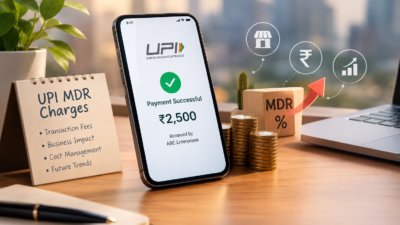
UPI MDR 2026: What the New Merchant Charges Mean for Indian Businesses
UPI has changed how India pays for things. It is fast, simple, and mostly free for customers. However, a new update called UPI MDR 2026 is bringing changes for merchants.
MDR stands for Merchant Discount Rate. It is a small fee charged on transactions. For years, UPI payments carried no MDR for most merchants. That is now shifting for certain categories of businesses.
This article breaks down what UPI MDR 2026 means. You will learn who pays, how much, and what steps your business should take next.
What Is UPI MDR and Why Is It Changing
MDR is a fee that a merchant pays to accept a digital payment. Card payments have always included this fee. UPI, however, was mostly fee-free to encourage adoption across India.
That approach helped UPI become the most used payment method in the country. Millions of small businesses adopted it because it cost nothing to accept. As a result, digital payments grew rapidly, even in small towns and rural areas.
Now that UPI has matured, regulators and payment providers are introducing MDR for specific transaction types. This helps cover infrastructure costs and supports continued innovation in the payments ecosystem.
It is important to note that these charges typically apply to larger merchants or specific payment instruments, not everyday personal transactions. Therefore, most individual users will not notice any difference in their daily UPI use.
Who Will Be Affected by UPI MDR 2026
Not every business feels the same impact. Large enterprises processing high transaction volumes are more likely to see new charges applied. Similarly, certain prepaid instruments and wallet-linked UPI payments may carry a small fee.
Small merchants and individual sellers often remain exempt, especially those below certain transaction thresholds. This protects small shop owners and street vendors who rely heavily on UPI for daily sales.
E-commerce businesses and D2C brands should pay closer attention. Higher transaction volumes mean even small fees can add up over a month. For example, a business processing thousands of transactions may see a noticeable shift in payment processing costs.
SaaS companies and subscription-based businesses should also review their payment setup. Recurring UPI payments at scale may fall under new charge categories depending on the payment provider’s policies.
Additionally, fintech companies offering UPI as part of their platform must update their fee structures and communicate clearly with their own merchant customers. Transparency here builds trust during a period of change.
How to Prepare Your Business for the New Charges : UPI
Preparation starts with understanding your own transaction data. Review how many UPI payments your business processes monthly and which categories they fall under.
Next, speak with your payment gateway provider. Ask directly whether your account falls under the new MDR structure and what the exact rate will be. Providers should be able to give clear, written answers.
It also helps to review your pricing strategy. If new charges apply, some businesses choose to absorb the cost, while others adjust pricing slightly to cover it. Consider your customer base before making this decision, since price sensitivity varies across industries.
Furthermore, diversify your payment options where possible. Offering multiple payment methods reduces dependency on a single channel and protects your margins if fees change again in the future.
Finally, keep your accounting team informed. Payment processing fees affect your profit margins, so accurate tracking is essential for financial planning and tax reporting.
What This Means for the Future of Digital Payments in India: UPI
UPI MDR 2026 signals a shift toward a more sustainable payments ecosystem. Free services cannot last forever, especially as transaction volumes reach massive scale.
This change may also open the door to better services. Payment providers earning revenue through MDR can reinvest in fraud protection, faster settlements, and improved customer support.
For businesses, this is also a moment to evaluate technology partners. Working with a reliable payment provider becomes even more important when fees and rules evolve. Choosing wisely now can prevent costly surprises later.
Consequently, businesses that stay informed and proactive will handle this transition more smoothly than those who wait until the changes take effect. Being prepared is always cheaper than reacting under pressure.
Retail businesses, in particular, should watch how MDR impacts point-of-sale UPI transactions, since in-store volumes can be significant. Meanwhile, professional services firms billing clients through UPI links should also review their invoicing tools for updated fee disclosures.
Common Questions Business Owners Are Asking
Many business owners want to know exactly how much they will pay. The honest answer is that rates vary depending on transaction type, merchant category, and payment provider. There is no single flat number that applies to everyone.
Some worry that customers will move away from UPI toward other payment methods. This is unlikely for most industries, since UPI remains fast and convenient. Customers rarely notice merchant-side fees unless prices visibly increase.
Others ask whether MDR charges are negotiable. In some cases, payment providers offer tiered pricing based on volume. Larger businesses processing high transaction counts may qualify for better rates. It is always worth asking directly instead of assuming a fixed cost.
There is also confusion about whether MDR applies retroactively. Typically, new charges apply only from the effective date onward, not to past transactions. However, always confirm this with your specific provider to avoid billing surprises.
Business owners in the marketing and operations space should also loop in their finance managers early. Cross-team communication ensures nobody is caught off guard when new charges appear on monthly statements.
Steps IT and Finance Teams Should Take Together for UPI
Technology and finance teams often work separately, but UPI MDR 2026 requires coordination. IT managers should confirm that payment integrations are updated to reflect new fee structures accurately.
Finance managers, meanwhile, should update budgeting models to account for potential new costs. Even a small percentage fee can affect quarterly projections when transaction volumes are high.
Operations managers can help by reviewing which departments or product lines generate the most UPI transactions. This data helps prioritize where cost management efforts should focus first.
Digital transformation leaders should also view this as an opportunity. Instead of only reacting to fee changes, businesses can use this moment to modernize their entire payment stack. Upgrading systems now can prevent larger disruptions during future regulatory updates.
Ultimately, cross-functional planning turns a potentially stressful change into a manageable business adjustment. Teams that communicate early tend to handle transitions far more smoothly.
Conclusion
UPI MDR 2026 marks an important shift in how digital payments work in India. While most everyday users will see little change, businesses processing high transaction volumes need to prepare carefully.
Understanding who is affected, reviewing your payment provider’s policies, and adjusting your strategy early will help your business adapt smoothly. Digital payments remain one of the most efficient ways to do business in India, and staying informed keeps you ahead of the curve.
Frequently Asked Questions
- What is UPI MDR? UPI MDR, or Merchant Discount Rate, is a small fee charged to merchants for accepting UPI payments under certain conditions.
- Will customers pay more because of UPI MDR 2026? Generally, MDR is charged to merchants, not customers, though some businesses may adjust pricing to cover the cost.
- Are small businesses exempt from UPI MDR 2026? Many small merchants below certain transaction thresholds remain exempt, though rules can vary by provider.
- How can I check if my business is affected? Contact your payment gateway or bank directly to confirm your transaction category and applicable charges.
- Does UPI MDR 2026 affect personal UPI transfers? No, personal peer-to-peer UPI transfers are generally not affected by these merchant-focused charges.