Refresh loader

Category : Cybersecurity tips

Home > Archive for Cybersecurity tips

How Does vCTO Governance Fix IT Vendor Confusion? Ultimate Guide

Managing 3 Different Software Vendors: Unifying Disjointed IT Agencies Under Single-Point vCTO Governance

Many growing businesses end up working with multiple IT vendors over time. One agency builds the website. Another manages cloud infrastructure. A third handles custom software development. Individually, each vendor may do good work. Together, however, they often create confusion, delays, and rising costs.

This is where single-point vCTO governance becomes valuable. A virtual CTO, or vCTO, acts as a central point of accountability across all your technology vendors. In this guide, we will explore why managing multiple software vendors is harder than it looks, and how vCTO governance solves these challenges effectively.

The Hidden Cost of Managing Multiple Software Vendors with vCTO

At first, working with several specialized vendors seems efficient. Each agency focuses on what it does best. However, coordination between vendors often falls on internal teams that lack technical depth. This creates communication gaps and slows down decision-making.

Additionally, vendors rarely share the same priorities. One agency may recommend a tool that conflicts with another vendor’s system. Without a unifying strategy, businesses end up with fragmented technology stacks. This fragmentation increases costs and creates security risks over time.

Finance managers often notice this problem first. Invoices arrive from multiple vendors with overlapping services. Meanwhile, operations managers struggle to get clear answers when something breaks, since no single vendor takes full ownership of the outcome.

Consequently, many businesses reach a breaking point. They realize that managing three or more disjointed IT agencies costs more in time and stress than it saves in specialization. This is exactly the gap that vCTO governance is designed to close.

What Is Single-Point vCTO Governance?

A vCTO is an experienced technology leader who works with your business on a fractional or contract basis. Unlike a full-time CTO, a vCTO provides strategic oversight without the cost of a permanent executive hire. This makes it accessible for startups, SMEs, and mid-sized enterprises alike.

Single-point governance means the vCTO becomes the central authority across all your software vendors. Instead of each agency reporting separately to different internal stakeholders, they report through one coordinated strategy. This eliminates conflicting priorities and creates a unified technology roadmap.

Furthermore, a vCTO evaluates each vendor’s performance against shared business goals. This includes cost efficiency, security standards, and long-term scalability. As a result, businesses gain a clear, objective view of whether their current vendor mix actually serves their needs.

This model works particularly well for businesses undergoing digital transformation. When multiple systems need to work together, having one accountable technology leader prevents costly misalignment between vendors.

How vCTO Governance Solves Vendor Management Problems

One major benefit is centralized decision-making. Instead of juggling separate conversations with three vendors, business owners get consolidated recommendations from their vCTO. This saves significant time for CEOs and operations leaders who are not technical specialists themselves.

Additionally, a vCTO standardizes communication across vendors. They set clear expectations, timelines, and reporting formats for every agency involved. This consistency reduces misunderstandings and keeps projects on track more reliably.

Security also improves under this model. A vCTO reviews each vendor’s practices against a unified security standard. This is especially important when vendors have access to sensitive customer or financial data. Without this oversight, gaps between vendors can create serious vulnerabilities.

Cost control improves too. A vCTO often identifies overlapping services between vendors that waste budget. For example, two agencies might unknowingly offer similar hosting or monitoring services. Consolidating these reduces unnecessary spend significantly.

Implementing vCTO Governance in Your Business

Start by mapping your current vendor landscape. List every software vendor, their scope of work, and their reporting relationships. This exercise alone often reveals overlaps and gaps that were previously invisible to leadership.

Next, bring in a vCTO with experience across your specific technology needs. Look for someone who has managed multi-vendor environments before, ideally within your industry. This experience helps them quickly identify risks and opportunities within your existing setup.

After onboarding, the vCTO should establish clear governance processes. This includes regular vendor review meetings, shared performance metrics, and a unified technology roadmap. These processes ensure accountability across all parties involved.

Finally, measure results over time. Track metrics like project delivery speed, incident response times, and overall IT spend. Most businesses see measurable improvements within the first few months of implementing single-point governance.

Is vCTO Governance Right for Your Business?

This model works well for businesses managing three or more active software vendors, especially when internal teams lack deep technical expertise. It also suits businesses experiencing rapid growth, where technology decisions increasingly affect broader business strategy.

However, very small businesses with a single simple software stack may not need this level of governance yet. In those cases, direct vendor management may still work fine. As complexity grows, though, revisiting this decision becomes important.

Business transformation leaders and innovation heads should evaluate this option seriously. The cost of ongoing vendor confusion often exceeds the investment required for proper governance. Early adoption can prevent larger, more expensive problems later.

How Does vCTO Governance Fix IT Vendor Confusion

Conclusion

Managing three different software vendors without a unified strategy creates unnecessary risk and cost. Single-point vCTO governance solves this by placing one accountable expert at the center of your technology decisions. This leads to better security, clearer communication, and smarter spending across your entire IT ecosystem. For growing businesses, this approach often marks a turning point toward more efficient, confident technology management.

Frequently Asked Questions

  1. What does a vCTO actually do day to day? A vCTO oversees technology strategy, manages vendor relationships, and ensures all software decisions align with business goals.
  2. How is a vCTO different from a full-time CTO? A vCTO works on a fractional or contract basis, offering executive-level expertise without the cost of a permanent hire.
  3. How many vendors justify hiring a vCTO? Businesses managing three or more active software vendors typically benefit most from single-point vCTO governance.
  4. Does vCTO governance replace my existing vendors? No, it coordinates and oversees existing vendors rather than replacing them, improving alignment and accountability.
  5. Can small businesses afford vCTO governance? Yes, the fractional model makes vCTO governance accessible for SMEs and startups without full executive budgets.

Also Read:

How Do UPI MDR Charges Impact Businesses in 2026? Ultimate Guide

How Do You Get Started With Smart Payments? Ultimate Guide

 

How Do UPI MDR Charges Impact Businesses in 2026? Ultimate Guide

UPI MDR 2026: What the New Merchant Charges Mean for Indian Businesses

UPI has changed how India pays for things. It is fast, simple, and mostly free for customers. However, a new update called UPI MDR 2026 is bringing changes for merchants.

MDR stands for Merchant Discount Rate. It is a small fee charged on transactions. For years, UPI payments carried no MDR for most merchants. That is now shifting for certain categories of businesses.

This article breaks down what UPI MDR 2026 means. You will learn who pays, how much, and what steps your business should take next.

What Is UPI MDR and Why Is It Changing

MDR is a fee that a merchant pays to accept a digital payment. Card payments have always included this fee. UPI, however, was mostly fee-free to encourage adoption across India.

That approach helped UPI become the most used payment method in the country. Millions of small businesses adopted it because it cost nothing to accept. As a result, digital payments grew rapidly, even in small towns and rural areas.

Now that UPI has matured, regulators and payment providers are introducing MDR for specific transaction types. This helps cover infrastructure costs and supports continued innovation in the payments ecosystem.

It is important to note that these charges typically apply to larger merchants or specific payment instruments, not everyday personal transactions. Therefore, most individual users will not notice any difference in their daily UPI use.

Who Will Be Affected by UPI MDR 2026

Not every business feels the same impact. Large enterprises processing high transaction volumes are more likely to see new charges applied. Similarly, certain prepaid instruments and wallet-linked UPI payments may carry a small fee.

Small merchants and individual sellers often remain exempt, especially those below certain transaction thresholds. This protects small shop owners and street vendors who rely heavily on UPI for daily sales.

E-commerce businesses and D2C brands should pay closer attention. Higher transaction volumes mean even small fees can add up over a month. For example, a business processing thousands of transactions may see a noticeable shift in payment processing costs.

SaaS companies and subscription-based businesses should also review their payment setup. Recurring UPI payments at scale may fall under new charge categories depending on the payment provider’s policies.

Additionally, fintech companies offering UPI as part of their platform must update their fee structures and communicate clearly with their own merchant customers. Transparency here builds trust during a period of change.

How to Prepare Your Business for the New Charges : UPI

Preparation starts with understanding your own transaction data. Review how many UPI payments your business processes monthly and which categories they fall under.

Next, speak with your payment gateway provider. Ask directly whether your account falls under the new MDR structure and what the exact rate will be. Providers should be able to give clear, written answers.

It also helps to review your pricing strategy. If new charges apply, some businesses choose to absorb the cost, while others adjust pricing slightly to cover it. Consider your customer base before making this decision, since price sensitivity varies across industries.

Furthermore, diversify your payment options where possible. Offering multiple payment methods reduces dependency on a single channel and protects your margins if fees change again in the future.

Finally, keep your accounting team informed. Payment processing fees affect your profit margins, so accurate tracking is essential for financial planning and tax reporting.

What This Means for the Future of Digital Payments in India: UPI

UPI MDR 2026 signals a shift toward a more sustainable payments ecosystem. Free services cannot last forever, especially as transaction volumes reach massive scale.

This change may also open the door to better services. Payment providers earning revenue through MDR can reinvest in fraud protection, faster settlements, and improved customer support.

For businesses, this is also a moment to evaluate technology partners. Working with a reliable payment provider becomes even more important when fees and rules evolve. Choosing wisely now can prevent costly surprises later.

Consequently, businesses that stay informed and proactive will handle this transition more smoothly than those who wait until the changes take effect. Being prepared is always cheaper than reacting under pressure.

Retail businesses, in particular, should watch how MDR impacts point-of-sale UPI transactions, since in-store volumes can be significant. Meanwhile, professional services firms billing clients through UPI links should also review their invoicing tools for updated fee disclosures.

Common Questions Business Owners Are Asking

Many business owners want to know exactly how much they will pay. The honest answer is that rates vary depending on transaction type, merchant category, and payment provider. There is no single flat number that applies to everyone.

Some worry that customers will move away from UPI toward other payment methods. This is unlikely for most industries, since UPI remains fast and convenient. Customers rarely notice merchant-side fees unless prices visibly increase.

Others ask whether MDR charges are negotiable. In some cases, payment providers offer tiered pricing based on volume. Larger businesses processing high transaction counts may qualify for better rates. It is always worth asking directly instead of assuming a fixed cost.

There is also confusion about whether MDR applies retroactively. Typically, new charges apply only from the effective date onward, not to past transactions. However, always confirm this with your specific provider to avoid billing surprises.

Business owners in the marketing and operations space should also loop in their finance managers early. Cross-team communication ensures nobody is caught off guard when new charges appear on monthly statements.

Steps IT and Finance Teams Should Take Together for UPI

Technology and finance teams often work separately, but UPI MDR 2026 requires coordination. IT managers should confirm that payment integrations are updated to reflect new fee structures accurately.

Finance managers, meanwhile, should update budgeting models to account for potential new costs. Even a small percentage fee can affect quarterly projections when transaction volumes are high.

Operations managers can help by reviewing which departments or product lines generate the most UPI transactions. This data helps prioritize where cost management efforts should focus first.

Digital transformation leaders should also view this as an opportunity. Instead of only reacting to fee changes, businesses can use this moment to modernize their entire payment stack. Upgrading systems now can prevent larger disruptions during future regulatory updates.

Ultimately, cross-functional planning turns a potentially stressful change into a manageable business adjustment. Teams that communicate early tend to handle transitions far more smoothly.

Conclusion

UPI MDR 2026 marks an important shift in how digital payments work in India. While most everyday users will see little change, businesses processing high transaction volumes need to prepare carefully.

Understanding who is affected, reviewing your payment provider’s policies, and adjusting your strategy early will help your business adapt smoothly. Digital payments remain one of the most efficient ways to do business in India, and staying informed keeps you ahead of the curve.

How Do UPI MDR Charges Impact Businesses in 2026


Frequently Asked Questions

  1. What is UPI MDR? UPI MDR, or Merchant Discount Rate, is a small fee charged to merchants for accepting UPI payments under certain conditions.
  2. Will customers pay more because of UPI MDR 2026? Generally, MDR is charged to merchants, not customers, though some businesses may adjust pricing to cover the cost.
  3. Are small businesses exempt from UPI MDR 2026? Many small merchants below certain transaction thresholds remain exempt, though rules can vary by provider.
  4. How can I check if my business is affected? Contact your payment gateway or bank directly to confirm your transaction category and applicable charges.
  5. Does UPI MDR 2026 affect personal UPI transfers? No, personal peer-to-peer UPI transfers are generally not affected by these merchant-focused charges.

Also Read:

How Do You Get Started With Smart Payments? Ultimate Guide

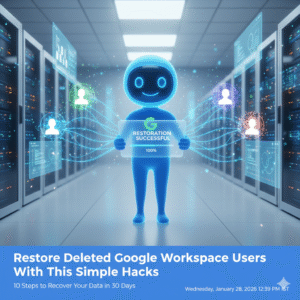
Restore Deleted Google Workspace Users With This Simple Hack

Losing critical employee data due to an accidental deletion can feel very stressful because your entire business operation relies on those files. However once you learn the proper way to restore deleted Google Workspace users you will see how easy it is to recover your lost information. I have used these exact methods to help IT admins reverse costly mistakes while seeing zero data loss for their organizations.

The Problem With Accidental Deletion

Many admins feel a sense of panic when a user account disappears because they assume the data is gone forever. This approach creates a massive amount of unnecessary pressure on your internal support team. You might feel frustrated when you realize that important emails and drive files are no longer accessible to your staff. To restore deleted Google Workspace users you must act quickly before the system purges the files forever.

The solution lies in acting quickly within the standard recovery window provided by Google. The admin console allows you to bring back a deleted user and all their associated data if you follow the right path. Once you apply these recovery steps you will see your workspace return to its normal state. I have seen companies save hundreds of hours of work by knowing the right process to restore deleted Google Workspace users.

Restore Deleted Google Workspace Users With This Simple Hacks

Step 1: Verify the Twenty Day Recovery Window

Google only allows you to restore deleted Google Workspace users within twenty days of the initial deletion. Specifically you must check the date the account was removed to ensure you are still within this vital timeframe. If you wait longer than twenty days the data is purged from the system permanently. Therefore your first priority is to confirm that you can still take action.

Step 2: Access the Users Section in Admin Console

You should log in to your Google Admin console using an account that has super admin privileges. Once you are inside navigate to the directory section and select the users option from the sidebar. This area contains all the tools you need to manage your employee accounts. This simple navigation is the starting point for every mission to restore deleted Google Workspace users.

Step 3: Use the Recently Deleted Filter

The default view only shows active users so you must change your settings to find the missing account. You can click on the add a filter option and select the recently deleted category from the list. This will reveal every account that has been removed within the last three weeks. To restore deleted Google Workspace users you simply need to find the specific name in this list.

Step 4: Review the User Data Before Restoration

Before you click the restore button you should double check the user’s details to avoid any confusion. For instance you want to make sure you are recovering the correct person if you have multiple employees with similar names. This ensures that you do not waste time while you restore deleted Google Workspace users. Consequently you maintain a clean and accurate directory for your entire business.

Step 5: Check for Available License Seats

Google Workspace requires an active license for every user you want to have in your system. If your current plan is full you may need to buy an extra seat before you can complete the restoration. You should check your billing section to see if you have any unassigned licenses ready to go. Having a license ready ensures that you can restore deleted Google Workspace users without any technical errors.

Step 6: Click the Restore Button

Once you have selected the correct user simply hover over their name and click the restore link. A pop up window will appear asking you to confirm that you want to bring the account back to life. This action triggers the system to begin reassembling the user’s emails and drive files. Therefore you are just one click away from the goal to restore deleted Google Workspace users.

Step 7: Assign the User to an Organizational Unit

You must decide where the restored user fits within your company structure to ensure they have the right permissions. For example you might need to place them back into the sales or marketing department. This step ensures that the user can immediately access the shared folders they need for their job. Proper placement keeps your security policies consistent when you restore deleted Google Workspace users.

Step 8: Reset the User Password for Security

As a safety measure you should always create a new password for any account that has been restored. Specifically this prevents any old credentials from being a weak point in your company security. You can send the new login details directly to the employee or their manager. Prompt password resets are a primary way to keep your business data protected.

Step 9: Verify Google Drive and Gmail Content

After the restoration is complete you should ask the user to check their most important files and emails. Because the system can take up to twenty four hours to fully sync you might see some items appearing slowly. This verification step ensures that every piece of vital information has returned to its original home. You should see all their previous work restored exactly as it was before the deletion.

Step 10: Set Up an Ownership Transfer Policy

To avoid future deletion scares you should implement a policy for transferring file ownership. For instance when an employee leaves you can move their drive files to a manager before deleting the account. This ensures that the business keeps the data even if the individual user is gone. Taking this proactive step is the smartest way to manage your digital assets.

Conclusion and Next Steps

If you follow the steps in this guide you should soon see your deleted users back in your directory. Please do not forget to let me know how you got on in the comments below. I am always interested in hearing your thoughts so tell me which part of the recovery process you felt was most helpful.

FAQs

1 How long do I have to restore a deleted user?

You have exactly twenty days from the date of deletion to recover a user and their data.

2 Do I lose emails when a user is deleted?

If you restore the account within twenty days all emails and files will return to the user.

3 What if the twenty day window has passed?

Once twenty days have passed the data is permanently deleted and cannot be recovered by Google.

4 Do I need a super admin account to do this?

Yes only a user with super admin privileges can restore deleted accounts in the console.

5 Can I restore multiple users at once?

You can select multiple names from the recently deleted list and restore them as a batch.

Also Read: Top 10 Admin Console Mistakes That Are Hurting Your Business Right Now

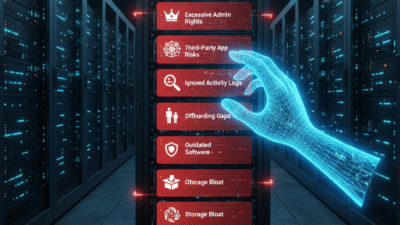
Top 10 Admin Console Mistakes That Are Hurting Your Business Right Now

Managing a digital workspace can feel very difficult because one small error in your settings can lead to massive security risks. However, once you learn how to audit your admin console properly, you will see a much more secure and efficient operation. I have used these tips to help brands protect their data while seeing a boost in employee productivity.

The Problem With Poor Admin Management

Many business owners overlook their admin console because it seems like a purely technical task. This approach creates a massive gap in your security perimeter. You might feel safe but a single open port or an unmanaged device can bring your whole system down. Poor management is like leaving your front door wide open and hoping for the best.

The solution lies in taking total control over your digital infrastructure today. AI can now scan your settings to find vulnerabilities in just a few seconds. Once you fix these errors you will see your risk levels drop immediately. I have seen companies avoid total data loss by simply tightening their admin permissions.

Top 10 Admin Console Mistakes That Are Hurting Your Business Right Now

Mistake 1: Ignoring Multi Factor Authentication

MFA is your first line of defense against unauthorized access to your company data. However, many admins leave this setting optional for their users. This creates a weak link that hackers can easily exploit to steal credentials. Therefore you must enforce MFA for every single account in your organization.

Mistake 2: Granting Excessive Super Admin Rights

Giving too many people full access to your console is a very dangerous habit. For instance, if a super admin account is compromised the attacker gets total control. You should only have two or three people with this level of power. Consequently, you reduce the surface area for a potential security breach.

Mistake 3: Failing to Audit Third Party Apps

Third party apps often request access to your core business data to function. Many admins approve these requests without checking the security of the app provider. Because of this, your sensitive information could be leaking to unknown servers. You should regularly review and revoke access for any apps that are not essential.

Mistake 4: Poor Device Management Policies

Your employees likely use multiple devices to access their work accounts every day. If these devices are not managed, you cannot wipe them if they are lost or stolen. AI can help you track these endpoints and enforce security standards automatically. This ensures that your business data stays within your control at all times.

Mistake 5: Neglecting Regular Admin Activity Logs

The admin logs tell you exactly who changed what in your system and when. However, many managers never look at these records until a problem occurs. Regular reviews allow you to spot suspicious behavior before it turns into a disaster. Therefore, you should schedule a weekly audit of your console activity.

Mistake 6: Leaving Onboarding and Offboarding Gaps

When an employee leaves your company, you must revoke their access immediately. A common error is leaving old accounts active for weeks after a person departs. This creates a massive security hole that can be used for data theft. Use automated tools to ensure that offboarding happens the moment a contract ends.

Mistake 7: Misconfiguring Data Sharing Permissions

Default settings in many consoles allow users to share files with anyone on the internet. While this is convenient, it often leads to accidental data leaks of sensitive records. You should set your sharing policies to “restricted” by default. In addition, you can use labels to identify which files require extra protection.

Mistake 8: Forgetting to Update Software and Apps

Outdated software is a primary target for malware and ransomware attacks. Many admins wait too long to push updates to their users across the network. AI can help you automate these updates so that your systems stay current without any manual work. This simple step is one of the best ways to keep your business safe.

Mistake 9: Inconsistent Storage Management

Digital storage costs can spiral out of control if you do not monitor your usage. Often, admins let old and useless files sit in the cloud for many years. This clutters your system and increases your monthly bills significantly. You should implement a clear data retention policy to delete what you no longer need.

Mistake 10: Lack of Admin Password Rotation

Admin passwords should be changed regularly to prevent long term account hijacking. However, many people use the same password for months or even years. This is a very risky practice that lowers your overall security score. Therefore, you should enforce a policy that requires password updates every ninety days.

Conclusion and Next Steps

If you follow the tips in this guide, you should soon see better security results for your business. Please do not forget to let me know how you got on in the comments below. I am always interested in hearing your thoughts, so tell me which tip you felt worked best for you.

FAQs

1 Why is MFA so important for admins?

It provides a second layer of security that prevents hackers from entering even if they have your password.

2 How many super admins should a company have?

Most experts recommend having at least two but no more than three for a medium sized business.

3 Can AI help manage my admin settings?

Yes, many modern consoles use AI to suggest security improvements and find data leaks automatically.

4 What happens if I forget to offboard a user?

The former employee may still have access to your private files which is a major security risk.

5 How often should I audit my admin logs?

You should perform a brief review of your logs at least once every week to catch suspicious activity early.

Also Read: How to manage multiple Gmail accounts efficiently