Refresh loader

Category : Saas

Home > Archive for Saas

How Do UPI MDR Charges Impact Businesses in 2026? Ultimate Guide

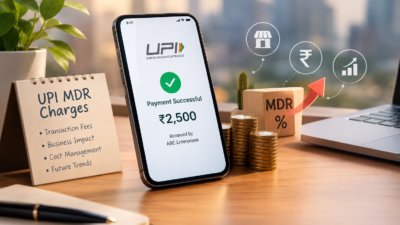
UPI MDR 2026: What the New Merchant Charges Mean for Indian Businesses

UPI has changed how India pays for things. It is fast, simple, and mostly free for customers. However, a new update called UPI MDR 2026 is bringing changes for merchants.

MDR stands for Merchant Discount Rate. It is a small fee charged on transactions. For years, UPI payments carried no MDR for most merchants. That is now shifting for certain categories of businesses.

This article breaks down what UPI MDR 2026 means. You will learn who pays, how much, and what steps your business should take next.

What Is UPI MDR and Why Is It Changing

MDR is a fee that a merchant pays to accept a digital payment. Card payments have always included this fee. UPI, however, was mostly fee-free to encourage adoption across India.

That approach helped UPI become the most used payment method in the country. Millions of small businesses adopted it because it cost nothing to accept. As a result, digital payments grew rapidly, even in small towns and rural areas.

Now that UPI has matured, regulators and payment providers are introducing MDR for specific transaction types. This helps cover infrastructure costs and supports continued innovation in the payments ecosystem.

It is important to note that these charges typically apply to larger merchants or specific payment instruments, not everyday personal transactions. Therefore, most individual users will not notice any difference in their daily UPI use.

Who Will Be Affected by UPI MDR 2026

Not every business feels the same impact. Large enterprises processing high transaction volumes are more likely to see new charges applied. Similarly, certain prepaid instruments and wallet-linked UPI payments may carry a small fee.

Small merchants and individual sellers often remain exempt, especially those below certain transaction thresholds. This protects small shop owners and street vendors who rely heavily on UPI for daily sales.

E-commerce businesses and D2C brands should pay closer attention. Higher transaction volumes mean even small fees can add up over a month. For example, a business processing thousands of transactions may see a noticeable shift in payment processing costs.

SaaS companies and subscription-based businesses should also review their payment setup. Recurring UPI payments at scale may fall under new charge categories depending on the payment provider’s policies.

Additionally, fintech companies offering UPI as part of their platform must update their fee structures and communicate clearly with their own merchant customers. Transparency here builds trust during a period of change.

How to Prepare Your Business for the New Charges : UPI

Preparation starts with understanding your own transaction data. Review how many UPI payments your business processes monthly and which categories they fall under.

Next, speak with your payment gateway provider. Ask directly whether your account falls under the new MDR structure and what the exact rate will be. Providers should be able to give clear, written answers.

It also helps to review your pricing strategy. If new charges apply, some businesses choose to absorb the cost, while others adjust pricing slightly to cover it. Consider your customer base before making this decision, since price sensitivity varies across industries.

Furthermore, diversify your payment options where possible. Offering multiple payment methods reduces dependency on a single channel and protects your margins if fees change again in the future.

Finally, keep your accounting team informed. Payment processing fees affect your profit margins, so accurate tracking is essential for financial planning and tax reporting.

What This Means for the Future of Digital Payments in India: UPI

UPI MDR 2026 signals a shift toward a more sustainable payments ecosystem. Free services cannot last forever, especially as transaction volumes reach massive scale.

This change may also open the door to better services. Payment providers earning revenue through MDR can reinvest in fraud protection, faster settlements, and improved customer support.

For businesses, this is also a moment to evaluate technology partners. Working with a reliable payment provider becomes even more important when fees and rules evolve. Choosing wisely now can prevent costly surprises later.

Consequently, businesses that stay informed and proactive will handle this transition more smoothly than those who wait until the changes take effect. Being prepared is always cheaper than reacting under pressure.

Retail businesses, in particular, should watch how MDR impacts point-of-sale UPI transactions, since in-store volumes can be significant. Meanwhile, professional services firms billing clients through UPI links should also review their invoicing tools for updated fee disclosures.

Common Questions Business Owners Are Asking

Many business owners want to know exactly how much they will pay. The honest answer is that rates vary depending on transaction type, merchant category, and payment provider. There is no single flat number that applies to everyone.

Some worry that customers will move away from UPI toward other payment methods. This is unlikely for most industries, since UPI remains fast and convenient. Customers rarely notice merchant-side fees unless prices visibly increase.

Others ask whether MDR charges are negotiable. In some cases, payment providers offer tiered pricing based on volume. Larger businesses processing high transaction counts may qualify for better rates. It is always worth asking directly instead of assuming a fixed cost.

There is also confusion about whether MDR applies retroactively. Typically, new charges apply only from the effective date onward, not to past transactions. However, always confirm this with your specific provider to avoid billing surprises.

Business owners in the marketing and operations space should also loop in their finance managers early. Cross-team communication ensures nobody is caught off guard when new charges appear on monthly statements.

Steps IT and Finance Teams Should Take Together for UPI

Technology and finance teams often work separately, but UPI MDR 2026 requires coordination. IT managers should confirm that payment integrations are updated to reflect new fee structures accurately.

Finance managers, meanwhile, should update budgeting models to account for potential new costs. Even a small percentage fee can affect quarterly projections when transaction volumes are high.

Operations managers can help by reviewing which departments or product lines generate the most UPI transactions. This data helps prioritize where cost management efforts should focus first.

Digital transformation leaders should also view this as an opportunity. Instead of only reacting to fee changes, businesses can use this moment to modernize their entire payment stack. Upgrading systems now can prevent larger disruptions during future regulatory updates.

Ultimately, cross-functional planning turns a potentially stressful change into a manageable business adjustment. Teams that communicate early tend to handle transitions far more smoothly.

Conclusion

UPI MDR 2026 marks an important shift in how digital payments work in India. While most everyday users will see little change, businesses processing high transaction volumes need to prepare carefully.

Understanding who is affected, reviewing your payment provider’s policies, and adjusting your strategy early will help your business adapt smoothly. Digital payments remain one of the most efficient ways to do business in India, and staying informed keeps you ahead of the curve.

How Do UPI MDR Charges Impact Businesses in 2026


Frequently Asked Questions

  1. What is UPI MDR? UPI MDR, or Merchant Discount Rate, is a small fee charged to merchants for accepting UPI payments under certain conditions.
  2. Will customers pay more because of UPI MDR 2026? Generally, MDR is charged to merchants, not customers, though some businesses may adjust pricing to cover the cost.
  3. Are small businesses exempt from UPI MDR 2026? Many small merchants below certain transaction thresholds remain exempt, though rules can vary by provider.
  4. How can I check if my business is affected? Contact your payment gateway or bank directly to confirm your transaction category and applicable charges.
  5. Does UPI MDR 2026 affect personal UPI transfers? No, personal peer-to-peer UPI transfers are generally not affected by these merchant-focused charges.


Also Read:

How Do You Get Started With Smart Payments? Ultimate Guide

How Do You Spot SaaS Lock-In Before Signing? Ultimate Guide

SaaS Vendor Contract Lock-In: How a Virtual CTO Audits and Renegotiates High-Priced Enterprise Software Contracts

The Hidden Cost of SaaS Contract Lock-In

Software subscriptions grow quietly. One tool becomes ten, and ten become fifty. Then the renewals arrive with steep price hikes. Leaving feels almost impossible.

This trap is called SaaS contract lock-in. It hurts budgets and slows innovation for growing companies. A virtual CTO can help you escape it. This guide explains how a virtual CTO audits contracts and renegotiates fairer terms. It is written for CEOs, CFOs, CIOs, and IT heads.

What Is SaaS Contract Lock-In?

SaaS contract lock-in happens when leaving a vendor becomes too costly or too hard. The reasons vary. Some are legal, such as long terms and heavy penalties. Others are technical, such as data trapped in special formats. Some are simply human, like staff trained on one tool.

Common Types of Lock-In

Contract lock-in relies on long terms and auto-renewal. Data lock-in makes exports slow or costly. Integration lock-in ties many systems to one vendor’s tools. Pricing lock-in offers big discounts that vanish at renewal. Each type reduces your power to negotiate.

Warning Signs Your Business Is Locked In

Watch for a few clear signs. Renewal prices jump every year. Exporting your data is slow or expensive. Your team cannot name a realistic alternative vendor. You may even pay for unused licenses because cutting seats is not allowed.

Why SaaS Lock-In Costs More Than You Think

The visible price is only part of the story. Hidden costs pile up over time. Switching later becomes harder as data and integrations grow. Vendors know this and raise prices with confidence.

Lock-in also hurts speed. Your team cannot adopt better tools when contracts block the exit. Innovation slows and workarounds multiply. Finance leaders then face budgets that rise faster than revenue.

Key Contract Clauses Every Leader Should Know for SaaS

Contracts are written to favor the vendor. Five clauses deserve your closest attention. Each one can quietly create lock-in.

Auto-Renewal and Contract Term

Auto-renewal clauses renew the deal unless notice is sent by a set date. That date is often buried deep in the agreement. Miss it, and you are bound for another year. Multi-year terms add more risk when your needs change.

Price Increase Caps

Some vendors reserve the right to raise prices at renewal. Without a cap, increases of twenty percent or more are common. A firm cap gives your finance team a predictable budget.

Termination and Data Export Rights

Look for clear exit rights. Your data should be exportable in open formats at no extra charge. Delays and fees for exports are classic lock-in tools. Strong exit terms also make every other negotiation easier.

Service Levels and Liability

Service level agreements define uptime and support. Weak terms leave you paying for poor service. Liability limits are often set very low. Review both with care.

What Is a Virtual CTO and Why Does It Help for SaaS

A virtual CTO is an expert technology leader hired on demand. They give strategy without a full-time salary. Many startups and SMEs use them. Large firms bring them in for special projects.

For software spend, a virtual CTO brings two skills. They understand technology deeply. They also know how vendors negotiate. This mix is rare inside most finance or procurement teams.

How a Virtual CTO Audits Enterprise Software Contracts for SaaS

An audit turns confusion into a clear picture. Here is the usual process.

Step 1: Build a Complete Software Inventory

Every tool, owner, cost, and renewal date should be listed. Include shadow IT, which means tools bought without approval. Many firms find dozens of forgotten subscriptions. This step alone often reveals quick savings.

Step 2: Measure Real Usage

Compare paid seats with active users. Check feature use against your plan tier. Low usage is strong leverage. It proves that you are overpaying.

Step 3: Review Contract Clauses

The virtual CTO reads the fine print. Key clauses include term length, auto-renewal, price caps, termination rights, and service level agreements. Data ownership and export rights matter as well. So do limits on liability. Lock-in lives in the hidden clauses. Such clauses are often missed by busy teams.

Step 4: Check Technical Dependencies

Next, map how each tool connects to others. Identify custom code, APIs, and data flows. Estimate the effort to switch. This shows how strong the vendor’s grip really is. It also shows where to build safer, more open designs.

Step 5: Benchmark Pricing and Alternatives

Your prices should be compared with market rates. Research competitors and open-source options. Even without switching, alternatives add leverage. Vendors drop prices when they see a credible exit.

How to Renegotiate High-Priced SaaS Contracts

Preparation wins negotiations. Start early, ideally six to nine months before renewal. Late talks leave you with no options.

Use Data as Your Leverage

Usage reports and benchmark prices should be brought to the table. Show which features you do not use. Ask for right-sized plans. Facts are harder to argue with than complaints.

Negotiate Terms, Not Just Price

Price matters, but terms matter more for lock-in. Ask for price caps on renewal, such as three percent per year. Seek shorter terms or flexible seat counts. Request the right to reduce licenses. Ask for free data export and clear exit help.

Bundle and Consolidate

Vendors love bigger deals. Consolidating tools can raise your bargaining power. Conversely, splitting spend across vendors can prevent dependence. A virtual CTO weighs both options.

Prepare a Real Exit Plan

Your best lever is a credible walk-away. A migration plan and timeline should be drafted. Share that you are evaluating options. Sometimes you will switch. Other times, a strong discount will be won.

A Sample Audit Outcome

Consider a mid-sized software firm with sixty subscriptions. The audit found nine tools that overlapped. Usage data showed that a third of paid seats were idle. Three contracts were set to auto-renew within ninety days.

The virtual CTO cut the overlap and right-sized the seats. Renewal caps were added to the largest deals. The firm reduced software spend by a large margin and kept its core tools. Results will differ, but the method is repeatable.

Signs You Need a Virtual CTO for Contract Reviews in SaaS

Some situations call for outside help. Your renewals are approaching and nobody owns them. Software costs rise faster than revenue. Your team lacks negotiation experience or time. Or a major migration is being planned and the risks are unclear.

An outside expert brings fresh eyes and market knowledge. They are not tied to old vendor relationships. This independence often leads to better outcomes.

Negotiation Tactics That Work Against Big Vendors in SaaS

Large vendors follow a playbook. They offer deep discounts on new deals and push hard near quarter end. Knowing this timing gives you an edge. Sales teams close deals faster when their targets are close.

Ask for the same discount on renewals that you got on day one. Trade longer terms only for lower prices and firm caps. Keep every promise in writing. Verbal offers rarely survive a change of sales rep.

Escalate when talks stall. Executive sponsors on both sides often unlock better terms. A calm, data-led tone works better than threats. Vendors want long partnerships, and fair deals protect them too.

How to Prevent Future SaaS Lock-InĀ 

Fix the process, not just one contract. Create a buying policy. Require security, data export, and exit terms before purchase. Prefer open standards and strong APIs. Keep a central renewal calendar with alerts at 180 days.

Review your stack every year. Retire tools that overlap. Train staff on flexible platforms. Over time, these habits keep your power intact.

Conclusion: Take Back Control of Your Software Spend in SaaS

SaaS contract lock-in quietly drains budgets. Still, you can fight back. A virtual CTO audits contracts, measures usage, and finds weak spots. Then they renegotiate terms with data and a clear exit plan. Start with an inventory and a renewal calendar today.

Request SaaS Contract Audit from Ouriken

How Do You Spot SaaS Lock-In Before Signing

Frequently Asked Questions

1. What is SaaS contract lock-in?

It is a situation where switching vendors is too costly or difficult. Long terms, data export limits, and deep integrations are common causes.

2. What does a virtual CTO do in a contract audit?

A virtual CTO reviews contracts, usage, and technical dependencies. They benchmark prices and lead negotiations with vendors. Their report shows where savings and risks sit.

3. When should I renegotiate an enterprise software contract?

Start six to nine months before renewal. Early talks give you time to compare options and build leverage.

4. Can small businesses and startups face vendor lock-in?

Yes. Growth deepens dependence on each tool. Review contracts early, before switching becomes expensive.

5. How do I avoid lock-in in future purchases?

Require data export rights, price caps, and clear exit terms. Prefer open standards and shorter commitments.

Also Read:

How Do Tech Leaders Fix Developer Churn? A Complete Guide

What Is the vCTO Guide to Automated Quality Gates? Ultimate Guide