Refresh loader

Category : Email Marketing

Home > Archive for Email Marketing

How Does vCTO Governance Fix IT Vendor Confusion? Ultimate Guide

Managing 3 Different Software Vendors: Unifying Disjointed IT Agencies Under Single-Point vCTO Governance

Many growing businesses end up working with multiple IT vendors over time. One agency builds the website. Another manages cloud infrastructure. A third handles custom software development. Individually, each vendor may do good work. Together, however, they often create confusion, delays, and rising costs.

This is where single-point vCTO governance becomes valuable. A virtual CTO, or vCTO, acts as a central point of accountability across all your technology vendors. In this guide, we will explore why managing multiple software vendors is harder than it looks, and how vCTO governance solves these challenges effectively.

The Hidden Cost of Managing Multiple Software Vendors with vCTO

At first, working with several specialized vendors seems efficient. Each agency focuses on what it does best. However, coordination between vendors often falls on internal teams that lack technical depth. This creates communication gaps and slows down decision-making.

Additionally, vendors rarely share the same priorities. One agency may recommend a tool that conflicts with another vendor’s system. Without a unifying strategy, businesses end up with fragmented technology stacks. This fragmentation increases costs and creates security risks over time.

Finance managers often notice this problem first. Invoices arrive from multiple vendors with overlapping services. Meanwhile, operations managers struggle to get clear answers when something breaks, since no single vendor takes full ownership of the outcome.

Consequently, many businesses reach a breaking point. They realize that managing three or more disjointed IT agencies costs more in time and stress than it saves in specialization. This is exactly the gap that vCTO governance is designed to close.

What Is Single-Point vCTO Governance?

A vCTO is an experienced technology leader who works with your business on a fractional or contract basis. Unlike a full-time CTO, a vCTO provides strategic oversight without the cost of a permanent executive hire. This makes it accessible for startups, SMEs, and mid-sized enterprises alike.

Single-point governance means the vCTO becomes the central authority across all your software vendors. Instead of each agency reporting separately to different internal stakeholders, they report through one coordinated strategy. This eliminates conflicting priorities and creates a unified technology roadmap.

Furthermore, a vCTO evaluates each vendor’s performance against shared business goals. This includes cost efficiency, security standards, and long-term scalability. As a result, businesses gain a clear, objective view of whether their current vendor mix actually serves their needs.

This model works particularly well for businesses undergoing digital transformation. When multiple systems need to work together, having one accountable technology leader prevents costly misalignment between vendors.

How vCTO Governance Solves Vendor Management Problems

One major benefit is centralized decision-making. Instead of juggling separate conversations with three vendors, business owners get consolidated recommendations from their vCTO. This saves significant time for CEOs and operations leaders who are not technical specialists themselves.

Additionally, a vCTO standardizes communication across vendors. They set clear expectations, timelines, and reporting formats for every agency involved. This consistency reduces misunderstandings and keeps projects on track more reliably.

Security also improves under this model. A vCTO reviews each vendor’s practices against a unified security standard. This is especially important when vendors have access to sensitive customer or financial data. Without this oversight, gaps between vendors can create serious vulnerabilities.

Cost control improves too. A vCTO often identifies overlapping services between vendors that waste budget. For example, two agencies might unknowingly offer similar hosting or monitoring services. Consolidating these reduces unnecessary spend significantly.

Implementing vCTO Governance in Your Business

Start by mapping your current vendor landscape. List every software vendor, their scope of work, and their reporting relationships. This exercise alone often reveals overlaps and gaps that were previously invisible to leadership.

Next, bring in a vCTO with experience across your specific technology needs. Look for someone who has managed multi-vendor environments before, ideally within your industry. This experience helps them quickly identify risks and opportunities within your existing setup.

After onboarding, the vCTO should establish clear governance processes. This includes regular vendor review meetings, shared performance metrics, and a unified technology roadmap. These processes ensure accountability across all parties involved.

Finally, measure results over time. Track metrics like project delivery speed, incident response times, and overall IT spend. Most businesses see measurable improvements within the first few months of implementing single-point governance.

Is vCTO Governance Right for Your Business?

This model works well for businesses managing three or more active software vendors, especially when internal teams lack deep technical expertise. It also suits businesses experiencing rapid growth, where technology decisions increasingly affect broader business strategy.

However, very small businesses with a single simple software stack may not need this level of governance yet. In those cases, direct vendor management may still work fine. As complexity grows, though, revisiting this decision becomes important.

Business transformation leaders and innovation heads should evaluate this option seriously. The cost of ongoing vendor confusion often exceeds the investment required for proper governance. Early adoption can prevent larger, more expensive problems later.

How Does vCTO Governance Fix IT Vendor Confusion

Conclusion

Managing three different software vendors without a unified strategy creates unnecessary risk and cost. Single-point vCTO governance solves this by placing one accountable expert at the center of your technology decisions. This leads to better security, clearer communication, and smarter spending across your entire IT ecosystem. For growing businesses, this approach often marks a turning point toward more efficient, confident technology management.

Frequently Asked Questions

  1. What does a vCTO actually do day to day? A vCTO oversees technology strategy, manages vendor relationships, and ensures all software decisions align with business goals.
  2. How is a vCTO different from a full-time CTO? A vCTO works on a fractional or contract basis, offering executive-level expertise without the cost of a permanent hire.
  3. How many vendors justify hiring a vCTO? Businesses managing three or more active software vendors typically benefit most from single-point vCTO governance.
  4. Does vCTO governance replace my existing vendors? No, it coordinates and oversees existing vendors rather than replacing them, improving alignment and accountability.
  5. Can small businesses afford vCTO governance? Yes, the fractional model makes vCTO governance accessible for SMEs and startups without full executive budgets.

Also Read:

How Do UPI MDR Charges Impact Businesses in 2026? Ultimate Guide

How Do You Get Started With Smart Payments? Ultimate Guide

 

How Do UPI MDR Charges Impact Businesses in 2026? Ultimate Guide

UPI MDR 2026: What the New Merchant Charges Mean for Indian Businesses

UPI has changed how India pays for things. It is fast, simple, and mostly free for customers. However, a new update called UPI MDR 2026 is bringing changes for merchants.

MDR stands for Merchant Discount Rate. It is a small fee charged on transactions. For years, UPI payments carried no MDR for most merchants. That is now shifting for certain categories of businesses.

This article breaks down what UPI MDR 2026 means. You will learn who pays, how much, and what steps your business should take next.

What Is UPI MDR and Why Is It Changing

MDR is a fee that a merchant pays to accept a digital payment. Card payments have always included this fee. UPI, however, was mostly fee-free to encourage adoption across India.

That approach helped UPI become the most used payment method in the country. Millions of small businesses adopted it because it cost nothing to accept. As a result, digital payments grew rapidly, even in small towns and rural areas.

Now that UPI has matured, regulators and payment providers are introducing MDR for specific transaction types. This helps cover infrastructure costs and supports continued innovation in the payments ecosystem.

It is important to note that these charges typically apply to larger merchants or specific payment instruments, not everyday personal transactions. Therefore, most individual users will not notice any difference in their daily UPI use.

Who Will Be Affected by UPI MDR 2026

Not every business feels the same impact. Large enterprises processing high transaction volumes are more likely to see new charges applied. Similarly, certain prepaid instruments and wallet-linked UPI payments may carry a small fee.

Small merchants and individual sellers often remain exempt, especially those below certain transaction thresholds. This protects small shop owners and street vendors who rely heavily on UPI for daily sales.

E-commerce businesses and D2C brands should pay closer attention. Higher transaction volumes mean even small fees can add up over a month. For example, a business processing thousands of transactions may see a noticeable shift in payment processing costs.

SaaS companies and subscription-based businesses should also review their payment setup. Recurring UPI payments at scale may fall under new charge categories depending on the payment provider’s policies.

Additionally, fintech companies offering UPI as part of their platform must update their fee structures and communicate clearly with their own merchant customers. Transparency here builds trust during a period of change.

How to Prepare Your Business for the New Charges : UPI

Preparation starts with understanding your own transaction data. Review how many UPI payments your business processes monthly and which categories they fall under.

Next, speak with your payment gateway provider. Ask directly whether your account falls under the new MDR structure and what the exact rate will be. Providers should be able to give clear, written answers.

It also helps to review your pricing strategy. If new charges apply, some businesses choose to absorb the cost, while others adjust pricing slightly to cover it. Consider your customer base before making this decision, since price sensitivity varies across industries.

Furthermore, diversify your payment options where possible. Offering multiple payment methods reduces dependency on a single channel and protects your margins if fees change again in the future.

Finally, keep your accounting team informed. Payment processing fees affect your profit margins, so accurate tracking is essential for financial planning and tax reporting.

What This Means for the Future of Digital Payments in India: UPI

UPI MDR 2026 signals a shift toward a more sustainable payments ecosystem. Free services cannot last forever, especially as transaction volumes reach massive scale.

This change may also open the door to better services. Payment providers earning revenue through MDR can reinvest in fraud protection, faster settlements, and improved customer support.

For businesses, this is also a moment to evaluate technology partners. Working with a reliable payment provider becomes even more important when fees and rules evolve. Choosing wisely now can prevent costly surprises later.

Consequently, businesses that stay informed and proactive will handle this transition more smoothly than those who wait until the changes take effect. Being prepared is always cheaper than reacting under pressure.

Retail businesses, in particular, should watch how MDR impacts point-of-sale UPI transactions, since in-store volumes can be significant. Meanwhile, professional services firms billing clients through UPI links should also review their invoicing tools for updated fee disclosures.

Common Questions Business Owners Are Asking

Many business owners want to know exactly how much they will pay. The honest answer is that rates vary depending on transaction type, merchant category, and payment provider. There is no single flat number that applies to everyone.

Some worry that customers will move away from UPI toward other payment methods. This is unlikely for most industries, since UPI remains fast and convenient. Customers rarely notice merchant-side fees unless prices visibly increase.

Others ask whether MDR charges are negotiable. In some cases, payment providers offer tiered pricing based on volume. Larger businesses processing high transaction counts may qualify for better rates. It is always worth asking directly instead of assuming a fixed cost.

There is also confusion about whether MDR applies retroactively. Typically, new charges apply only from the effective date onward, not to past transactions. However, always confirm this with your specific provider to avoid billing surprises.

Business owners in the marketing and operations space should also loop in their finance managers early. Cross-team communication ensures nobody is caught off guard when new charges appear on monthly statements.

Steps IT and Finance Teams Should Take Together for UPI

Technology and finance teams often work separately, but UPI MDR 2026 requires coordination. IT managers should confirm that payment integrations are updated to reflect new fee structures accurately.

Finance managers, meanwhile, should update budgeting models to account for potential new costs. Even a small percentage fee can affect quarterly projections when transaction volumes are high.

Operations managers can help by reviewing which departments or product lines generate the most UPI transactions. This data helps prioritize where cost management efforts should focus first.

Digital transformation leaders should also view this as an opportunity. Instead of only reacting to fee changes, businesses can use this moment to modernize their entire payment stack. Upgrading systems now can prevent larger disruptions during future regulatory updates.

Ultimately, cross-functional planning turns a potentially stressful change into a manageable business adjustment. Teams that communicate early tend to handle transitions far more smoothly.

Conclusion

UPI MDR 2026 marks an important shift in how digital payments work in India. While most everyday users will see little change, businesses processing high transaction volumes need to prepare carefully.

Understanding who is affected, reviewing your payment provider’s policies, and adjusting your strategy early will help your business adapt smoothly. Digital payments remain one of the most efficient ways to do business in India, and staying informed keeps you ahead of the curve.

How Do UPI MDR Charges Impact Businesses in 2026


Frequently Asked Questions

  1. What is UPI MDR? UPI MDR, or Merchant Discount Rate, is a small fee charged to merchants for accepting UPI payments under certain conditions.
  2. Will customers pay more because of UPI MDR 2026? Generally, MDR is charged to merchants, not customers, though some businesses may adjust pricing to cover the cost.
  3. Are small businesses exempt from UPI MDR 2026? Many small merchants below certain transaction thresholds remain exempt, though rules can vary by provider.
  4. How can I check if my business is affected? Contact your payment gateway or bank directly to confirm your transaction category and applicable charges.
  5. Does UPI MDR 2026 affect personal UPI transfers? No, personal peer-to-peer UPI transfers are generally not affected by these merchant-focused charges.

Also Read:

How Do You Get Started With Smart Payments? Ultimate Guide

Why Gmail Blocks Your Emails and How to Fix It Easily

The Problem with the Spam Folder Trap

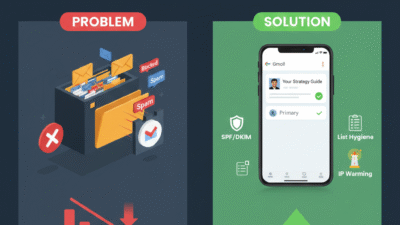
I’ve heard it a thousand times. A company spends a fortune on a big emails list. And yet, their sales reps treat the spam folder like a final home for their work. Usually, that is just a polite way of saying the setup is too weak. Also, the reps are too busy sending more mail to bother with technical health. If you are obsessing over your send count while your open rate is flat, you are building a ghost town.

In fact, a list where 20% of the people are truly active is worth much more. Furthermore, the biggest budget killer in 2026 is the “Blast All” strategy. This happens when reps send the same cold pitch to thousands of people. This approach creates a massive disconnect. Because of this, Gmail wants to protect its users from low-quality mail.

The solution lies in a “scientific” fusion of tech setup and content. This turns a simple email into a trusted piece of data. This isn’t just a small fix. Instead, it is a strategic shift. This empowers every rep to reach the inbox every time. Once you apply these touchpoints, you will see your open rates fill with prospects.

Why Gmail Blocks Your Emails and How to Fix It

1. Stop Guessing and Start Warming

If you aren’t looking at your postmaster tools, you are flying blind. Specifically, you need to know why a specific server blocked you. For example, was it the volume or the sudden spike in sends? Smart teams use email warming tools to build a steady track record. Then, they suggest the best time to send for every group.

Moreover, smart strategies allow for a steady gain in inbox placement. This is because they focus on high-quality sender habits. By using a slow and steady start, you improve your sender reputation. This drives predictable growth for your outreach. It sounds simple. However, most teams are too busy “guessing” to look at the health of their domain.

2. The Technical Fix: Beyond Simple Subject Lines

The move to true technical health is happening faster than expected. While old school marketers focus on words, smart systems focus on your DNS settings. These settings use records like DMARC to prove you are who you say you are. These records act like a digital passport for your mail.

However, simple records are not enough for true inbox success. The most advanced stage is the Multi-Record System. These specialized settings coordinate your identity across different mail servers. These systems coordinate trust between you and Google. Consequently, they act as a green light for your messages.

3. Context is King: Use Clean Lists and Great Content

To build truly successful campaigns, you should not have to glue poor lists together. Modern email tools now allow you to check if an address is real before you send. Specifically, this draws on verification tools to deliver a clean path to the inbox. This means a rep can enter a campaign with a full list of valid leads ready to go.

Additionally, imagine a scenario where your content better understands the user’s needs. It draws on personal context to stay out of the promotions tab. This grounding ensures that your messages remain relevant to the person reading them. Therefore, it reduces the spam flags that slow down your best performers. It helps them finish their day with more replies and fewer blocks.

4. The 80/20 Rule: Automate the List Cleaning

If your reps spend 100% of their time on manual cleaning, they have 0% for selling. You must follow an 80/20 rule. Thus, use AI to handle 80% of the list health work. This includes removing dead emails or fixing typos in names. This leaves the 20% of high-value writing to your human team.

Using automated verification helps reps stay on the right side of Gmail rules. AI can even set up fast alerts when your bounce rate goes up. This allows your team to get into a creative flow. They avoid constantly dealing with blacklists and blocks. This leads to much faster sales results.

5. Track the Metrics That Actually Hit the Inbox

If your manager is bragging about “total sends,” you should find a new manager. Those are vanity marks that hide the truth of poor health. You can have a million sends and zero reads in the bank. To know if you are winning, you must track the “Dirty Four”:

  • Inbox Rate: First, what percentage of your mail actually lands in the main folder?

  • Bounce Rate: Next, what is the total number of dead emails on your list?

  • Spam Score: Then, for every mail sent, how many people mark you as spam?

  • Open Ratio: Finally, when trust rises, does your open rate climb to new levels?

Conclusion

How to make every rep reach the inbox? It shifts from a mystery to a system when you clean your lists ruthlessly. You must set clear tech goals. Also, track health marks obsessively using postmaster data. Repeat this cycle for 90 days. Then, your email reach becomes predictable. This certainty lets you send your messages with trust and confidence.


Key Takeaways

  • First, poor email health stops your messages from reaching the inbox because it triggers spam filters.

  • Therefore, teams using clean sender lists save hours of wasted outreach effort.

  • Specifically, fixing your technical setup allows your brand to build long-term trust with Gmail.

  • Furthermore, this connection helps deliver high open rates for every campaign you send.

  • Consequently, users spend 80% of their time reading emails that look safe and personal.

  • This leaves only 20% for marketing noise that usually ends up in the trash folder.

  • For instance, using correct SPF and DKIM records improves your sender score instantly.

  • Thus, identifying bad links in your body text happens much faster than guessing.

  • In addition, moving to a warm IP address allows for steady growth in your reach.

  • Finally, integrated lists outperform messy data across every part of your sales funnel.

FAQs

Q1: Why are my emails suddenly going to the spam folder?

Ans. This usually happens because your sender score dropped or your tech records are missing.

Q2: How long does it take to fix a bad sender reputation?

Ans. Most domains see a real lift in trust within 60 to 90 days of clean sending.

Q3: Is it better to send fewer emails to stay safe?

Ans. Quality over volume wins every time in the eyes of Google spam filters.

Q4: Will a new domain solve my blocking issues?

Ans. No, because you still need to warm it up and set the right records.

Q5: What is the biggest risk of ignoring email health?

Ans. A total domain block can be catastrophic, so make sure you use automated health checks.

READ MORE: 

Restore Deleted Google Workspace Users With This Simple Hack

Top 10 Admin Console Mistakes That Are Hurting Your Business Right Now

Gmail DLP: New Updates for Max Email Security

Gmail remains the primary communication channel for businesses worldwide. Therefore, it is also the most common point of data leakage. Employees, whether accidentally or maliciously, can easily share sensitive information like client lists, financial records, or intellectual property. This kind of data exposure leads to huge compliance fines and serious reputational damage. Consequently, protecting this flow of information is absolutely vital. Google Workspace has recently introduced significant updates to Data Loss Prevention (DLP) for Gmail. These changes are designed to provide stronger, more immediate protection. We will explore how these powerful new tools can help your business secure its most critical communications.

Gmail DLP: New Updates for Max Email Security

The Shift to Instantaneous (Synchronous) DLP Scanning

One of the most impactful recent updates to Data Loss Prevention in Gmail is the move to instantaneous, or synchronous, scanning. Previously, DLP rules were often applied asynchronously, which meant there could be a short but critical delay between the user hitting “Send” and the rule being enforced. Therefore, the email might temporarily leave the secure perimeter of the user’s outbox.

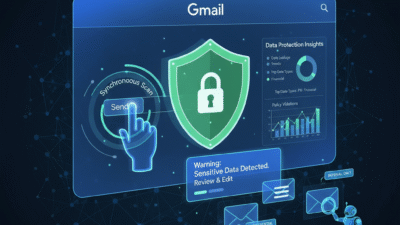
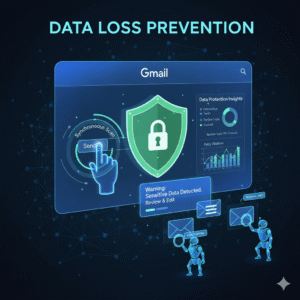
Now, however, the DLP scan happens instantly when the user clicks the Send button. Consequently, the user is notified immediately if the message violates a policy. This real-time enforcement is a major security improvement. Furthermore, this change aligns Gmail DLP with the instantaneous protection already available in Google Drive and Chat. Ultimately, this synchronous scanning drastically minimizes the window for data leakage.

Empowering Users with Customizable Warnings and Actions

A key part of effective Data Loss Prevention is user education. Most data leaks happen because of simple human error, not malicious intent. Therefore, Gmail’s updated DLP now provides more actions than just blocking an email outright. Specifically, administrators can configure a “Warn” action. This action displays a notification to the user about the sensitive content.

Additionally, the administrator can fully customize this warning message. This customizable warning allows the IT team to include specific policy details and links to relevant training materials. Consequently, the user is educated on the spot. The user can then choose to either edit the message to remove the sensitive data or, if appropriate, override the warning and send the message, with the action logged for auditing. This granular control transforms DLP into a powerful educational tool for the entire business.

Gaining Clarity with New Gmail Data Protection Insights

Security teams struggle to manage risks they cannot see clearly. Now, a new feature called Gmail Data Protection Insights gives administrators the visibility they truly need. Specifically, this reporting tool provides daily, high-level analytics on the sensitive data leaving the organization via email. Therefore, IT leaders can see trends, such as the most common data types (like passport numbers or bank details) being flagged in outgoing messages. Furthermore, these insights help administrators assess whether their existing Data Loss Prevention rules are effective. Consequently, the team can move from a reactive posture—responding to breaches—to a proactive one. Thus, these insights are crucial for refining policies and addressing potential risk patterns before they become actual security incidents.

Leveraging Data Classification Labels for Deeper Control

Data classification is a strong foundation for any effective Data Loss Prevention strategy. Therefore, Google has integrated data classification labels directly into Gmail. Specifically, administrators can create or use existing Google Drive labels to tag emails based on their sensitivity. Consequently, a message can be automatically labeled “Internal Only” or “Confidential Financial Data.” Now, DLP rules can use these labels as a condition. For example, a rule can be set to automatically block any email with the label “Highly Confidential” from being sent to an external recipient. Furthermore, the auto-classification labeling feature uses DLP rules to apply these labels automatically. This seamless integration provides deeper, more targeted control over sensitive information, which is a significant boost to Data Loss Prevention.

Best Practices: Setting Up Powerful DLP Rules

Implementing Data Loss Prevention effectively requires careful rule construction. You must start by identifying your company’s most sensitive data types (PII, credit card numbers, health records). Then, use the robust library of predefined content detectors in Google Workspace. Furthermore, administrators should utilize the minimum number of matches and the confidence threshold settings. This tuning prevents too many false positives that frustrate employees. Moreover, a best practice is to always start new rules in “Audit only” mode. This allows the security team to monitor the rule’s impact passively and adjust the settings before enforcing actions like “Block” or “Quarantine.” Consequently, a phased approach minimizes disruption and ensures a smooth rollout of your Data Loss Prevention strategy.

Protecting Against Accidental Leaks and Insider Threats

The majority of data leaks are due to human error—the wrong attachment, the wrong recipient, or a simple lapse in judgment. Data Loss Prevention acts as a crucial safety net against these accidental leaks. Because the new synchronous scanning immediately alerts the user, they have the chance to correct the error before the sensitive email ever leaves the system. However, DLP is also a powerful tool against insider threats. By setting up monitoring rules for specific keywords, file types, or even communication patterns, administrators can flag suspicious activity. Consequently, messages suspected of containing proprietary information being sent to personal accounts can be automatically quarantined for admin review. This dual-purpose protection is essential for securing modern business communication.

Conclusion

The enhancements to Gmail’s Data Loss Prevention capabilities mark a necessary and significant step forward in enterprise email security. Moving to instantaneous scanning eliminates the risk window. Furthermore, customizable warnings turn policy enforcement into an educational opportunity for your users. Finally, integrating features like Data Protection Insights and classification labels provides the necessary clarity and granularity for managing risk at scale. Ultimately, securing business emails is not just about avoiding fines; moreover, it is about protecting your intellectual property, client trust, and brand reputation. Therefore, utilizing these advanced Data Loss Prevention tools in Google Workspace is no longer optional. Instead, it is a mandatory element of a mature, modern security strategy.


Frequently Asked Questions (FAQs)

1. What is the difference between synchronous and asynchronous DLP scanning?

Synchronous scanning is a key update where the Data Loss Prevention rule is checked instantly when the user clicks “Send.” This prevents the email from leaving the outbox if sensitive data is found. Asynchronous scanning, the older method, applied the rule after a short delay, which created a small window for potential leakage.

2. How do I access the new Gmail Data Protection Insights?

The new Gmail Data Protection Insights are reports available to Google Workspace administrators in the Admin console. They provide aggregate data on sensitive content detected in outgoing emails. Administrators use these insights to refine and strengthen their existing Data Loss Prevention rules.

3. What is the benefit of the new “Warn” action in DLP rules?

The “Warn” action notifies the sender about sensitive content before the email is sent, which helps prevent accidental sharing. The customizable message allows administrators to educate the user immediately about the policy violation, encouraging correction and better future compliance.

4. Which types of sensitive data can Gmail DLP detect?

Gmail Data Loss Prevention can detect a vast array of sensitive data types using predefined content detectors. This includes, but is not limited to, credit card numbers, Social Security Numbers, passport numbers, and various international ID numbers, along with custom keywords and regular expressions.

5. How do data classification labels enhance Gmail DLP?

Classification labels (like “Confidential” or “Internal Only”) allow administrators to create highly targeted Data Loss Prevention rules. These rules can be configured to block or warn against specific actions—such as external sharing—only when a message has a particular sensitivity label attached to it.

Also Read: New Google Workspace: Must-Try School 

Latest Outlook Updates: Smarter Scheduling and AI Suggestion

Maximizing Your Day: The Power of Smarter Scheduling in the Latest Outlook Updates

For years, Microsoft Outlook has been the go-to tool for managing email and calendars. However, the world of work is rapidly changing. We now face more meetings, more emails, and more digital clutter than ever before. To fight this, the latest Outlook updates have introduced a powerful game-changer: artificial intelligence (AI). This new wave of smarter scheduling and AI suggestions is not just a minor tweak; it’s a complete revolution in how we manage our time and communicate.

By embracing these innovative features, you can turn your overwhelmed inbox and calendar into a streamlined system of productivity. This comprehensive guide will walk you through the most significant advancements, showing you exactly how the latest Outlook updates will help you regain control of your day.

Image Of Latest Outlook Updates

The Era of AI-Powered Productivity with Latest Outlook Updates

The core of the latest Outlook updates is Microsoft’s commitment to an AI-first future. This strategy focuses on integrating intelligent technology right into the tools you use every day. The goal is simple: to automate the routine, time-consuming tasks so you can focus on work that truly matters. AI is no longer a futuristic concept; it is an active, essential part of your daily workflow. Consequently, your email client is transforming into a full-fledged personal assistant.

Furthermore, this transformation means that every new feature is designed to learn from your habits. Outlook’s AI observes how you prioritize emails, when you prefer to meet, and who your most important contacts are. As a result, the suggestions it provides become more accurate and personalized over time. This continuous learning loop ensures that the latest Outlook updates deliver constantly improving efficiency. Ultimately, you get to experience an email and calendar system that is uniquely tailored to your professional needs, making your workday smoother and less stressful. This new level of customization is what sets the new experience apart.

Scheduling Assistant: Going Beyond Basic Availability

Finding a meeting time that works for everyone is one of the most frustrating parts of office life. The old method involved endless back-and-forth emails, checking multiple calendars, and dealing with time zone headaches. Thanks to the latest Outlook updates, the Scheduling Assistant has evolved into a truly “smarter” tool.

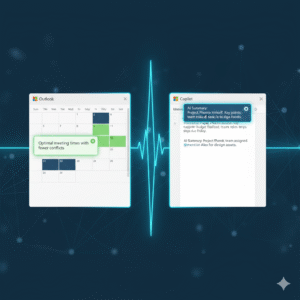
The Scheduling Assistant now uses AI to do more than just check for open blocks on a calendar. It intelligently analyzes everyone’s schedule, considering factors like typical working hours, previously scheduled commitments, and even travel time between different locations. For instance, if a colleague is traveling, the assistant will automatically account for their time zone change and an appropriate buffer.

What’s more, this feature doesn’t just show you available slots; it actively suggests the optimal time. It might recommend a time that avoids a major conflict or one that minimizes back-to-back meetings for attendees. The objective of these latest Outlook updates is to eliminate the dreaded “When are you free?” chain, allowing you to create meeting invites in just a few clicks. This is a massive time saver for any professional.

Copilot Integration: Your Personal Email and Calendar Coach

The most significant AI addition in the latest Outlook updates is the integration of Copilot. This tool acts as an advanced virtual assistant living right inside your email and calendar. Copilot’s capabilities extend across both your inbox and your meeting management, providing unparalleled assistance. For example, in your email, Copilot can instantly summarize lengthy email threads. If you open a discussion with dozens of replies, it will condense the entire conversation into a few key bullet points, highlighting decisions and action items. This one feature can save you hours of reading every week.

Moreover, Copilot assists with drafting emails, which is a major benefit of the latest Outlook updates. You can simply provide a natural language prompt, such as, “Draft a reply to Sarah politely declining her meeting request but suggesting a follow-up call next week.” Copilot will then generate a professional, well-written draft. Beyond drafting, Copilot offers “coaching” suggestions, which are another powerful aspect of the latest Outlook updates. It analyzes the tone of your message before you send it, ensuring that you convey the intended sentiment, whether that’s firm, friendly, or urgent. Therefore, Copilot makes you a more effective and efficient communicator, ultimately improving your professional interactions.

Focused Inbox and Smart Prioritization

A cluttered inbox is a major source of anxiety and lost time. To combat this, the latest Outlook updates have refined the Focused Inbox feature, making it more intelligent than ever. The Focused Inbox automatically sorts your incoming mail into two tabs: “Focused” for emails the AI deems most important, and “Other” for everything else, like newsletters, promotions, and less critical correspondence.

The AI uses a complex set of criteria to determine priority. It learns your habits, paying attention to who you reply to most often and which threads you spend the most time reading. It also analyzes the email’s content, looking for keywords that signify urgency or importance, such as project names or your manager’s name. This process of smart prioritization in the latest Outlook updates ensures that the critical messages are always visible, which significantly reduces the time you spend sifting through junk

You can, of course, train the AI by manually moving emails between the two tabs. This action teaches the system your personal preferences, making the sorting more accurate as you continue to use the feature. This dynamic learning process is key to a calm and efficient inbox.

Enhanced Meeting Insights and Recaps

The latest Outlook updates also bring intelligence directly into the meeting experience, both before and after the event. Before a meeting, the new Meeting Insights feature provides context by pulling relevant documents and email threads related to the topic. This preparation step ensures that you are never walking into a meeting cold. You will have all the necessary background information at your fingertips, which allows you to contribute more meaningfully to the discussion. This is a clear move towards proactive productivity.

Following the meeting, a powerful new capability from the latest Outlook updates is the automatic Meeting Recap. For meetings conducted in Microsoft Teams (and integrated with Outlook), the AI automatically generates a summary. This recap includes a meeting transcript, a list of all attendees, and, crucially, a list of suggested action items.

Instead of relying on manual note-taking, the AI captures everything and highlights the most important outcomes. This feature is especially valuable for people who missed the meeting or need to quickly recall a specific decision. This advancement is a key part of the new intelligent workflow, making meetings not just easier to schedule, but also more effective in their outcomes. The latest Outlook updates ensure that you don’t just attend a meeting; you leave with clear, actionable results.

Security and Search: Intelligent Defenses and Discovery

Productivity in Outlook isn’t just about scheduling; it’s also about having confidence in the system and being able to quickly find what you need. The latest Outlook updates have significantly beefed up the security features using AI. The system now uses advanced machine learning models to detect sophisticated phishing attempts and zero-day threats that traditional filters might miss. It constantly analyzes sender behavior and email content, providing a dynamic defense that keeps your sensitive information safe. This quiet, intelligent defense is working for you 24/7, providing peace of mind.

Similarly, the search function in the latest Outlook updates has undergone a major overhaul. The search bar now understands natural language queries much better than before. Instead of having to use perfect keywords, you can type, “Find the email John sent last week about the Q3 budget” and the system will understand the intent and quickly surface the correct message, attachments included. The AI-powered search even prioritizes results based on your communication history, putting the most relevant conversations right at the top. This ability to instantly retrieve information is a core component of the enhanced user experience delivered by the latest Outlook updates, saving you precious minutes throughout your workday.

The Future of Work is Here

The introduction of smarter scheduling and AI suggestions represents a significant leap forward. The latest Outlook updates are a clear signal that Microsoft is committed to transforming our digital workspaces. By embracing these AI-powered features—from the intelligent Scheduling Assistant and the robust Copilot integration to the streamlined Focused Inbox and the proactive Meeting Recaps—you can dramatically improve your personal and team productivity.

Take the time to explore these new tools. Customizing the AI to your specific working style is an investment that will pay off immediately, allowing you to finally spend more time on meaningful work and less time managing your inbox and calendar. The future of smarter, more efficient work is officially active in the latest Outlook updates.

Frequently Asked Questions (FAQs)

1. What is the most significant new feature in the latest Outlook updates?

The most significant new feature is the integration of Copilot, which is an AI assistant that provides real-time help. It can draft emails, summarize long email threads into key bullet points, and offer “coaching” suggestions on the tone and clarity of your messages before you send them.

2. How does the “Smarter Scheduling” feature actually save me time?

The smarter scheduling in the latest Outlook updates saves time by using AI to analyze the calendars of all participants, considering time zones, travel, and existing meetings. Instead of you manually checking for open slots, the Scheduling Assistant automatically suggests the single optimal time that works for everyone, virtually eliminating the back-and-forth email negotiation process.

3. Will the new Focused Inbox in the latest Outlook updates delete my non-priority emails?

No, the Focused Inbox will not delete your emails. It simply sorts incoming messages into two tabs: “Focused” for important emails (based on AI analysis of your habits and sender priority) and “Other” for less critical messages. You can switch between the two tabs at any time to view all your mail, and you can train the AI by manually moving messages to improve its sorting accuracy.

4. Is Copilot available for all versions of Outlook after the latest Outlook updates?

Copilot is part of the Microsoft 365 ecosystem. Access to the full range of Copilot features, especially the drafting and summarizing tools, generally requires a Copilot for Microsoft 365 subscription, which may be available for business/enterprise accounts or as an add-on for personal subscriptions, depending on your organization’s setup.

5. How has the search function improved in the latest Outlook updates?

The search function now uses AI and Natural Language Processing (NLP) to understand what you mean, not just the keywords you type. For instance, you can type a phrase like “Find the attachment from the meeting last Tuesday about the new project,” and the search will intelligently prioritize the most relevant results from your entire history of mail and files.

Also Read: Microsoft Loop Explained: A Game-Changer for Collaboration

How to utilise Email to drive traffic to your blog?

Email marketing is still one of the most successful ways to communicate directly with your audience (and customers). Social contests, RSS feeds, and opt-in pop-ups can help you grow your amazing email list. Then, to attract plenty of traffic to your blog posts, create fantastic emails.In this article, we are going to tell tips on how to drive traffic to your blog using Emails:

1. Social marketing strategy might help you generate email leads

You undoubtedly already run contests and prizes on social media. The majority of socially conscious businesses do.Social contests not only expand your brand’s reach, but they’re also a fun method to acquire emails. Create a contest on your Facebook page, Twitter account, or blog. As an easy way to enter, request an email.

You may even incentivize individuals to spread the news about your offer by running a referral campaign, where you reward them for getting their friends to give you their email addresses as well!

2. More ideas for generating Social Emails

There is plenty of other fun and productive ways to gather emails through your social media channels. All of your social media profiles should have a link to your blog. Email-gated material, such as webinars, ebooks, and coupons, can be posted. You can create a Facebook tab for email signups and reward people who join up with special incentives.

Tips for collecting Emails from Social Media Sites:

  • Webinars and ebooks are examples of email-gated content that you can post on your social media sites.
  • Encourage email signups by making it simple on Facebook and Twitter – and in exchange, provide special incentives.
  • In the about or bio parts of your social media platforms, include links to your blog.

3.Design an RSS feed for your blog

Make it simple for those who have visited your site and want to hear more from you to stay in touch. Create a nice RSS subscription button for your blog and add it to your site.

Make it stand out by using contrasting colours and placing it near the top of your page.

4. Add Opt-in pop-ups

Yes, pop-up newsletters can be annoying. They can, however, help you grow your email list. They work so effectively, in fact, that they are used by almost every blog site, from large corporations to individual bloggers.

Choose the correct placement for your popup and use a popup builder that is optimised for it. Give reasons why your site visitors need your newsletters and how your content will help them live a better life or run a more profitable business. You’ll get more sign-ups if you include words like “free” or “exclusive content.” Maintain a friendly tone. It makes your incursion all the more welcome.

Tips for email popups:

  • Email popups are inconvenient, but they work, and they’re utilised by both large and small businesses.
  • Only individuals who have been interested in your site for a long time will see the popup.
  • To enhance your signup rates, make your popups inviting and informative.

5.Use your email to get email

You communicate with a large number of people via email. To get a lot of people to visit your blog, use your email signature.

In your email signature, provide a nice call to action urging recipients to visit your blog. Give a concise benefit to entice action, such as the topic of your blog. Include a simple link to click.

Tips on How to include Email Signatures

  • In your email signature, provide a link to your blog, and encourage your coworkers to do the same
  • Give people a compelling reason to visit your blog.
  • To generate more clicks use Signatures in your emails

6.Hook ‘em with the subject line

Your subject line will determine whether or not people will read your message.

Spend some time thinking about your line. Keep it brief and to the point, with a snappy call to action (CTA). Use marketing techniques such as posing a question, instilling a sense of urgency, inducing a scared state of scepticism, or emphasising a significant benefit your email will give.

A/B test your topics and use the one that gets the most opens, reads, and click-throughs with your target audience.

Tips for creating a great subject line

  • To attract people to open your email, create a sense of urgency.
  • Make it succinct and to the point.
  • Use marketing techniques like “…” to pique interest and encourage more involvement.

Related Post: How Email Marketing is beneficial for businesses?

7. Get real with your body

Make your email content real to attract people to click through to your blog or blog post. Emails that are generic, business, and impersonal are no longer effective. Keep in mind that you’re up against a slew of other emails in that mailbox.

Write emails as if you’re communicating with colleagues. In your material, use the terms “you” and “myself.” Make a conversational tone that is appealing to your target audience. Maintain a professional tone while remaining conversational.

By being genuine, you may strengthen your relationship with your email subscribers and invite them to join you on your blog.

Tips on how to keep your emails friendly

  • When sending emails, think about how you can connect with your readers
  • Treat your internet customers the same way you would offline customers, by speaking to them as if they were friends.
  • To improve your reader relationship, use the words “you” and “me.

8.Personalise those Notes

Keep your emails individualized in the same way that you keep them authentic. Include people’s names as well as any other pleasant personal information you have on your email subscribers.

Mention their company name and how the piece will help them if your blog article is about their business.According to the Aberdeen Group, personalized email click-through rates improve by 14%.

Tips for Personalizing your emails

  • Personalized emails improve click-through rates by 14%.
  • Personalize emails with names using a CRM like Sendinblue or Constant Contact.
  • Use Wishpond’s Social Marketing Suite to simply send personalised emails with a direct link while you’re conducting a contest on your blog.

9. Segment your emails

Based on your company needs, segment your large email list into focused groups.

Send blog pieces and newsletters to the people who are most likely to read them. You may even create many emails and newsletters that all link to the same blog post.

If you’re sending emails to your business suppliers, for example, you’ll probably want to differentiate them from emails to your active customers.

Tips for Segmenting your Emails list

  • To segment your email lists, use a CRM like Sendinblue or Constant Contact.
  • Use other tools to segment email addresses based on contest participation, Facebook likes, and geographic area, such as Wishpond Social Contact Database.
  • Send separate emails to your various email lists.

Related Post: What is Email Marketing and How to improve the Open Rate of your emails?

10. Create clear Call to Actions

In your communications, make it clear what you’re asking for. When you want people to read your blog content, simply ask them. As a result, your response rate will improve.

Make it simple for others to respond to your request. Make sure the link to your blog article is easy to find and click. Colored CTA buttons can also be incorporated in your email. Many newsletter formatting tools make it simple to generate CTA buttons. Make use of them.

Tips for a clear call to actions

  • Create clickable, color-contrasting buttons that do the action you desire.
  • To make professional-looking buttons for your CTAs, use newsletter formatting tools like Stamplia, Fusion, Sendinblue, and others.
  • To enhance conversion rates, employ newsletter templates to accelerate the development process and design best practices.

11. Schedule to build trust

Make a schedule for publishing your blog articles on a regular basis. Not only will this make it easy for you to keep track of when you need new content, but it will also benefit your readers.

By posting on a regular basis, you can send regular articles to anyone who has subscribed to your RSS feeds. As consumers learn when to expect your next blog item, this can establish a habit in your readership, develop familiarity, and deepen trust in your business.

Tips for scheduling your Blog Articles

  •  Write your articles whenever you like, but post them on the same days and times every week.
  • Make a calendar to keep track of when each article will be published.
  • Create a schedule for your blog posts on WordPress or another blogging platform.

12.Send Visual newsletters

Isn’t it true that you prefer visual information? Your readers feel the same way. With image-heavy mailings, you can entice them to visit your blog. Include article summaries that convey your primary idea, but finish with a teaser and a clickable “read more” link or button.

Tips for Sending Email newsletters

  • To make your newsletter more user-friendly and engaging, include pictures.
  • To encourage visitors to your site, provide summaries of your articles with clickable “read more” buttons.
  • Keep in touch with your customers by sending out newsletters on a weekly, monthly, or quarterly basis.

Conclusion:

Email marketing is a great way to attract people to read and click on your blog posts. Use these suggestions to expand your email list and send effective emails that will outperform and drive traffic to your site.

email marketing services for blog

What is Email Marketing and How to improve the Open Rate of your emails?

What is Email Marketing?

Email Marketing is a very important medium for marketing. It is part of Digital Marketing. In this concept, we are using emails to promote the business’s products and services. It will help your customers to aware of the latest products and the offers services by integrating them into your marketing efforts. It plays a very important role in marketing strategy which helps generate leads, brand awareness, building relationships, engaging customers through different types of marketing emails.

Advantages of Email Marketing:

1.Cost-Effective

Email marketing is cost-effective than other marketing channels. In traditional marketing, you have to pay for printing. posters and ad spaces etc. It makes it cost-effective other than traditional marketing.

2. Email Marketing is targeted

In traditional marketing, if you will give an ad related to any product in the newspaper or on the television then there are no limits on who can see that ad. You choose only where to advertise based on the publication and channel’s target audience and where your viewers and readers are interested. But in Email Marketing it is possible to segment your audience based on their interest and behavior. Also, you can send personalized messages to each user so it can lead to a higher conversion rate.

3. Email Marketing increases brand recognition

Email Marketing also increases potential customers for your business. In this, you can send the emails to customers with the subject line which will attract customers. In the first attempt, the people are not ready to buy your product but later on sending targeted emails to help you to stay top of mind with your target audience. So after when they want to purchase the product they will be more likely to choose your business.

4.Email Marketing is measurable

Email marketing campaigns are measurable. We can measure the performance of each campaign with the factors like open rate, bounce rate, and click-through rate, etc. These metrics will give you insights into customer behavior and interest.

5.Build Stronger customer relationships

Every customer of your product wants to know what is happening with your product and how they can get involved in this. So calling every customer on the phone is not possible for businesses. Email Marketing is there to bridge the gap. In this, you can also create a drip Email Marketing campaign to make the process smooth and easier. Drip campaigns are ongoing and they also take the user to the final conversion point.

6.Increase traffic to your website

To visit the customers to your site Email is an important aspect. You can include relevant links to your site in the email content. Also, you can include the links to your landing pages and the blog of your website.

If your product is having any updates or added some new feature then you can send emails to the customers to tell them about these new features.

For ex. Some online classes are having few seats left for their classes, and many of their potential customers missed this opportunity because they have not revisited your website you can send emails to them to fill these seats quickly.


Factors to consider to improve the open rate of your Emails?

1.Use Eye-catchy Subject line

In every email subject line is important. Similar to article headline or ad title the subject line is also important in email. It will engage the people in the product you are offering.

Generic subject lines will not help you target the customers.

->Question: You can use a question in your email subject line to make it a more personal connection with the viewer who is viewing your email.

->The command: Sometimes it pays more attention to the person who wants to take some action.

->The list: With the list, you can make your information more compelling and easy to consume.

-> The announcement: The subject line of your email should be not too complicated if you are doing an announcement. It should be straightforward about what your email is about.


2.Find the best time to send the emails

There are certain times of days when you can send emails. You can segment your email list into 2-3 groups accordingly and send the emails at different times of the day like in the morning, afternoon, and at night. This will take extra time but you will know when your email is opened or when they are likely to open. This will help you to determine the best day or time to send emails to prospects.


3.Get to know your audience

You should know the need and requirements of your customer, but how much you know the people in your contact list. Do you know the topics they are interested in? Do you know why they have joined their email list? Do you know what questions they are asking and how to address them? Understanding your audience is a critical part of email marketing. When you will know more about the customers in what topics they are interested.

Do it in different ways:

-> Survey: Send a short survey to readers to know what topics they are interested in.

->Polls: Ask readers to take a quick one-question poll.

4.Avoid Spam Filters

Email filters are becoming more and more complicated. If your email gets up in the spam folder then your open rate will be lower. Because hardly some people open the mails in the spam folder as they are important. So for that avoid sending spam mails. The emails which contain all caps letters and words like “free”, “sale” or “deal” are looks like spam. Also, your mail should not look like any company’s brochure and it should not contain too many links.


5.Keep Your Email List Fresh

Also if you want leads from your email marketing then your email list should be fresh and quality. Also, review it periodically and remove the inactive emails. Also, remove the emails which are having yahoo.com.It will improve the open rate and the cost of sending mails to non-existence email ids.


6.Write Quality Content

While sending the email content is also important with subject line and sender name. It would be difficult if you are sending the emails at right time but the content is not proper then it will not generate clicks and sales.


  1. Test Your Mail Again and Again

Testing your email is a key strategy for doing an effective email marketing campaign. In A/B Testing you are testing two different versions of emails. For example, if you are testing only the subject line of two emails then the mail which is having a good open rate is performing well.


  1. Include  A clear CTA

The call-to-action “Learn more”, “Sign up”, “Visit us” is the bottom line of every email in EMail marketing. Your CTA should define the goal of your email. Keep the CTA button at the place where it is performing well whether it is at top of the email or te the end of the email content.


It is better to keep only one CTA in the email. Because if you keep more than one CTA then it is quite confusing and distracting to the user.


  1. Resend Emails

In testing, you can play around with the subject line, CTA, and format of the email when resending it. Make sure that you should not resend the same content repeatedly. Instead, send another piece of content after few days to tell you that “Did you see the blog?”

If you are not getting clicks that you have expected then try a different piece of content with another subject line or trick to send the email.


Conclusion

Email Marketing is your online channel for online profits. The above techniques are useful to increase the open rate of your emails.

How Email Marketing is beneficial for businesses?

Regardless of the scale of the enterprise, the manner that advertising greenbacks are allotted may be very important. This is especially real for small corporations which have smaller budgets and precise need. Every penny spent on advertising ought to be really well worth it, and small corporations especially want to make certain they’re seeing some advantages all at once. Unfortunately, maximum small corporations don’t have the price range or luxurious to run numerous concurrent campaigns that cover all varieties of mediums. Return on funding is key. Email marketing is a good way to make certain that small corporations can reach out to their customers, develop their patron base, and construct their reputation. Best of all, handling an email marketing campaign is simpler than most human beings imagine.

Read directly to find out the pinnacle advantages of email marketing for small corporations in addition to why email marketing is the proper manner to attain your goals. Taking small enterprise advertising to the subsequent level. Email marketing is utilized by a number of the biggest corporations in the world. However, e-mail advertising isn’t only for large manufacturers with large budgets. In fact, e-mail marketing is one of the pleasant advertising techniques to be had for small corporations with strict price range considerations.

Related Post: What is Email Marketing Automation? Why Businesses use it?

1. Build sturdy purchaser relationships.

Your clients want to recognise that you’re considering them. They need to be made privy to the today’s that’s occurring for your enterprise. Why wouldn’t you preserve them as much as a date, if that’s what they need? Obviously, it’s almost not possible to reach out to all your clients with the aid of using a telecel smartphone. Not to say that could be a completely time-ingesting task. Sending mailouts is high-priced and wasteful.

Email is a nice manner to attain a replacement for your clients quickly. Today’s product launch, your subsequent huge event, and any information about your enterprise are all terrific subjects for normal newsletters. If a purchaser has opted in to obtain emails from you, you then definitely shouldn’t be shy about genuinely sending out emails and making touch with them.

Still now no longer satisfied, email marketing is one of the nice approaches to attain your clients?
Consider that maximum humans take a look at their telecel smartphone to look at their email updates earlier than they even get out of bed. What in case your enterprise might be one of the first matters a person thinks approximately the following day earlier than they’ve rolled out of bed?
Email marketing can supply that.

2. Develop your very own specific logo.

Think approximately a number of the maximum recognizable manufacturers withinside the world. Some logo names have emerged as so widely recognized that they’re synonymous with the enterprise they function in.
Kleenex is a terrific instance of this. What in case your small enterprise should have an actually identifiable logo like that?

Email marketing is a terrific manner to broaden your logo as it offers you an immediate line to the email inboxes of your clients or capacity clients. Regular updates provide you with a terrific possibility to create a completely unique voice, style, and photo for your subscribers. What do you need your logo to be? Create a logo manual and observe it with every and every email you send. Not simplest is every email a possibility to connect to your subscribers, however, it’s additionally a possibility to similarly cement your specific logo identification of their minds.

3. Become a professional with professional content material.

As a small commercial enterprise owner, you’re possibly visible as a nearby or nearby professional on the subject of your place of commercial enterprise. One manner to in addition cement this identification withinside the minds of customers is to preserve positioning yourself as a professional via the usage of content material.
Email marketing shouldn’t simply be about handing over coupons and sale information. In addition to emails designed to force site visitors in your commercial enterprise, you may use e-mail advertising to supply particular content material that your subscribers will revel in reading—or watching.
Videos are a notable manner to set up your emblem as a concept chief withinside the industry. Just check our instance below:

When you operate blogs or films as part of your email marketing campaign, you’re including a fee to each and every email you send. Not handiest does this construct your recognition as a professional, however, it additionally builds the recognition of your commercial enterprise communications. People can be excited to get hold of emails from you due to the fact they recognise you supply high-satisfactory content material regularly.

If you already provide professional content material via a blog or YouTube channel, then you should not forget to impart exclusive, e-mail-handiest content material with the intention to persuade humans to join your email list.
Your content material is one of all your maximum treasured advertising tools, and you may use it to construct different regions of your advertising strategy. If humans love what you do, then they’ll join up to peer greater notable content material. Best of all, that content material is brought immediately to them.

4. Email Marketing is green together along with your time and finances.

Within a small commercial enterprise, there are time and finances constraints, and, in maximum cases, there’s surely no manners around this. While shopping for a commercial to play all through the Super Bowl might be nice, it’s now no longer a choice for maximum small commercial enterprise advertising budgets.
Even centered junk mail campaigns that supply flyers to the mailboxes of humans close to you may be costly. Between designing, printing, and mailing prices, you can spend numerous bucks consistent with flyer delivery. Send out flyers to 1000 humans and, suddenly, you’ve got a totally high-priced marketing campaign in your hands, without a promise of results.

The time spent capturing tv advertisements or recording radio commercials also can consume into your backside line. Every second you’re now no longer focusing on your commercial enterprise is misplaced sales or, at the very least, a misplaced possibility to hook up with humans on a non-public level.

One of the most important blessings of email marketing for small corporations is the green use of time and finances.
Designing an expert e-mail marketing campaign isn’t complex or time-consuming. Sending emails to a huge quantity of subscribers is likewise very cost-powerful. You get direct entry to the email inboxes of ability clients, while not having to pay the prices of junk mail.
Dollar for dollar, e-mail advertising is one of the maximum cost-powerful varieties of advertising to be had in your commercial enterprise.

Related Post: How to Find the Right Email Marketing Services for Your Business?

5. Build credibility as a commercial enterprise.

One of the most important hurdles a small commercial enterprise has to conquer is constructing credibility. Why has a person provided their commercial enterprise to you whilst your call isn’t as recognizable because of the massive field shop down the road? The cause humans believe massive names in large part boils right all the way down to advertising. They’re acquainted with those names, in order that they permit those manufacturers greater belief.
By the use of e-mail advertising, you’re capable of constructing credibility with the aid of staying in touch together with your clients and preserving them updated approximately your commercial enterprise.
The greater they find out about your commercial enterprise, and the greater they listen to your commercial enterprise, the greater they’ll believe your commercial enterprise..


email solution tool

What is Email Marketing Automation? Why Businesses use it?


You’ve probably heard words like “email drip campaigns” and “marketing automation” a lot recently. Email automation is becoming a crucial component of a smart company’s online marketing strategy.


Email marketing automation, contrary to popular belief, is all about cultivating customer relationships. You may use the automation process to integrate your customer data and all of your marketing channels together to create a closer relationship with your customer. If done correctly, email automation can be incredibly personalised.

Email automation campaigns can be as easy or as complicated as your company’s goals and resources allow:

  • A simple email automation campaign consists of a few emails sent out on a regular basis to everyone who, for example, enters your online contest.
  • Workflow diagrams with decision matrices based on your prospects’ behaviors might be part of a comprehensive email automation campaign. You could, for example, create an automation campaign with the purpose of achieving a product sale.

Related Post: How to Find the Right Email Marketing Services for Your Business?


Why Does My Business Need Email Automation?

For a variety of reasons, your company requires email marketing automation. Finally, automation is required to nurture client connections, increase new client sales, and convert new customers into repeat purchases. Brevo provides an email automation feature in which you can save time and boost performance by sending automated marketing messages.

Reasons why Small Businesses need Email Automation:

1.Nurture Your Leads

An email has long been considered one of the most efficient ways to nurture leads. Using an automated campaign, you may send your prospects a succession of highly relevant and timely messages.

The better you understand your customer, the more likely they are to stay with you. Even better, if you build a strong relationship with them, they’ll be more likely to tell their friends about you.

2.Send Personalized One-One communication

You can quickly customise your email campaigns with the help of decent email automation software and CRM.

A customised subject line can boost open rates by up to 35 percent. More advice on writing effective email subject lines may be found here.

Unlike social media, email allows you to communicate with your customers one-on-one. Your message will be delivered to them directly.

3. Reach Your Customer

An email automation campaign, which is related to social media, reaches your customer. We all know that the reach of social media platforms like Facebook is decreasing. You can manage the frequency of your reach with email, and you can be confident that your emails will get in your customers’ inboxes.

Twitter is a fantastic social media platform, but let’s face it: Most of your Tweets aren’t viewed by everyone. Most other services, such as Instagram, Pinterest, Google+, and even LinkedIn, are similar.

4. Email Gets Read and You Get Seen

We all check our emails, and your customers do as well. Your emails are opened and read. Your email is still visible by your prospect even if it isn’t opened.

You enhance your customer touchpoints every time your emails “from” and “subject” lines are seen. As a marketer, you’re well aware that the more interactions you have with a consumer, the more likely they are to recognize your brand, remember your identity, and buy from you.

Related Post: How to Find the Right Email Marketing Services for Your Business?

5. Easy to Segment and Send Targeted Messages

It’s worthwhile to build up many email automation campaigns so that you may send highly targeted communications to your target demographics.

It’s worthwhile to build up many email automation campaigns so that you may send highly targeted communications to your target demographics.

You could segment your leads by:

    • Location
    • Age
    • Interests
    • Gender

6. Streamline Your Sales Funnel

Your sales funnel will be more efficient if you automate your email messages. You free up time for your sales staff to focus on the high-quality leads generated by your efforts.

When customers see your campaign landing page, you may track their click-through rates and other actions. Your sales team can then target the consumers who are most interested and engaged in order to close the deal more quickly.

7. Drive traffic to your Landing Page

Email automation can help you improve the number of visitors to your website. Invite your clients to visit you on new landing page campaigns in emails that build trust and enhance brand ties.

For example, we discovered that email marketing is the second most important source of traffic to our ebook pages (after an organic search).

People are more likely to click through to your website and specific landing pages if you send them an email.


4 Reasons Why You Need an Email Marketing Services Provider for Your SMB

It’s no secret that for most SMBs, quick consumer retention and sales development are among the highest priorities – but they still face some of the key obstacles to sustained progress.

Email marketing has proved to be one of the most powerful methods to transform customers and sustain customer loyalty over the product lifecycle.

In an attempt to speed up growth rates, company owners can be inclined to concentrate on fast acquisition and short-term payouts. But a long-term marketing campaign devoted to successful sales, deep consumer engagement, and high-quality revenue is required to achieve sustained success.

The right provider of email marketing services can motivate you to do just that. Press on to discover why.

1. Brand Awareness

Knowledge of the business lifecycle is all at this point. Perhaps just a minority of your future clients would know a lot about your company or your goods. So, if you don’t tell them who is?

You need to start building up a network of loyal supporters and sharing daily posts with them – featuring only material that is of course useful. Newsletters are the perfect way to Grow it up with the target group and raise understanding of this.

Know, when exchanging product details is vital to help your future buyers understand what you are selling, you really need to start telling the story of your company.

What are you, then? Where do you do business? Who are the people you deal with? What is the benefit you may confer?

This can be done by convincing business promotions that hold the name in the spotlight and hold the current and future clients in the loop.

As your company expands it is important to make them a part of your story.

2. Look Professional

Your business may only be in the early stages, but that doesn’t mean you should be losing the brand’s look and sound.

To establish trust with your target audience you need to keep your communications beautiful and sophisticated from the very outset.

With too many marketers competing with stunning, mobile-optimized emails for the attention of the customers, bad design just doesn’t make it anymore. At best you are going to lose out on an open, at worst you are going to badly hurt the credibility of your firm.

Here at Brevo, we make it simple for you to use our drag and drop email design platform and email template collection to build sensitive emails. Email templates allow you to build well-designed email newsletters quickly and easily to reach your customers – no HTML or CSS information needed.

3. Avoid getting lost in spam

Some small and medium-sized companies are concerned about the cost and time involved with getting identified with an email marketing service provider and opt and send their own email blasts instead to avoid the initiative and expense.

You ought to think and weigh the long-term advantages and incentives of opting for a company before you adopt this DIY strategy.

Email marketing systems are designed to deliver email promotions on a large scale. Just Gmail and Outlook. Think of all the missing chances of attracting a potential client or upselling an existing one if the emails get lost in spam files.

You want to maximize the deliverability of emails and open rates by targeting the target audience with the correct message and at the right time in their inbox.

4. Build and engaged contact list

Growing up an email list may sound like a painfully long process for SMBs trying to scale up rapidly. Buying or renting email lists can be enticing to obtain access to a vast range of potential new clients and accelerate the rise.

This can be an expensive error that can threaten the company’s growth and prestige for several reasons:

  1. You don’t know much about the individuals or companies on the email list, so you have no way to make information important to your posts.
  2.  Few people will open your unsolicited emails and many will flag them as spam, damaging your email credibility.
  3. Getting a trustworthy email marketing service welcoming you as a client with a poor mailing background would be really hard to find.
  4. According to the GDPR, non-opt-in techniques are illegal according to the laws in your region.

The point of running a company is that by solving a dilemma you owe your clients money. The only way to ensure long-term, successful progress is to get the right people involved in the plan.

With a successful email collection development plan focused on clients and prospects who are very interested in what you have to say, you can do this by expanding your client list.

Here are just some of the ways to start building your email list

  • Defines customer personas early because you have a better picture of your target audience’s expectations and desires. This way, to reach your current and future clients, you will start creating appropriate content and marketing.
  • Creates simple and conveniently positioned sign-up forms and a convincing call-to-action through the website. Sign-up forms are one of the most critical hurdles to overcome when attracting potential subscribers because if you want to broaden your client list, you need to do it right.
  • Defines your email marketing plan focused on your subscriber’s whole lifecycle. Here the main concerns are interactive style, persuasive content, and tailored contact list segments.
  • Offer value by valuable gated services and tools like ebooks, tutorials, or free demos. The value exchange offers consumers a more persuasive incentive to move on their results.

Here at Brevo we will help you gather and maintain your contacts with simple, customizable, GDPR-compliant subscription forms that can be directly incorporated into your website template.

Our efficient subscription editor lets you personalize forms to suit your website and customize content and user interface to fit your needs.

But you can easily scale your efforts with the right email marketing service provider and start developing high-quality email promotions to maximize sales and create the consumer satisfaction you need to achieve sustained results.