Refresh loader

Category : google analytics

Home > Archive for google analytics (Page 2)

Microsoft 365 Copilot: Complete Guide (2025)

Microsoft 365 Copilot

AI-Powered Microsoft 365 Copilot: A New Era of Productivity

The world of work is always changing. Consequently, the tools we use must keep up. In a world where efficiency is key, Microsoft has introduced an amazing AI assistant. It’s called Microsoft 365 Copilot. This tool is no longer a futuristic idea. In fact, it’s a real benefit for businesses of all sizes.

So, how does Copilot truly work? What does it mean for your daily work?

What Exactly is Microsoft 365 Copilot?

Basically, Microsoft 365 Copilot is a smart AI tool. It works with you across the Microsoft 365 suite. It is built on a large language model (LLM). Its true power comes from its link to the Microsoft Graph. This unique connection lets it access and understand your personal data. For instance, it can read your emails, calendar events, and chat history. Therefore, it is more than just a general AI. It is an AI that understands your specific work.

Essentially, Microsoft 365 Copilot is a productivity engine. It can create text, summarize info, and make presentations. It also analyzes data. All you need to do is use natural language commands. For example, instead of searching through old documents, you can simply ask Copilot to find a key detail for you. This saves your mental energy. You can then focus on strategic thinking, creative problem-solving, and human connections. After all, these are the unique skills AI can’t copy.

How Microsoft 365 Copilot Works Across Key Applications

The real strength of Microsoft 365 Copilot is its seamless integration. It works across the apps you use every single day. Because it’s not a separate product, it can assist you at every step of your workday.

1. AI Assistance in Microsoft Word

The blank page can be intimidating. However, with Copilot, that feeling is gone. For example, you can give it a simple instruction. “Draft a 10-page business plan for a new marketing campaign,” you might say. Copilot will then create a full first draft. It pulls facts and insights from your documents. Furthermore, it can help you improve your writing. It can summarize long documents or rewrite paragraphs. In addition, it can even translate text into another language.

2. AI Assistance in Microsoft Excel

The days of complex formulas are ending. This is where Microsoft 365 Copilot really stands out. A task that once needed advanced skills is now a simple conversation. For instance, you can ask, “Show me the top products by region in a pivot chart.” Copilot will build it instantly. Likewise, it can find trends and identify unusual data. Ultimately, it can even provide written explanations of your data. This makes complex spreadsheets easy for everyone to understand.

3. AI Assistance in Microsoft Teams

Meetings can waste a lot of time. Luckily, Microsoft 365 Copilot changes this completely. During a meeting, it can summarize the main points. It also lists action items in real-time. If a team member misses a meeting, they can just ask Copilot for a summary. They will get a detailed and accurate report. Consequently, nobody ever has to feel left out of a conversation again.

4. AI Assistance in Microsoft Outlook

Managing your inbox can be a full-time job. With Microsoft 365 Copilot, it becomes much easier. First, it can summarize long email chains. This helps you get the main idea in a few seconds. In addition, it helps you write professional emails. It gives suggestions for tone and content. This saves you from staring at a blank screen for a long time. Therefore, you can focus on the most important messages without feeling overwhelmed.

Real-Life Business Applications for Microsoft 365 Copilot

Beyond the individual user, Microsoft 365 Copilot changes how entire business departments work.

  • For Marketing and Sales: Use it to quickly write blog posts. It can also analyze customer feedback from surveys. It can even summarize long market research reports to find key details. This helps marketing teams be more flexible and data-driven.
  • For Human Resources: You can speed up the creation of training materials. It can also draft new company policies. Furthermore, it can summarize employee surveys to find key trends.
  • For Project Management: With Copilot, you can quickly create project plans. It can also track progress by summarizing team updates. Ultimately, it can generate status reports for stakeholders with one command. This greatly reduces the busywork of managing a project.

The Strategic Edge: Why Microsoft 365 Copilot is a Game-Changer for SMEs

For small and medium-sized businesses (SMEs), Microsoft 365 Copilot is a huge advantage. In the past, large companies had the budget to hire dedicated experts. Now, SMEs can get similar abilities without the high cost.

Microsoft 365 Copilot helps a small team act like a much bigger one. It allows them to achieve the same level of productivity as a large company. Consequently, SMEs can compete more effectively. They can spend more time on customer relationships and innovation. Ultimately, this lets small businesses focus on what they do best. The AI handles the hard work for them.

Microsoft 365 Copilot vs. Traditional Productivity Tools

The main difference between Copilot and old tools is the shift from passive to proactive. A regular word processor is just a tool; you have to do all the work. On the other hand, Copilot gives you a first draft, a summary, or data analysis. This saves you many hours of manual work.

A traditional spell-checker corrects your typos. In contrast, Copilot can rewrite a whole paragraph to make it clearer. You might manually create a chart in Excel. However, Copilot can understand your goal and build the chart for you. It intelligently suggests the best way to show your data.

Ensuring Security and Compliance with Microsoft 365 Copilot

Data security is a major concern with AI. Luckily, Microsoft built Microsoft 365 Copilot with top-level security. It works within your existing Microsoft 365 security system.

Your data remains your property. Copilot does not use your data to train its models for others. Furthermore, Microsoft 365 Copilot respects your data permissions. It can only see the information you have permission to access. This protects sensitive data. You can use the power of AI without risking your company’s security.

Getting Started with Microsoft 365 Copilot Today

The future of work is not far away; it is here now. Microsoft 365 Copilot shows how AI can help people, not replace them. By automating daily tasks and assisting with complex ones, it helps people and businesses unlock new levels of productivity.


Frequently Asked Questions (FAQS) 


1. What is the main difference between Microsoft 365 Copilot and other AI tools?

Copilot is an AI assistant built directly into your Microsoft 365 apps. It uses your own work data to provide personalized help, while other tools like ChatGPT are general-purpose chatbots.

2. Is Microsoft 365 Copilot secure and private?

Yes. It operates within your company’s existing Microsoft 365 security. Your data is not used to train the AI model for others.

3. What specific tasks can Copilot help me with?

It can draft emails in Outlook, summarize documents in Word, analyze data in Excel, and create meeting summaries and action items in Teams.

4. How can my business get started with Microsoft 365 Copilot?

You need to have a qualifying Microsoft 365 subscription. Copilot is then available as an add-on license for each user in your business.

5. How does Copilot get context from my work?

It connects to the Microsoft Graph, which maps the relationships between your documents, emails, and chats. This allows it to understand your work and give relevant answers.

Also Read: Updates in Google Workspace: September 2025

Updates in Google Workspace: September 2025

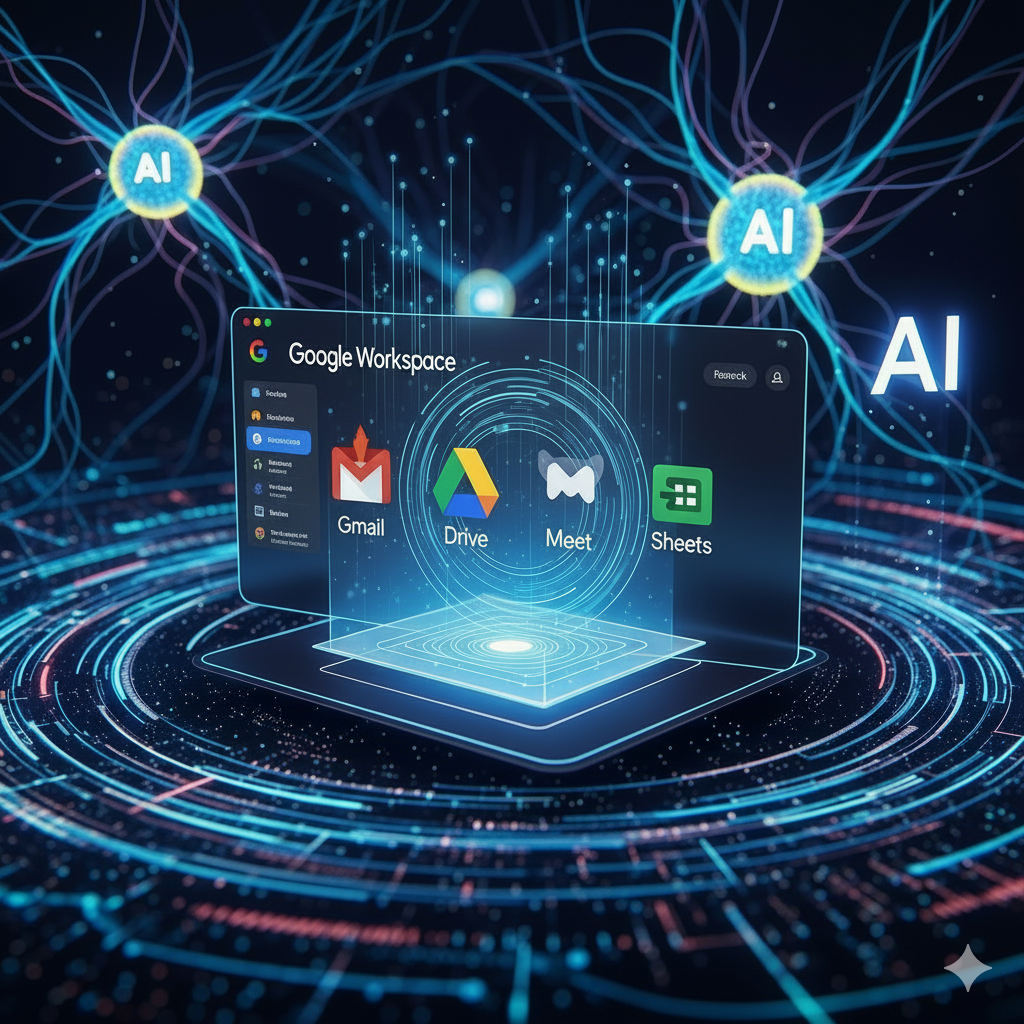
The digital world changes fast. Staying updated with the latest tools is a must. Google Workspace, a leader in productivity and collaboration, is always innovating. This September 2025, a wave of new Workspace updates is here. These changes are exciting. They show Google’s commitment to a smarter, more intuitive work environment. Most of the new features use Gemini AI. They help you work better and faster. These improvements cover Gmail, Drive, Meet, and Sheets. Get ready to explore the key updates you shouldn’t miss.

Gemini AI: The Brain Behind the Brilliance

google workspace
Artificial intelligence is changing how we work. In Google Workspace, AI is no longer a separate tool. It’s now a part of everything you do. Gemini AI has become a proactive partner. It anticipates your needs and offers quick solutions. This deeper integration is a major step. It moves from simple automation to sophisticated intelligence. The goal is to make your work easier. Gemini helps you get rid of boring tasks. Consequently, you can focus on more important things. Google wants every user to feel like they have a personal assistant.

A Smarter Google Drive: Gemini Summaries

Looking for a specific document can be a hassle. You might have to open many files just to find the right one. This process is often time-consuming. However, a new update makes things much easier. Gemini summaries now appear on suggested files. This is a huge change. Before you open a file, Gemini gives you a quick summary. This includes Docs, Sheets, Slides, and PDFs. It helps you quickly see what a document is about. As a result, you can save valuable time. You can also prioritize your work more effectively. This makes your Drive home page an intelligent information hub.

Creating Perfect Presentations in Google Slides

Making a great presentation takes work. You spend hours writing the perfect text. Still, poor wording can ruin your message. Fortunately, the new Refine Text feature, powered by Gemini, is here to help. You no longer have to struggle to find the right words. Gemini helps you edit text boxes in Slides. It offers smart suggestions. For example, you can shorten a long paragraph. You can also rephrase an idea for better clarity. You can even formalize the tone. Additionally, you can use a custom prompt. This lets you get a very specific result. This feature helps you be more impactful and save time.

Enhanced Document Scanning on Android

Many of us work on the go. This means we often need to scan physical documents with our phones. But scans can be blurry or have shadows. This makes them look unprofessional. Google Drive on Android has a new and improved scanning tool. This update gives you professional-grade scanning. You can now crop and rotate documents easily. You can also apply filters to make the text clearer. Most importantly, you can now erase shadows. This makes your scans clean and professional-looking. Now, digitizing receipts or notes is both easy and reliable.

Smarter Tools for Education

AI is also transforming education. Google is helping both students and teachers. There is a new subscription called Google AI Pro for Education. It offers many powerful features. These new tools are in NotebookLM. Students can now use them to study better. For instance, NotebookLM can turn documents into flashcards and quizzes. You simply upload your notes. Then, the AI creates study aids for you. This helps with active recall, which improves memory. For teachers, it means more engaging lessons. For students, it’s like having a personal tutor.

Better Collaboration and Communication

Teams need to communicate well to succeed. Google Workspace is always improving its tools to help teams connect. September’s updates help you stay in the loop and work together smoothly.

Stay Notified in Google Chat

Sometimes, you miss small but important reactions to your messages. This can be frustrating. Now, Google Chat sends real-time push notifications for reactions. This helps you stay on top of conversations. You won’t miss any feedback. Therefore, communication with your team becomes more fluid and responsive.

Find Changes Easily in Google Sheets

Tracking changes in a shared spreadsheet can be hard. The version history often shows everything, making it confusing. Now, Sheets has a new condensed version history view. This view shows only the rows with changes. This helps you quickly see what’s been updated. It saves time and prevents you from missing important edits.

Smooth Meetings in Google Calendar

Scheduling meetings with people on different calendar apps can be tricky. They may not get the Meet link automatically. When you invite an Outlook user to a Google Meet, the link is now added to the location field. This simple change makes joining meetings much easier. It ensures your meetings start on time.

Protecting Your Privacy

Privacy is crucial. When you copy a Calendar event, you don’t want to share private notes. Now, when you copy or duplicate an event, the Meet conference and its notes are not copied over. This protects your information. It ensures that meeting access and details stay secure.

The Future of Your Workflow

These September 2025 updates show Google’s clear strategy. They are building an intelligent ecosystem. Gemini AI is a core part of this. It helps automate repetitive tasks. It also improves your creative potential. These updates are about more than just new features. It is  about smarter ways to work. They help you manage information better. It also improve how you collaborate. By using these new tools, you are future-proofing your workflow. You will produce higher-quality work and be more productive.

Frequently Asked Questions (FAQs)

1. What is the main focus of the Google Workspace September 2025 updates? The updates focus on deeper Gemini AI integration. This improves productivity in apps like Drive, Slides, and for educational tools. 2. How do Gemini summaries in Google Drive work? They give you quick, AI-generated summaries of documents on your Drive homepage. This helps you understand a file’s content without opening it. 3. What can Gemini AI do for Google Slides? Gemini’s new “Refine Text” feature helps you edit text in Slides. It can shorten text, rephrase sentences, or format them into bullet points. 4. Are there improvements for mobile users? Yes. The Google Drive app for Android has a new scanning tool. It helps you easily crop, filter, and remove shadows from scanned documents. 5. How do these updates improve collaboration? New features help in many ways. For instance, in Sheets, you can see a condensed version history. In Chat, you get notifications for message reactions. Also, Meet links are now automatically added to invitations for external users.  

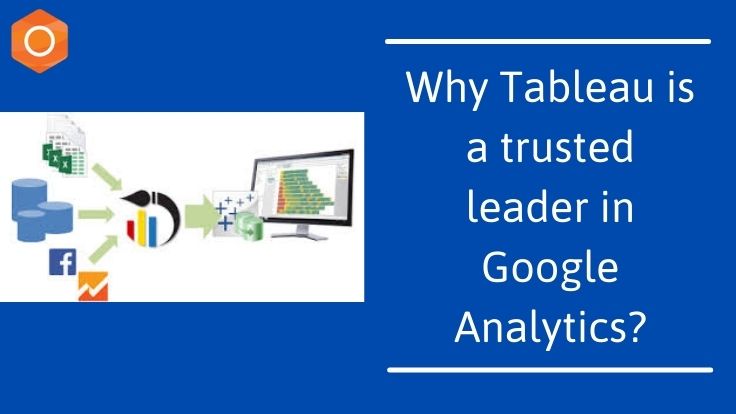
Why Tableau is A trusted leader in Google Analytics?

Tableau is an analytics expert and provides solutions for all markets, their teams, and data models. Thanks to the advanced functionality and assistance that Tableau provides in numerous contexts, this is all possible.

Data and its significance are increasing rapidly in today’s world, and with these massive numbers of transactions, there are endless opportunities for businesses to turn data into practical insights. Organizations need tools and services to understand and have the true meaning of their data and get the best out of the data.

The Tableau platform is known for taking any kind of data from almost any device as the market-leading option for modern business intelligence and turning it into actionable insights with pace and ease. It’s as easy as being pulled and dropped.

Related Post: Top Lead Generation Techniques to be considered in 2021

Why Tableau is the most popular Data Visualization tool?

1. Great visualisations
With Tableau, using the built-in features provided by Tableau, you can work with more unordered data and create a variety of visualisations. In addition, within minutes, you will be able to gain great context, many ways of drilling the data and exploring the data.

2. Detailed Insights
Without any potential objectives in mind, Tableau allows organizations to evaluate future data. You will be able to explore visualsations from various methods and observe data. You can frame ‘what-if’ questions with hypothetical visualisations and a function to add components for comparison and interpretation and work on the data accordingly.

3. User-friendly Approach
The major strength of Tableau is the user-friendly feature. This feature shows an individual’s ability to work without any technological or coding expertise. Since Tableau offers most of its features in a drag-and-drop form and each visualisation is built-in and self-depicted, without any previous collection of skills, any newbie can work.

4. Working with the different Data Sources
The explanation of why multiple organisations must add Tableau to the process is that data can come from any source in today’s data-driven world. This role makes Tableau stronger than the tools of Business Intelligence and Analytics. This tool allows numerous data sources, data centres, cloud files, big data, spreadsheet data, non-relational data, and many other data types to be linked. The Tableau.

5. Data set adding is easy
Tableau can quickly add new data sets that can be blended with Tableau automatically using common fields.

Related Post: Generate More Online Sales with Website Redesigning Services

Reasons to choose Tableau for your company:

1. Less time to collect and prepare data
The primary objective of every study is for stakeholders to be able to make precise, timely choices. In order to accurately draw and view details, stakeholders must trust the report author.
The method is time-consuming and vulnerable to errors if data must be manually pulled, prepared, and combined. The integrated data connections and preparation tools from Tableau enable analysts to quickly obtain data in a usable format.

Data preparation time saved means more time for your analysts to do what you hired them for: evaluating knowledge and formulating observations

2. Flexibility for new ideas to learn and try
Most reporting tools enable the analyst to know exactly what they are trying to construct before they start, making a slow trial and error process for initial data exploration.

The drag and drop GUI of Tableau allows your analyst to try new ideas easily, drill into interesting areas, and make changes. The ability to easily explore and create visualizations enables dashboards to provide the information that is most important and appropriate.

3. Interactivity and segmentation on-the-fly
Within the constraints developed by the developer, Tableau enables stakeholders to connect with the dashboard they are looking at and customise it.

4. Share up-to-date dashboards
Sharing dashboards is also done by PDFs sent by email. That is, static representations, in other words. Finding other dashboards or old versions for comparison in these instances involves searching through emails or archives.

.