Refresh loader

Category : Digital Marketing

Home > Archive for Digital Marketing (Page 2)

The Future of Docs: Google’s Emoji Reactions Explained

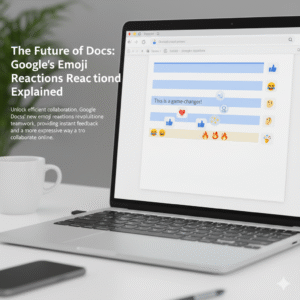
Have you ever found yourself in a Google Doc, wanting to show you agree or disagree, but a full comment just feels like too much? In fact, everyone has. Now, Google Docs has an answer for that common feeling. This is a game-changer for digital collaboration. Indeed, it is changing how teams work together. The new feature, therefore, is Google Docs’ real-time emoji reactions. You can now react instantly to text with a thumbs-up, a laughing face, or any other emoji. This simple addition, in a sense, is a big step forward for collaboration. Consequently, this change has major implications for how we work together.

Image of Google's emoji Reactions

Emojis: More Than Just Fun

You might wonder, naturally, if emoji reactions are just for fun. However, they serve a deeper purpose in today’s work environment. To begin with, they offer a quick way to give feedback. For example, you can give a thumbs-up to a section you like. This signals your support without a long comment. As a result, your colleague knows you have seen their input. Ultimately, this speeds up the review process.

Additionally, emojis add nuance. This is important. For instance, a simple sentence can be hard to read. A sentence like “This is a good idea” can be interpreted in different ways. Conversely, adding a 🙏 or a ✨ emoji makes the positive meaning clear. In contrast, a 🤔 emoji can gently suggest that you need more information. Therefore, emojis help with tone.

Furthermore, they streamline the review process. Consequently, this makes it easier for everyone. For example, instead of writing out long feedback, you can highlight text. You can then add a ❤️ or a ❓ emoji. This makes feedback visual. Likewise, it is less wordy.

More importantly, emojis build a better work culture. Since many people work remotely, this is very important. Therefore, emoji reactions add a human touch. A well-placed 😂 or 🎉 emoji can, in fact, celebrate a team win. Similarly, it can lighten the mood. Therefore, it helps with team morale. It is like having a silent cheerleading squad in your document. Finally, emojis help identify consensus. You can quickly see which parts of a document everyone likes (lots of 👍) or which parts need more discussion (a bunch of 🧐). As a result, this helps the document owner to see team sentiment.


How It Works: Super Easy!

Therefore, how does the feature work? In the first place, it’s quite simple. First, highlight the text you want to react to. After that, a small emoji icon appears. This icon is next to the text. It looks like the comment icon. Next, click the emoji icon. A selection of emojis will pop up. Then, choose your emoji. It will then appear next to the text. Of course, you can also see who reacted. In short, it’s a quick and easy process.


The Future of Collaboration

The new emoji reaction feature is a big step for Google Docs. Consequently, it is a big step for digital collaboration. For this reason, it makes our work more human. As our work changes, tools that help us communicate better will become very important. Therefore, this feature is very useful. It will, in fact, make online collaboration more expressive. This is because it is a very natural way to communicate. So, do not just comment. React. This will make your collaborative experience more engaging.

What do you think of this new feature?


FAQs

1. How do you add an emoji reaction in Google Docs?

To add a reaction, you must highlight the text. After that, you will see a small emoji icon. Then you can select your emoji.

2. Is this feature available to everyone?

This feature is available to most Google Docs users. In short, it is being rolled out to personal and business accounts.

3. Can I use any emoji?

Yes, you can use any emoji from the selection. This includes common emojis like 👍, ❤️, and 😂.

4. Can I see who added a reaction?

Yes, you can. You can see who added each emoji. This is very useful. It provides extra context.

5. How does this improve teamwork?

This feature helps teams in many ways. For example, it gives instant feedback. It also makes communication more expressive. Additionally, it helps build team morale. All things considered, it improves collaboration.

Also Read: Google Meet’s New AI Noise Cancellation: A Game-Changer

AI-Powered Writing in Gmail & Docs

In the fast-paced digital world, writing is a constant task. We write emails, create documents, and draft reports every single day. Therefore, any tool that can make this process faster and more efficient is a game-changer. For years, Google’s Smart Compose has offered simple sentence completions. In contrast, today’s AI-powered writing tools in Gmail and Docs, now powered by the Gemini model, are in a different league entirely. This new evolution moves far beyond simple suggestions. In fact, it provides a truly collaborative writing experience. This is a huge shift, consequently changing how we interact with our digital documents.

Image of AI-Powered Writing in Gmail & Docs

From Autocomplete to a True Co-Author

Smart Compose, originally a clever machine-learning feature, was a great start. It provided predictive text and helped correct grammar. However, it was, at its core, a reactive tool. It simply responded to what you typed. Today’s AI-powered writing is proactive. It can understand the context, purpose, and even the tone of your content. For instance, you can simply write a short prompt like, “Write an email to my team about the upcoming project deadline.” Immediately, the AI will generate a complete, professional draft. This is a significant improvement. It saves you time, of course. It also helps you overcome writer’s block.


Writing with AI in Google Docs: A Seamless Experience

The integration of Gemini into Google Docs offers a powerful new way to write. First, the “Help me write” feature acts as a blank canvas. You just give it a simple command, and it will generate a first draft. Furthermore, it can refine your work with remarkable ease. For example, you can select a paragraph. You can then prompt the AI to “shorten it,” “elaborate on this idea,” or “make it more formal.” This allows you to sculpt your text with a few simple clicks.

In addition, you can use the AI to generate bullet points from a dense paragraph, summarize a long article, or even brainstorm new ideas. Consequently, this makes the writing process more fluid. The AI-powered writing tool is always there, waiting to help you.


AI in Gmail: Mastering Your Inbox

The new AI-powered writing features in Gmail make managing your inbox far more efficient. In fact, it’s a huge time-saver. Consider this: you receive an email. You can now use the AI to draft an entire reply based on the original message. You can, for instance, ask it to “write a reply accepting the meeting invitation” or “draft a polite decline.” The AI understands the context. It can even extract details like names and dates. It then generates a personalized, context-aware response. Furthermore, it can summarize long email threads. This lets you quickly grasp the key points without reading every single message. Therefore, this helps you clear your inbox faster. It also helps you respond more thoughtfully and efficiently.


The Future of Writing is Collaborative

Ultimately, the goal of this AI-powered writing is not to replace human creativity. Instead, it is to enhance it. The AI acts as a smart co-pilot. It handles the mundane parts of writing. This frees you to focus on the more creative aspects. It helps you articulate your thoughts more clearly. It also helps you communicate more effectively. As these tools continue to evolve, they will become more personalized. They will learn your unique style and tone. Consequently, the collaboration will become even more seamless. We are, therefore, moving toward a future where writing is a partnership between human intelligence and AI, creating content that is both faster and better than ever before.


FAQs

1. What is the difference between Smart Compose and the new AI writing features?

Smart Compose provided simple word and sentence predictions. In contrast, the new AI-powered writing features, now based on the Gemini model, can generate entire drafts, rewrite selected text, and summarize content based on a detailed understanding of context.

2. How do I access these new AI features in Gmail and Docs?

These features are now being rolled out to Google Workspace users. You can find them through the “Help me write” button in Docs and through new prompts and options when drafting an email in Gmail.

3. Will these AI tools change my personal writing style?

The AI tools are designed to assist you, not replace you. They can, however, learn from your style. You should always review and edit the suggestions to ensure they align with your voice and intent.

4. Can the AI write about any topic?

The AI can write about a wide range of topics. However, you should use it responsibly. Always verify any facts or information it provides. In addition, avoid using it for sensitive or confidential material.

5. Is my data safe when using these AI writing tools?

Google states that it handles user data with care. It applies its standard data protection and privacy measures to these new AI features.

Also Read: Microsoft 365 Copilot: Complete Guide (2025)

Know More

Microsoft 365 Copilot: Complete Guide (2025)

Microsoft 365 Copilot

AI-Powered Microsoft 365 Copilot: A New Era of Productivity

The world of work is always changing. Consequently, the tools we use must keep up. In a world where efficiency is key, Microsoft has introduced an amazing AI assistant. It’s called Microsoft 365 Copilot. This tool is no longer a futuristic idea. In fact, it’s a real benefit for businesses of all sizes.

So, how does Copilot truly work? What does it mean for your daily work?

What Exactly is Microsoft 365 Copilot?

Basically, Microsoft 365 Copilot is a smart AI tool. It works with you across the Microsoft 365 suite. It is built on a large language model (LLM). Its true power comes from its link to the Microsoft Graph. This unique connection lets it access and understand your personal data. For instance, it can read your emails, calendar events, and chat history. Therefore, it is more than just a general AI. It is an AI that understands your specific work.

Essentially, Microsoft 365 Copilot is a productivity engine. It can create text, summarize info, and make presentations. It also analyzes data. All you need to do is use natural language commands. For example, instead of searching through old documents, you can simply ask Copilot to find a key detail for you. This saves your mental energy. You can then focus on strategic thinking, creative problem-solving, and human connections. After all, these are the unique skills AI can’t copy.

How Microsoft 365 Copilot Works Across Key Applications

The real strength of Microsoft 365 Copilot is its seamless integration. It works across the apps you use every single day. Because it’s not a separate product, it can assist you at every step of your workday.

1. AI Assistance in Microsoft Word

The blank page can be intimidating. However, with Copilot, that feeling is gone. For example, you can give it a simple instruction. “Draft a 10-page business plan for a new marketing campaign,” you might say. Copilot will then create a full first draft. It pulls facts and insights from your documents. Furthermore, it can help you improve your writing. It can summarize long documents or rewrite paragraphs. In addition, it can even translate text into another language.

2. AI Assistance in Microsoft Excel

The days of complex formulas are ending. This is where Microsoft 365 Copilot really stands out. A task that once needed advanced skills is now a simple conversation. For instance, you can ask, “Show me the top products by region in a pivot chart.” Copilot will build it instantly. Likewise, it can find trends and identify unusual data. Ultimately, it can even provide written explanations of your data. This makes complex spreadsheets easy for everyone to understand.

3. AI Assistance in Microsoft Teams

Meetings can waste a lot of time. Luckily, Microsoft 365 Copilot changes this completely. During a meeting, it can summarize the main points. It also lists action items in real-time. If a team member misses a meeting, they can just ask Copilot for a summary. They will get a detailed and accurate report. Consequently, nobody ever has to feel left out of a conversation again.

4. AI Assistance in Microsoft Outlook

Managing your inbox can be a full-time job. With Microsoft 365 Copilot, it becomes much easier. First, it can summarize long email chains. This helps you get the main idea in a few seconds. In addition, it helps you write professional emails. It gives suggestions for tone and content. This saves you from staring at a blank screen for a long time. Therefore, you can focus on the most important messages without feeling overwhelmed.

Real-Life Business Applications for Microsoft 365 Copilot

Beyond the individual user, Microsoft 365 Copilot changes how entire business departments work.

  • For Marketing and Sales: Use it to quickly write blog posts. It can also analyze customer feedback from surveys. It can even summarize long market research reports to find key details. This helps marketing teams be more flexible and data-driven.
  • For Human Resources: You can speed up the creation of training materials. It can also draft new company policies. Furthermore, it can summarize employee surveys to find key trends.
  • For Project Management: With Copilot, you can quickly create project plans. It can also track progress by summarizing team updates. Ultimately, it can generate status reports for stakeholders with one command. This greatly reduces the busywork of managing a project.

The Strategic Edge: Why Microsoft 365 Copilot is a Game-Changer for SMEs

For small and medium-sized businesses (SMEs), Microsoft 365 Copilot is a huge advantage. In the past, large companies had the budget to hire dedicated experts. Now, SMEs can get similar abilities without the high cost.

Microsoft 365 Copilot helps a small team act like a much bigger one. It allows them to achieve the same level of productivity as a large company. Consequently, SMEs can compete more effectively. They can spend more time on customer relationships and innovation. Ultimately, this lets small businesses focus on what they do best. The AI handles the hard work for them.

Microsoft 365 Copilot vs. Traditional Productivity Tools

The main difference between Copilot and old tools is the shift from passive to proactive. A regular word processor is just a tool; you have to do all the work. On the other hand, Copilot gives you a first draft, a summary, or data analysis. This saves you many hours of manual work.

A traditional spell-checker corrects your typos. In contrast, Copilot can rewrite a whole paragraph to make it clearer. You might manually create a chart in Excel. However, Copilot can understand your goal and build the chart for you. It intelligently suggests the best way to show your data.

Ensuring Security and Compliance with Microsoft 365 Copilot

Data security is a major concern with AI. Luckily, Microsoft built Microsoft 365 Copilot with top-level security. It works within your existing Microsoft 365 security system.

Your data remains your property. Copilot does not use your data to train its models for others. Furthermore, Microsoft 365 Copilot respects your data permissions. It can only see the information you have permission to access. This protects sensitive data. You can use the power of AI without risking your company’s security.

Getting Started with Microsoft 365 Copilot Today

The future of work is not far away; it is here now. Microsoft 365 Copilot shows how AI can help people, not replace them. By automating daily tasks and assisting with complex ones, it helps people and businesses unlock new levels of productivity.


Frequently Asked Questions (FAQS) 


1. What is the main difference between Microsoft 365 Copilot and other AI tools?

Copilot is an AI assistant built directly into your Microsoft 365 apps. It uses your own work data to provide personalized help, while other tools like ChatGPT are general-purpose chatbots.

2. Is Microsoft 365 Copilot secure and private?

Yes. It operates within your company’s existing Microsoft 365 security. Your data is not used to train the AI model for others.

3. What specific tasks can Copilot help me with?

It can draft emails in Outlook, summarize documents in Word, analyze data in Excel, and create meeting summaries and action items in Teams.

4. How can my business get started with Microsoft 365 Copilot?

You need to have a qualifying Microsoft 365 subscription. Copilot is then available as an add-on license for each user in your business.

5. How does Copilot get context from my work?

It connects to the Microsoft Graph, which maps the relationships between your documents, emails, and chats. This allows it to understand your work and give relevant answers.

Also Read: Updates in Google Workspace: September 2025

Updates in Google Workspace: September 2025

The digital world changes fast. Staying updated with the latest tools is a must. Google Workspace, a leader in productivity and collaboration, is always innovating. This September 2025, a wave of new Workspace updates is here. These changes are exciting. They show Google’s commitment to a smarter, more intuitive work environment. Most of the new features use Gemini AI. They help you work better and faster. These improvements cover Gmail, Drive, Meet, and Sheets. Get ready to explore the key updates you shouldn’t miss.

Gemini AI: The Brain Behind the Brilliance

google workspace
Artificial intelligence is changing how we work. In Google Workspace, AI is no longer a separate tool. It’s now a part of everything you do. Gemini AI has become a proactive partner. It anticipates your needs and offers quick solutions. This deeper integration is a major step. It moves from simple automation to sophisticated intelligence. The goal is to make your work easier. Gemini helps you get rid of boring tasks. Consequently, you can focus on more important things. Google wants every user to feel like they have a personal assistant.

A Smarter Google Drive: Gemini Summaries

Looking for a specific document can be a hassle. You might have to open many files just to find the right one. This process is often time-consuming. However, a new update makes things much easier. Gemini summaries now appear on suggested files. This is a huge change. Before you open a file, Gemini gives you a quick summary. This includes Docs, Sheets, Slides, and PDFs. It helps you quickly see what a document is about. As a result, you can save valuable time. You can also prioritize your work more effectively. This makes your Drive home page an intelligent information hub.

Creating Perfect Presentations in Google Slides

Making a great presentation takes work. You spend hours writing the perfect text. Still, poor wording can ruin your message. Fortunately, the new Refine Text feature, powered by Gemini, is here to help. You no longer have to struggle to find the right words. Gemini helps you edit text boxes in Slides. It offers smart suggestions. For example, you can shorten a long paragraph. You can also rephrase an idea for better clarity. You can even formalize the tone. Additionally, you can use a custom prompt. This lets you get a very specific result. This feature helps you be more impactful and save time.

Enhanced Document Scanning on Android

Many of us work on the go. This means we often need to scan physical documents with our phones. But scans can be blurry or have shadows. This makes them look unprofessional. Google Drive on Android has a new and improved scanning tool. This update gives you professional-grade scanning. You can now crop and rotate documents easily. You can also apply filters to make the text clearer. Most importantly, you can now erase shadows. This makes your scans clean and professional-looking. Now, digitizing receipts or notes is both easy and reliable.

Smarter Tools for Education

AI is also transforming education. Google is helping both students and teachers. There is a new subscription called Google AI Pro for Education. It offers many powerful features. These new tools are in NotebookLM. Students can now use them to study better. For instance, NotebookLM can turn documents into flashcards and quizzes. You simply upload your notes. Then, the AI creates study aids for you. This helps with active recall, which improves memory. For teachers, it means more engaging lessons. For students, it’s like having a personal tutor.

Better Collaboration and Communication

Teams need to communicate well to succeed. Google Workspace is always improving its tools to help teams connect. September’s updates help you stay in the loop and work together smoothly.

Stay Notified in Google Chat

Sometimes, you miss small but important reactions to your messages. This can be frustrating. Now, Google Chat sends real-time push notifications for reactions. This helps you stay on top of conversations. You won’t miss any feedback. Therefore, communication with your team becomes more fluid and responsive.

Find Changes Easily in Google Sheets

Tracking changes in a shared spreadsheet can be hard. The version history often shows everything, making it confusing. Now, Sheets has a new condensed version history view. This view shows only the rows with changes. This helps you quickly see what’s been updated. It saves time and prevents you from missing important edits.

Smooth Meetings in Google Calendar

Scheduling meetings with people on different calendar apps can be tricky. They may not get the Meet link automatically. When you invite an Outlook user to a Google Meet, the link is now added to the location field. This simple change makes joining meetings much easier. It ensures your meetings start on time.

Protecting Your Privacy

Privacy is crucial. When you copy a Calendar event, you don’t want to share private notes. Now, when you copy or duplicate an event, the Meet conference and its notes are not copied over. This protects your information. It ensures that meeting access and details stay secure.

The Future of Your Workflow

These September 2025 updates show Google’s clear strategy. They are building an intelligent ecosystem. Gemini AI is a core part of this. It helps automate repetitive tasks. It also improves your creative potential. These updates are about more than just new features. It is  about smarter ways to work. They help you manage information better. It also improve how you collaborate. By using these new tools, you are future-proofing your workflow. You will produce higher-quality work and be more productive.

Frequently Asked Questions (FAQs)

1. What is the main focus of the Google Workspace September 2025 updates? The updates focus on deeper Gemini AI integration. This improves productivity in apps like Drive, Slides, and for educational tools. 2. How do Gemini summaries in Google Drive work? They give you quick, AI-generated summaries of documents on your Drive homepage. This helps you understand a file’s content without opening it. 3. What can Gemini AI do for Google Slides? Gemini’s new “Refine Text” feature helps you edit text in Slides. It can shorten text, rephrase sentences, or format them into bullet points. 4. Are there improvements for mobile users? Yes. The Google Drive app for Android has a new scanning tool. It helps you easily crop, filter, and remove shadows from scanned documents. 5. How do these updates improve collaboration? New features help in many ways. For instance, in Sheets, you can see a condensed version history. In Chat, you get notifications for message reactions. Also, Meet links are now automatically added to invitations for external users.  

Ways to Improve your Digital Presence during Covid -19

This year, the hospitality industry has faced a slew of obstacles, including closures, reopening, new health and safety procedures, government initiatives, travel bans, and yet another closure.

Marketing activity has remained critical in preserving awareness, providing reassurance, and delivering ingenuity in the midst of this logistical rollercoaster, all of which are just as vital during the second national lockdown as they were during the first. Although you may have more urgent concerns, ignoring your Online Marketing Services can be extremely costly.

It’s easy to let anything fall through the cracks. To assist you, we’ve gathered a few key ideas about how to keep your online presence going during the second lockdown, including content ideas for each group.

Related Post: How Social Media Marketing is useful for businesses?

The coronavirus pandemic is only temporary, but the steps we take now may have a long-term effect on our business practices in the future. As life returns to a more familiar “standard,” keeping your digital presence active, strong, and memorable will reinforce the pillars of your communication mix and open doors for continued growth and refinement.

These days, we can all relate to The Little Mermaid: we want to be where the action is! Fortunately, now that the vaccine is being widely distributed, the emphasis on COVID has shifted to recovery. COVID’s online marketing effects, on the other hand, would be long-lasting. Consumer behavior has permanently changed, and in order to be where the people are, you’ll need to upgrade your digital Online Marketing Services strategy to reflect this.

  • Improve your website

Regularly updating content to stay relevant is a simple way to invest in your updated website. Using video on a Website Redesigning services will help visitors stay longer. Digital experiences, on the other hand, enable your consumers to try out your product from the comfort of their own homes. When branch locations were closed due to COVID restrictions, The Ouriken Consulting created a new website for Homeowners Financial Group, a national home loan company, that included more imagery, video content, online mortgage payment resources, and more.

Streamlining your Website’s Designing Services helps customers navigate your site more easily and convert more. To help customers find your company through search engines, keep your site’s SEO content creation and promotion up to date. Don’t know where to begin? It’s possible that a Website Maintenance Service is in order. Audits show what’s working well on your website and what needs to be changed, giving your company clear guidance and actionable next steps, according to Ouriken Consulting web clients.

  • Email is low risk, high reward

Customers by keeping lines of communication available. Now, more than ever, transparency is important. With email newsletters, you will directly reach out to your brand’s most ardent supporters. Since these customers willingly agreed to hear your post, give them what they want! Keep your customers updated about changes in your Online Marketing Services such as shifts in product capability changes, new hours of service, and more, as the economic environment shifts due to COVID. Maintain consistency, relevance, and timeliness in your messaging. Email and App Marketing campaigns are relatively inexpensive and have a high return on investment. According to Litmus, advertisers received a $42 return for every dollar spent on email. For so many benefits to consider, email, creating a newsletter strategy is a no-brainer.

  • Create content constantly

People are spending more time on the internet than ever before, working and entertaining themselves at home to stay safe. People confined to their homes have a strong desire for content, which presents a chance for companies to boost their organic Social Media Marketing Services.

We expect the high levels of online social media marketing services usage to continue even as the world returns to a more natural rhythm. After a year of quarantine, consumers will feel compelled to share their first “natural” encounters. Preparing and scheduling timely and visually compelling content management contracts keeps the brand relevant while also raising brand awareness.

  • Earn trust and impressions

As viewers seek the most up-to-date COVID content management contracts, news organizations are seeing significant rises in readership. Submit by-lined articles or expert opinions on business developments to reach this wider audience. This won media attention boosts your brand’s visibility and establishes you as an expert. Gain reader confidence by offering thought leadership and insight in receptive news outlets. Working with professionals like Ouriken Consulting will help you not only develop an effective PR plan but also implement it and prepare for media opportunities.

  • Be prepared

COVID’s long-term consequences have yet to be seen, and we’re in the middle of a monumental moment. One thing hasn’t changed: the consumer experience. The brands that will prosper in the future will have a strong digital presence that enables them to communicate with their customers whether or not they can interact with them in person. Don’t know where to begin? Send a message to Ouriken Consulting to have the experts evaluate your online content marketing services.

You can’t be both in and out at the same time, particularly in this day and age. You must improve your online content marketing services presence because 93 percent of companies are involved on Facebook alone. Since it’s possible that your rivals have already done so, you need to get started right away. Attempting to imitate what the competition is doing, on the other hand, would only result in you fitting in. This will be a waste of your time, resources, and energy, which no business can afford.

  • Be creative

Sharing innovative  SEO content creation and promotion will help you raise brand awareness, increase audience engagement, and differentiate yourself from rivals who are likely vying for the same room and table bookings as you. Think if you could do something a little different to keep your audience interested and add value to their experience with your brand while you take the moment to step back and prepare for the future. Concepts for content:

  • Participate in competitions 
  • Blog sequence on Influencers (Christmas events, day plans, fine dining from home)
  • Do things differently

If you look and sound like anyone else in your business, you won’t be able to stand out. How do you take advantage of the company’s uniqueness outside of what you sell? Businesses have had it simple when it comes to marketing for a long time. All you had to do was wrap the offering in some funky ‘packaging’ or imagery, and voila! It seemed to work immediately if it looked and felt fine. However, this is no longer sufficient.

These days, doing things differently entails figuring out how to form relationships with your audience. Developing relationships with others necessitates allowing others to ‘in’. It entails being willing to reveal more about yourself, your team, and the behind-the-scenes details of how you do what you do. It’s also crucial for the audience to understand why you do what you do. Any company is made up of various individuals. Take advantage of this.

It takes courage, bravery, and tenacity to stand out. When you look around and see that someone else is doing “the same old thing,” it’s well worth it. You’ll be in charge of the herd. It’s all about sharing the human side of your business. It’s not just about the good or Best SEO service you’re offering.

  • Use authority marketing

Marketing’s powerhouse is authority content marketing services This is where you share your experience and expertise in a well-structured and thought-out way. This type of content presents solutions to the audience’s concerns in a structured, logical manner. Give them some ideas about how to fix a problem they’re having. You’ll even give them a case study or other proof to back up your argument.

Creating your own intellectual property is a common term for this. When you begin sharing organized material, it demonstrates to your audience that you are an expert in your field. That you are eligible to be their expert. This contributes to the development of confidence, which is crucial in today’s online content marketing services in the world.

  • Use content marketing

Anything that you post on the internet is considered content marketing services This is the material that allows others to get to know, like, and trust you. This is how you show your audience that you are approachable and relatable without trying to sell them anything. You’re assisting the audience in becoming acquainted with you.

Consider the target market and what motivates and inspires them. You’ll share material that does this for them (photos, videos, live streams, and text-only posts). To assist them in moving forward, share hints, suggestions, and general advice. When you start sharing this form of Content Marketing Service you will be shocked and pleased by the response you get. It’s common because it doesn’t feel like you’re constantly trying to persuade them to buy something.

Related Post: On-Page Optimization Tactic that Google Opposes

  • Share it all far and wide

Share your Content Marketing Services through all of the channels where your company is involved. Make sure your company has a presence on the sites where your target audience hangs out. Concentrate your efforts on Facebook, Instagram, Linked In, and Twitter. If your target market spends a lot of time on Reels or Snapchat, you can join them!

Make sure the content you’re sharing is acceptable for the sites on which you’re sharing them. Facebook and LinkedIn are the best platforms for authority marketing. Most channels are ideal for content marketing.

 Stay tuned and be updated with more technical blogs on Ouriken.

On-Page Optimization Tactic that Google Opposes

View Post

On-page optimization refers to the behavior taken within a website to boost its ranking on a search result page. Meta, H1, content optimization, alt tags, and other steps are examples of these. All of the above points were worked on by an SEO specialist.

White Hat SEO Services is time-consuming for an SEO specialist to introduce, but it pays off in the long run. It calls for the following:
->Plan of Action
->Keyword Research in on-page optimization
-> Unique and High-Quality content
-> Link Building Strategy
-> SEO friendly web design

Related Post: Top Lead Generation Techniques to be considered in 2021

In this blog, we are giving information about On-page optimization techniques that Google opposes:

1.Cloaking

Cloaking is the method in which search engines show that the website carries content that is different from what the user sees.

2.Spam Footers

The value of footers on a website cannot be overstated. It allows visitors to learn more about the company, such as about the company, privacy policy, copyrights, how to reach us, and so on. Use tags and ties sparingly. Social networking links must be included in the footer of the website. Footers are a very important part of the website. It allows visitors to know more about the website or a company like about us, Copyright policies, contact us, and many more. Avoid using links and tags. Your website must include social media links.

3. Unwanted Internal Linking

Internal linking is a term used in SEO to describe how search engines and visitors follow links between web pages. With the anchor text to relevant information, try to provide important information. Make good use of keyword linking so that when users click on the link, they get useful information.

4.Keyword Targeting

A keyword is a search term that brought people to your website. The keyword must be included in the content on the web pages. If at all possible, avoid using a technical word that the consumer is unfamiliar with. Conduct thorough keyword and competitor analysis to ensure that you are assisting people in overcoming their obstacles.

5.Keyword Stuffing

Keyword stuffing is the practice of finding and repeating keywords in the material that they want to rank with. To prevent keyword stuffing, make sure the page’s content is relevant to the title, applicable steps after reading the content, and the keywords used on the page. Make sure you’re not keyword stuffing and that you’re delivering real value. Hire an SEO Specialist from Digital Marketing for the best results.

Related Post: How to boost SEO with the Topics driven Content Marketing Approach

Avoid these Google-banned on-page optimization techniques. Consider what is better from the user’s point of view. If you’re stuck, seek advice from an SEO expert for the best SEO services.

Hiring an SEO Specialist from Ouriken aided a variety of businesses in ranking their websites and generating leads. The team provides SEO services that are guaranteed and provide competitor site analysis.

Encourage Online Business Reviews in 2020

Sometimes someone has sensitive skin and if they add anything to it which the skin doesn’t approve of, it goes haywire. To preserve their healthy skin, they sometimes buy a moisturizing cream on their friend’s recommendation. The product turns out to be good and they’re happy with it. Now, the reason they bought the product because they trust their friend and they gave a positive review of the product.

Do you know that before purchasing anything online say it’s a product or service, 92% of potential customers read reviews online?

So, if you have a new eCommerce shop, a few good reviews will influence the customer’s buying decision. To boost your sales, you’ll need to focus on winning customer confidence. There are a lot of ways to motivate clients to leave a constructive rating. But if you plan on increasing your company rapidly, it’s easier to create such great experience that customers flock back to your website to leave a positive review.

Below are the five ideas which will help your brand affect your marketing strategies for consumers.

Related Post: How to Improve the Conversion rate by 5x?

Widgets for Online Reviews

On a good day, you’ll see about 206 million search results if you google, ‘Internet Review Widgets.’ Many of those WordPress-based widgets are designed to work with WordPress websites.

This WordPress widgets are fast, easy to install, providing superior user experience, and enabling you to incorporate Facebook, Google reviews into your website. When you allow customers to leave their feedback in one spot, on the website, you can build a sense of openness. When real consumers leave a comment, guests will be allowed to highlight these reviews.

If the customer leaves a review on Yelp, Google or Rize, it will help you to get people to respond positively.

Collaboration with Local Bloggers

The best way to create traffic on your website is through local bloggers to get positive feedback. Send a free sample to those bloggers and ask them to leave a comment on the web. Each review is, of course, critical, but a single influencer review will have a huge impact on your future clients.

You can use resources like Right Relevance or GroupHigh to start your quest for a local blogger and pinpoint influencers who might be interested in your products and services. You need to start a discussion with some of the influencers before they take any interest in your company. Once a partnership is formed it will be easy to ask them for a review of the product. Much like anything else, there is a downside to this too. You can post the analysis on your website, or even on your social media account. Therefore, if there is only a single unsatisfied review, recovering from the negative feedback gained from the analysis would take ages.

The idea here is to keep improving the product/service so that it may be covered up by other feedback even if you get a bad review. Finally, hold an overview of the primary company group. For example, if the audience is 45, don’t send a blogger that’s 23 years old to reflect your product.

Ads in Social Media (PPC)

Social media is a strong medium where consumers can get honest feedback.

Platforms such as Twitter and Facebook provide a large amount of data about purchasing psychology from consumers. The consumers are already in groups, on pages where they are searching for items that can solve their needs.

If you take advantage of Facebook, Twitter, and LinkedIn, the future audience of your customers would be easy for your products to enter. You should add pixels of social monitoring on your website, so you get a better picture of your target market

Related Post: How to Accelerate Productivity in Modern IT Infrastructure Management?

Win & Check-in

Apps such as Wikets, Foursquare, and iPoints grant points to consumers who can then turn to points and earn discounts. In your mobile app/website, you can add a check-in feature where the user can get rewards, points, and even personalized discounts when they check in your shop. You can also add an option to leave a review and get coupons you can then take advantage of in the following order.

Please inquire!

In the end, keeping life easy and asking the customers for feedback is good.

Just like Google Maps, which sends push notifications when people visit a given place. Newer customers will also be asked to leave a comment on your website. Make the feedback system intuitive to help promote the feedback process. They’re usually more than willing to share suggestions when it comes to returning customers without feeling awkward.

Don’t forget to help your friends and family running a company. If your grandpa leaves a review and shares how proud he is for you it may sound a little cheesy. But this might start with strong steam of reviews from your family and your closest fans.

Conclusion

Don’t push consumers to leave your mark with a critique. Make the website experience so enriching they come back to give your brand a positive review. Do not tell the customer how special you are, show them with your service and your merchandise.

10 Steps to Make Online Course Successful

Gone are the days where you might just ‘promise’ the opportunities in which you’re worth spending–now you’ve got to show. So, there is no better way to show your skills than by bringing together an online tutorial.

By teaching your subject you leave no shadow of a doubt that you know what you’re talking about, are excellent at what you’re doing and are an authority in your profession. As a website and business card, the online course is now as important to the toolbox of any developer, specialist, or opinion leader. One of the fastest and most impactful ways of getting your knowledge to a global marketplace, making a bigger impact, and making more money, is to download that knowledge dormant in your brain and turn it into a lead-generating, cash-making, impact-creating course online.

In this article, you will find an overview of the 10 major stages of the creation of online courses

While this is by no means an exhaustive list of all the items that need to be scheduled, prepared for and performed in order to build a good online course, it gives you the ‘stratospheric outline’ of the big milestones so you know what to expect and what the trip would look like before you start.

Pick the subject of the Ideal Course

The subject of the course needs to be something you enjoy. If you’re not passionate about your topic, it’ll be obvious if you don’t like your topic and make your workout as engaging as a sandwich in cardboard.

Don’t sound like you are going to have to teach a trade at the university level. Talk about the skills, strengths, and life experiences you’ve been through. Cooking your dream meals, interior decor, writing non-fiction, surviving a loved one ‘s death… the list of potential subjects for the course is infinite. In short, if you enjoy the subject, you ‘re good at it and you have the expertise (formal or life) in it, then you’ve got a subject that’s going to work for you.

Related Post: Things To Do For Secure Mobile Payment.

Ensure that the proposal for the course has strong business appeal

Hands up who wants to waste weeks of their lives designing an online course, with nobody to buy it at all? None. I didn’t believe it.

When you have chosen the subject for the online course, the next move is to run a variety of market research studies to determine if or not it has a business demand. Many course designers make the mistake of assuming that if there is a lot of competition in their field of the subject, then their idea, of course, does not fly. But in addition, this indicates that there is a high possibility that there will be good consumer demand for that concept of course, and perhaps worth more investigating.

The three main things to be checked for are:

  1. Were they thinking about it?
  2. Were people asking questions?
  3. Is there a gap in what that competition offers?

If the reaction to the three questions above is ‘yes’ and the idea is close but different from what’s currently out there, then you have an idea of course that has a chance of becoming a best-seller.

Render learning outcomes magnetic and convincing

Don’t underestimate the importance of the effects of research. When you don’t do that with your online classes, your image and your bottom line could be severely compromised–let alone making the course design process stressful.

Would you hand over your money to someone you don’t understand for a product, and have no idea what it’s going to do for you? Clearly not.

Just because you know what your course is going to give your students it doesn’t mean they’re going to know. If your students don’t know HOW your course can benefit them, they can definitely not participate in it. Training results simply illustrate what the learner will do, experience, and understand at the conclusion of the lesson, use observable verbs. Which skills would they really demonstrate? What new insight did they gain? What emotions are they shifting away from or to? Clear learning results also ensure that only RIGHT students join your course – which means higher completion and satisfaction rates, and lower requests for a refund.

Pick and compile material for your Course

It is the stage when many course designers are starting to fear to slip down ‘Eternal Procrastination Trap.’    

The biggest reason we get stuck here is mostly due to the sheer amount of information we have in our minds or in books, on our hard drives, in our notepads, and so on all around us. At this point, art is not only about what we should include in our course, but what items we can leave out. It is where the work you’ll be doing in the business review process and the learning outcomes come to serve you again now. As you sort through your piles of content, throw away anything that is not directly related to a learning outcome. Second, ensure that every learning result is consistent with content. Only include content that responds to burning questions from your audiences, or fills out gaps that your competitors have not met.

Structure your Course and Modules

That is the stage where you now take a look at all of your material and start organizing the common topics, suggestions, and insights into modules and then arrange the lectures within those modules in the most inclusive and rational way so that they form a fluid series of lessons.

Determine the safest and most efficient methods of implementation for every lesson

It is now time to focus on how best to produce your content. You ought to be mindful of the various other learning values, learning styles, and all the different ways you can implement the training and make sure the training is as enjoyable as possible.

Are you going to have videos, reading content, audio content, activities? Which sort of graphics do you want to have? Were you going to have places in Group learning? You ought to ensure that you have a combination of visual, auditory, and realistic methodologies so that everyone is interested and has the best learning opportunity possible.

Filming, capturing and editing the classes online             

This is the Process of Development. Around now, you will have a detailed course schedule, all of your material together and know exactly how each aspect of your online course will be presented.

This is the time for the fun aspect-to get on tape. For example how you execute your teaching depends largely on what the client wants to engage with, and which approach more successfully achieves the learning outcomes.

The most powerful form of distribution at present, however, is film. This could be ‘talking head’ footage when you’re on camera in the picture. You would also be able to get ‘black screen’ talking head videos.

This means that you are recording behind you with a green background-where you have a green screen, during the editing process you can have anything behind you. It could be a picture, cartoons, or even a still image, behind you. I use the green screen to get my PowerPoint presentations in the post-editing process that’s perfect for my classroom style preparation.

Another approach is called screencasting, which is where you film your computer screen–you may opt to add a screenshot of your own form of camera on top of it. You can very quickly learn how to edit the videos yourself. It helps you to easily delete editing and replace your green screen, correct your sound, apply icons, text and pop-ups, and your videos; save them as an mp4 and then upload them to your learning network online.

Create your Online School

The first thing to remember here is that there are three big ways of marketing the courses online.

  1. Digital marketplaces for course
  2. Learning Management Systems
  3. Plugins on your website, or apps.

Your own Academy is a learning management program that you can connect to your website and totally market as your own channel. It makes the production of the learning items online fast and quick to sell.

My choice is Thinkific (I’m running all of my courses on this platform), so if you’re already early in the discovery process, here’s a rundown of all the items you should be searching for in an LMS (Learning Management System).

Having the right price strategies and tapping into a business model focused on greater knowledge

Assure that you have strategized how and where your online course will fit into your business model as a whole.                                                   

Each of these will mean that your course needs to be slightly different in design, provide a different volume of value, have different marketing methodologies, and put your followers and students into very different types of funnels. It would also have a huge effect on the price you choose to add to your online course so that it suits the role it is offered within your company properly.

There is no right or wrong price for an online course, or even recommendation quality because it depends so much on what you offer. But as a starting point, my advice is to evaluate and compare your proposal against competing goods in the marketplace –take a look at what your rivals are paying for and selling, and then figure out how good and better yours could be. Once you have improved yours, the quality of mine would be marginally higher instead. Never lower the price because that’s only going to make it look like it has less worth than the rivals.

Related Post: How To Make Your Online Meeting More Engaging?

Release and Campaign Continuing

If you think the job is done now that you’ve finished your course online, think again now that the real work is off! Too many course designers make the mistake of assuming that they will now have an income stream after their course is developed. To advertise your course and recruit students, you need to launch and continuing marketing campaign.

  • Can you run discount deals on early birds?
  • Will you have a marketing campaign for content and will sell your courses online?
  • Would you want to run ads?
  • Have you got a list to market for?
  • Can you partner with those influencers?
  • Will you want to run an affiliate program?
  • How are you going to use these social media?

And the list goes on….

Be sure you have a marketing strategy for your online course for at least 18 months, and note that the second you quit promoting is the second one you quit offering.

Conclusion

So, there you have it-a ‘birds-eye-view’ of the big milestones in the development of online course!

Hopefully, these steps will give you a clear sense of what to expect from your online course design and marketing path.