Refresh loader

Archive : \website designing services

Home > Posts tagged \website designing services

Latest Outlook Updates: Smarter Scheduling and AI Suggestion

Maximizing Your Day: The Power of Smarter Scheduling in the Latest Outlook Updates

For years, Microsoft Outlook has been the go-to tool for managing email and calendars. However, the world of work is rapidly changing. We now face more meetings, more emails, and more digital clutter than ever before. To fight this, the latest Outlook updates have introduced a powerful game-changer: artificial intelligence (AI). This new wave of smarter scheduling and AI suggestions is not just a minor tweak; it’s a complete revolution in how we manage our time and communicate.

By embracing these innovative features, you can turn your overwhelmed inbox and calendar into a streamlined system of productivity. This comprehensive guide will walk you through the most significant advancements, showing you exactly how the latest Outlook updates will help you regain control of your day.
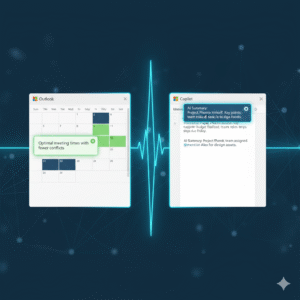
Image Of Latest Outlook Updates

The Era of AI-Powered Productivity with Latest Outlook Updates

The core of the latest Outlook updates is Microsoft’s commitment to an AI-first future. This strategy focuses on integrating intelligent technology right into the tools you use every day. The goal is simple: to automate the routine, time-consuming tasks so you can focus on work that truly matters. AI is no longer a futuristic concept; it is an active, essential part of your daily workflow. Consequently, your email client is transforming into a full-fledged personal assistant.

Furthermore, this transformation means that every new feature is designed to learn from your habits. Outlook’s AI observes how you prioritize emails, when you prefer to meet, and who your most important contacts are. As a result, the suggestions it provides become more accurate and personalized over time. This continuous learning loop ensures that the latest Outlook updates deliver constantly improving efficiency. Ultimately, you get to experience an email and calendar system that is uniquely tailored to your professional needs, making your workday smoother and less stressful. This new level of customization is what sets the new experience apart.

Scheduling Assistant: Going Beyond Basic Availability

Finding a meeting time that works for everyone is one of the most frustrating parts of office life. The old method involved endless back-and-forth emails, checking multiple calendars, and dealing with time zone headaches. Thanks to the latest Outlook updates, the Scheduling Assistant has evolved into a truly “smarter” tool.

The Scheduling Assistant now uses AI to do more than just check for open blocks on a calendar. It intelligently analyzes everyone’s schedule, considering factors like typical working hours, previously scheduled commitments, and even travel time between different locations. For instance, if a colleague is traveling, the assistant will automatically account for their time zone change and an appropriate buffer.

What’s more, this feature doesn’t just show you available slots; it actively suggests the optimal time. It might recommend a time that avoids a major conflict or one that minimizes back-to-back meetings for attendees. The objective of these latest Outlook updates is to eliminate the dreaded “When are you free?” chain, allowing you to create meeting invites in just a few clicks. This is a massive time saver for any professional.

Copilot Integration: Your Personal Email and Calendar Coach

The most significant AI addition in the latest Outlook updates is the integration of Copilot. This tool acts as an advanced virtual assistant living right inside your email and calendar. Copilot’s capabilities extend across both your inbox and your meeting management, providing unparalleled assistance. For example, in your email, Copilot can instantly summarize lengthy email threads. If you open a discussion with dozens of replies, it will condense the entire conversation into a few key bullet points, highlighting decisions and action items. This one feature can save you hours of reading every week.

Moreover, Copilot assists with drafting emails, which is a major benefit of the latest Outlook updates. You can simply provide a natural language prompt, such as, “Draft a reply to Sarah politely declining her meeting request but suggesting a follow-up call next week.” Copilot will then generate a professional, well-written draft. Beyond drafting, Copilot offers “coaching” suggestions, which are another powerful aspect of the latest Outlook updates. It analyzes the tone of your message before you send it, ensuring that you convey the intended sentiment, whether that’s firm, friendly, or urgent. Therefore, Copilot makes you a more effective and efficient communicator, ultimately improving your professional interactions.

Focused Inbox and Smart Prioritization

A cluttered inbox is a major source of anxiety and lost time. To combat this, the latest Outlook updates have refined the Focused Inbox feature, making it more intelligent than ever. The Focused Inbox automatically sorts your incoming mail into two tabs: “Focused” for emails the AI deems most important, and “Other” for everything else, like newsletters, promotions, and less critical correspondence.

The AI uses a complex set of criteria to determine priority. It learns your habits, paying attention to who you reply to most often and which threads you spend the most time reading. It also analyzes the email’s content, looking for keywords that signify urgency or importance, such as project names or your manager’s name. This process of smart prioritization in the latest Outlook updates ensures that the critical messages are always visible, which significantly reduces the time you spend sifting through junk

You can, of course, train the AI by manually moving emails between the two tabs. This action teaches the system your personal preferences, making the sorting more accurate as you continue to use the feature. This dynamic learning process is key to a calm and efficient inbox.

Enhanced Meeting Insights and Recaps

The latest Outlook updates also bring intelligence directly into the meeting experience, both before and after the event. Before a meeting, the new Meeting Insights feature provides context by pulling relevant documents and email threads related to the topic. This preparation step ensures that you are never walking into a meeting cold. You will have all the necessary background information at your fingertips, which allows you to contribute more meaningfully to the discussion. This is a clear move towards proactive productivity.

Following the meeting, a powerful new capability from the latest Outlook updates is the automatic Meeting Recap. For meetings conducted in Microsoft Teams (and integrated with Outlook), the AI automatically generates a summary. This recap includes a meeting transcript, a list of all attendees, and, crucially, a list of suggested action items.

Instead of relying on manual note-taking, the AI captures everything and highlights the most important outcomes. This feature is especially valuable for people who missed the meeting or need to quickly recall a specific decision. This advancement is a key part of the new intelligent workflow, making meetings not just easier to schedule, but also more effective in their outcomes. The latest Outlook updates ensure that you don’t just attend a meeting; you leave with clear, actionable results.

Security and Search: Intelligent Defenses and Discovery

Productivity in Outlook isn’t just about scheduling; it’s also about having confidence in the system and being able to quickly find what you need. The latest Outlook updates have significantly beefed up the security features using AI. The system now uses advanced machine learning models to detect sophisticated phishing attempts and zero-day threats that traditional filters might miss. It constantly analyzes sender behavior and email content, providing a dynamic defense that keeps your sensitive information safe. This quiet, intelligent defense is working for you 24/7, providing peace of mind.

Similarly, the search function in the latest Outlook updates has undergone a major overhaul. The search bar now understands natural language queries much better than before. Instead of having to use perfect keywords, you can type, “Find the email John sent last week about the Q3 budget” and the system will understand the intent and quickly surface the correct message, attachments included. The AI-powered search even prioritizes results based on your communication history, putting the most relevant conversations right at the top. This ability to instantly retrieve information is a core component of the enhanced user experience delivered by the latest Outlook updates, saving you precious minutes throughout your workday.

The Future of Work is Here

The introduction of smarter scheduling and AI suggestions represents a significant leap forward. The latest Outlook updates are a clear signal that Microsoft is committed to transforming our digital workspaces. By embracing these AI-powered features—from the intelligent Scheduling Assistant and the robust Copilot integration to the streamlined Focused Inbox and the proactive Meeting Recaps—you can dramatically improve your personal and team productivity.

Take the time to explore these new tools. Customizing the AI to your specific working style is an investment that will pay off immediately, allowing you to finally spend more time on meaningful work and less time managing your inbox and calendar. The future of smarter, more efficient work is officially active in the latest Outlook updates.

Frequently Asked Questions (FAQs)

1. What is the most significant new feature in the latest Outlook updates?

The most significant new feature is the integration of Copilot, which is an AI assistant that provides real-time help. It can draft emails, summarize long email threads into key bullet points, and offer “coaching” suggestions on the tone and clarity of your messages before you send them.

2. How does the “Smarter Scheduling” feature actually save me time?

The smarter scheduling in the latest Outlook updates saves time by using AI to analyze the calendars of all participants, considering time zones, travel, and existing meetings. Instead of you manually checking for open slots, the Scheduling Assistant automatically suggests the single optimal time that works for everyone, virtually eliminating the back-and-forth email negotiation process.

3. Will the new Focused Inbox in the latest Outlook updates delete my non-priority emails?

No, the Focused Inbox will not delete your emails. It simply sorts incoming messages into two tabs: “Focused” for important emails (based on AI analysis of your habits and sender priority) and “Other” for less critical messages. You can switch between the two tabs at any time to view all your mail, and you can train the AI by manually moving messages to improve its sorting accuracy.

4. Is Copilot available for all versions of Outlook after the latest Outlook updates?

Copilot is part of the Microsoft 365 ecosystem. Access to the full range of Copilot features, especially the drafting and summarizing tools, generally requires a Copilot for Microsoft 365 subscription, which may be available for business/enterprise accounts or as an add-on for personal subscriptions, depending on your organization’s setup.

5. How has the search function improved in the latest Outlook updates?

The search function now uses AI and Natural Language Processing (NLP) to understand what you mean, not just the keywords you type. For instance, you can type a phrase like “Find the attachment from the meeting last Tuesday about the new project,” and the search will intelligently prioritize the most relevant results from your entire history of mail and files.

Also Read: Microsoft Loop Explained: A Game-Changer for Collaboration

Why Create An FAQ On Your Website?

Why Create An FAQ On Your Website?

The FAQ or Frequently Asked Questions is a list of questions/answers intended to answer the questions of Internet users about a company, a service, or a product.

An FAQ generally takes two forms:

It is then enough to unroll the question which interests us to know the answer.

Dynamic, that is to say, it takes the form of a search engine. In this case, A dedicated page appears for each question the user types in the search bar.

In this article, we will see the benefits you can derive from setting up an FAQ on your website.

Set up a FAQ to improve user confidence and enhance its expertise

Many sites include an FAQ, and their effectiveness is well established. It is in your interest to build one. This gives credibility in the eyes of users. Indeed, it is more pleasant for the latter to find the answers to their questions in a simple and fast way.

Visitors will have the impression that the company is involved and wants to help and guide them. And it enhances the sense of transparency that a brand exudes. Be careful, however, to ensure the relevance of the questions and answers. The creation of an FAQ must indeed be the result of in-depth reflection.

The company knows perfectly the characteristics of the products or services that it sells. Translating this information into an FAQ highlights the important characteristics of what is being sold.

Create an FAQ to reduce the time spent responding to customers via email and phone

Some companies are overwhelmed with questions from their customers.

The time taken to answer them could be spent on more urgent tasks, and the repetitive nature of this work is boring to deal with in the long run.

It is in this type of case that setting up an FAQ is the most recommended. It makes it possible to answer questions from prospects in advance and drastically reduces the number of questions asked by email and/or telephone.

Make a FAQ to improve your natural referencing

By nature, a FAQ will allow you to add content and keywords to the website and therefore ultimately improve its referencing.

But other factors can also help to rank better. The FAQ is indeed based on searches that you identify as frequent. Does this remind you of anything? Well, search engines use the same process. When we offer answers on an FAQ page, we potentially answer questions from Internet users asked in Google. Google indexes this content. He recognizes question-answer systems and uses them to construct his answer. Thus, the website can appear in the search results for a given question in the zero position or so-called snippets. This is a very effective way to get more traffic to a website.

To set up a dynamic FAQ, it is recommended to develop a minimum of content (more than 500 words) for each of the answer pages that will be set up For search engines to reference them properly.

How to build an effective FAQ?

It will, first of all, be necessary to identify the questions that users are asking.

List the questions often asked by customers by email or telephone

Keyword research tools can help, like SEMRush’s Keyword Magic Tool or Google Ads’ built-in Keyword Planner.

Think about research on your site: what keywords (or phrases) do visitors type to find the website? In google analytics go to “site search”. The functionality reveals how Internet users find a website and makes it possible to discover expressions that we do not necessarily think of.

When searching on Google, phrases or questions are suggested: use this famous “People also ask” feature

Ask his relatives. But also its users; for example, you can create a survey to collect customer opinions.

Who are our users? To create a good FAQ, you need to know exactly who you want to talk to. The language is not the same depending on the target: young people? more mature people? a rather serious domain or not?

As you will have understood, the FAQ is a powerful tool, useful for Internet users, it allows the company to save time and better promote its services and products. If you decide to create one, remember that the choice of questions and the wording are decisive. Your questions should be the ones you get asked most often. As for your answers, keep in mind that not everyone knows technical jargon. So be pedagogical and use intelligible terms. The prospects who contact you will be more qualified, which will allow you to work more efficiently.

What Are The Benefits Of An ERP Software For A Company?

An ERP, or integrated management software package, is software that allows a company to manage its resources efficiently. An ERP can provide several benefits to businesses of all sizes, including improved efficiency, better decision-making capabilities, and increased profitability. In this blog post, we’ll discuss the benefits an ERP can bring to businesses of all types and sizes.

ERP Software, What Exactly Are We Talking About?

ERP software is a type of software that helps businesses manage their operations, including inventory, manufacturing, and finance.

ERP is short for Enterprise Resource Planning. ERP software is used by businesses of all sizes to streamline operations and improve efficiency. They typically include modules for accounting, human resources, customer relationship management, and project management.

This management solution can be deployed on-premises or in the cloud.

The Advantages Of An ERP

  1. Help Your Business Run Smoother And More Efficiently

ERP software can be a useful tool for businesses of all sizes (from SMEs to large corporations). By automating tasks and providing a central location for information, the software solution can help businesses run more smoothly and efficiently.

Additionally, it can help businesses save time and money by reducing the need for manual data entry and paper-based reporting.

  1. Automate Many Tasks And Processes

In today’s business world, time is money. That’s why more and more companies are turning to ERP software to automate tasks and processes.

ERP software can help you save time and money by automating tasks such as invoicing, customer management, and order processing.

  1. Improve Communication Between Departments And Employees

Enterprise Resource Planning is designed to help organizations improve communication between departments and employees. The software provides a centralized repository for all communications, making it easy for employees to find the information they need.

The ERP also includes project and task management tools, so employees can stay on top of their work. Additionally, it offers a variety of features that make it easy to connect with other employees, including chat, video conferencing, and file sharing.

By using ERP software, organizations can improve communication between departments and employees, and allow employees to stay connected and productive.

  1. Help Track Inventory And Sales Data

This software can be used to manage and monitor all aspects of a business, including inventory management, sales, and finance.

This business management software helps track inventory levels and sales data. This information is used to gauge customer demand, optimize inventory levels, and forecast future sales.

This information may be used to assess customer preferences, identify trends, and adjust marketing and pricing strategies accordingly.

The ERP solution thus makes it possible to improve the customer relationship as a CRM could do.

  1. Provide A Better View Of Your Overall Business Performance

ERP software is a great way to get a better overview of your business performance.

It gives you the tools you need to track and monitor all aspects of your business, from sales and marketing to accounting and human resources. Everything is centralized in a single database.

It also allows you to customize reports and dashboards to suit your specific needs.

With ERP software, you can make informed decisions about allocating resources, improving processes, and focusing efforts for maximum impact. It is therefore an essential tool for any company that wants to optimize its operations and ensure its long-term success.

The Disadvantages Of ERP

If the advantages of an ERP are numerous, it is necessary to point out some disadvantages mainly related to its implementation.

The first is the cost of such software in business. The bill can indeed be quite high depending on the size of the company and the solution chosen (between a few thousand euros to several tens).

Then, setting up the integrated management software package is not easy and can take some time. It requires significant IT infrastructure and data integration can also be time-consuming.

Finally, for an ERP system to be effective, it must be used properly by all employees. Also, its adoption in business will require a major training effort.

In addition to these few disadvantages, the advantages of an ERP are numerous for a company, whether it is increased efficiency and productivity, reduced costs, or improved customer service. customer base. If you’re looking for ways to improve your business operations, consider implementing an ERP system.

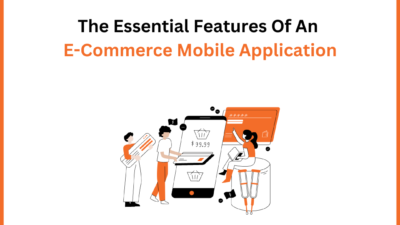
The Essential Features Of An E-Commerce Mobile Application

Customers appreciate the services accessible via a mobile application: dematerialized loyalty card, reservation of a product, and tailor-made promotions. You take care of your image and affirm the quality of service of your business. Some features then become essential to facilitate their use and reaffirm the proximity with your customers. 

What are they? What are their uses? Answer in this article which will help you to design e-commerce services closer to the needs of your users.

1- Push Notifications, To Be Used In Moderation

This is the number 1 feature preferred by companies when they venture into the creation of a mobile application. Notifications allow personalized messages to be delivered directly to users’ smartphones. They are used in various cases:

  • News relay 
  • Exclusive offers
  • Location-based promotions
  • Rating of a product

This is a considerable advantage to communicating with the user in a personalized way and reinforcing their commitment to the brand.

Notification campaigns are carefully planned for automated mailings. Be careful not to abuse it because the user can quickly stop sending them or at worst uninstall the application.

2- In-App Purchases And Subscriptions (Or In-App Purchases)

The In-App Purchase consists of purchasing products from the mobile application. After downloading the application for free, the mobile user accesses additional content or a subscription purchased via the application.

There are different types of In-App purchases:

  • Consumable purchases (for example coins or currency for a game)
  • Non-consumable purchases  (example: removal of advertisements, access to premium features of an application)
  • The purchase of goods (for example products from e-commerce)

3- Geolocation, Without Faults

Mainly used on mobile, location detection offers a better user experience and facilitates the use of the store locator.

To avoid typographical errors, the idea is to use tricks like the auto-completion feature: it automatically completes the name of the city after entering the postal code. 

Error reduction is guaranteed!

4- The Store Locator, For Even More Proximity

This feature uses the user’s geolocation. Integrated into the application in the form of an interactive map, it locates the various digitized points of sale of a company.

The store locator streamlines the customer journey by opening a route from the application. It also facilitates access to much practical information such as:

  • Full contact details (address, postal code, city)
  • The phone
  • Email-address
  • The access map 
  • Opening hours 

This essential feature for companies and users is part of the web-to-store strategy, which consists of displaying the physical point of sale closest to your home. This is where the link between online and offline communication devices is created.

Another strategy perfectly adapted to the mobile application is the drive to store. Based on using GPS to guide you to the store, just enter a postcode or address to find the store closest to your location.

The application is also the link to your store!

5- Click & Collect, An Optimized Purchase Path

This mode of sale consists of buying or reserving a product online, before picking it up in-store. Click and Collect makes it possible to create a multi-channel purchase journey by linking e-commerce to physical commerce.

Any company that uses this strategy must be able to manage its stock of merchandise in real time. A stock management and order tracking tool is essential to support you in this implementation.

6- Barcode And QR Code Scanning, Direct Access To Information

Another feature specific to the mobile application: is barcode and QR Code scanning

The QR code represents a square graphic made up of a grid of black squares on a white background. It is a series of coded numbers and letters. To decrypt them, the scan is carried out via a reader or the mobile’s camera and offers simplified navigation to directly access product information: 

  • Price
  • Dimensions
  • Videos or photos in a situation 
  • Feature List 
  • Ratings 
  • Latest buyer reviews 

Complementary products that customers acquired at the same time as the product

Access to a chatbot or messaging system to request advice in real time

No need to waste your time looking for product information, a single scan is enough to find it directly on your mobile!

7- One-Click Customer Service

An undeniable service that your application can provide is communication. It can be combined with several points of contact to provide direct service to your company

  • Callback options
  • Messaging
  • Chat Support

One of the strengths of the mobile experience is that it can integrate feedback and assistance into the app. An instant way to react directly with you!

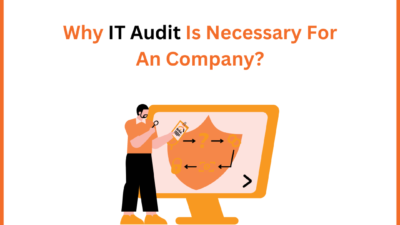
Why IT Audit Is Necessary For An Company?

For your system to be safe from attacks, an IT audit is crucial. In an IT audit, the main objective is to determine the availability of computer systems, the security and confidentiality of the information in the system, and the accuracy, reliability, and timeliness of the system.

Between the different software updates, the addition of devices, and the possible configuration errors, there are a thousand and one possible problems that can endanger the IT infrastructure and therefore jeopardize the productivity of a company.

Carrying out an IT audit makes it possible to better face these problems, or even to anticipate them in most cases.

WHAT IS IT AUDIT?

A computer audit makes it possible to identify possible flaws in a computer system or an entire computer system.

By carrying out a complete inventory, it is easier later to organize the work, correct certain systems, to update or even change such software.

The Objectives Of An IT Audit Are:

  • Carry out a precise inventory: it will be necessary to inventory the operations on each computer station, on each server, each office application as well as the means of connection.
  • Set up preventive security: it is access to data that is at the center of the concerns of an IT audit. It is necessary to locate and identify each piece of data to better protect it and to determine a threshold of tolerance and accessibility.
  • Modify or improve the computer system: concern is given to material constraints as well as human resource constraints.

THE BENEFITS OF AN IT AUDIT

A GAIN IN PRODUCTIVITY

With an IT audit, you will save considerable time since you can anticipate possible problems related to technical errors and therefore react proactively and no longer curatively.

Your company will have a complete and recent inventory and this will allow you to measure yourself against the competition more calmly.

COMPLIANCE WITH THE LAW

A computer audit also makes it possible to check whether your computer equipment complies with the legislation in force.

If your company had to face a merger, a resale, or an assignment, the IT audit facilitates the process to help any manipulations be carried out.

WHO CARRIES OUT THE IT AUDIT?

The manager or the IT manager can take care of this audit but their time is often limited, it is strongly recommended to turn to an external service provider to carry out this intervention.

By calling on an IT service provider outside the company, you ensure that you have a fresh and impartial look at your system and your IT equipment. Its assessment will be more objective and therefore more relevant for the company itself.

The external service provider will collect neutral testimonials and will not have to come up against possible hierarchy conflicts: its diagnosis will be 100% reliable and close to reality.

5 Criteria For Choosing An ERP For Your SME/SMI

 Whether it is a first ERP project for your SME or the change of an existing solution, the choice of ERP software should not be taken lightly. Indeed, choosing the right ERP will positively impact the performance and productivity of your business. Before starting to compare the different solutions on the market, the first step is to precisely define and formalize your needs.

If your SME is already equipped and you hesitate to renew your current management solution, discover our article on the 5 reasons to change your ERP software.

So which ERP to choose for your SME and how? Among the criteria for selecting an integrated management software package (ERP), we suggest that you study certain fundamentals to take into account before you decide. Then, you can make a comparison of the ERPs on the market.

  1. Knowledge Of Your SME/SMI Business

Some integrated management software packages can be adapted to a very broad industry spectrum (Trading, HR, Project, Production, Process, Logistics, Stock, etc.) and others are oriented toward a specific industry, sector, or profession.

Choose An ERP Solution Adapted To Your SME/SMI Specificities

When looking for an integrated management solution, SMEs regularly turn to publishers of generalist solutions with a strong reputation. This type of ERP, which is both “generic” and often oversized, involves more adaptations. Adaptations that increase the complexity, risks, deadlines, the costs of an ERP project for SMEs and also add difficulty to future updates.

Conversely, ERP software geared to your field of activity allows you to have a ready-to-use solution much more quickly, better expertise, and fewer specific developments to plan for. 

Choose An ERP Integrator Who Understands Your Business

Choosing an ERP integrator with expertise in your industry is just as important. With knowledge of your industry, the integrator will be able to analyze and resolve problems more effectively, saving you time and money.

  1. Functional Coverage And System Agility

Your future ERP must offer a favorable environment for decision-making and be flexible enough to adapt to your organization and the needs that you have previously formulated. It should in no way force you to change your processes. Your ERP software must ensure the proper management of information flows between the different departments of your company: sales, production, accounting, purchasing, and management.

Flexibility And Adaptability Of The Software To The Medium-Term Strategy

The functionalities offered by an ERP must be able to meet at least 80% of the immediate needs of your organization but also the medium-term needs. Indeed, your requirements and your needs at the moment should not be the only arguments that guide you in your purchase decision.

It is, therefore, necessary to reflect on certain possible scenarios that can be part of the company’s development and medium-term strategy: internationalization, the opening of new production sites, staff mobility, new markets, etc.

The selected solution must be flexible and modular enough to support you toward new realities. If the ERP you want has excessive limitations in terms of functionality and customization, it is advisable to look elsewhere.

The selected solution must be flexible and modular enough to support you toward new realities. If the ERP you want has excessive limitations in terms of customization, it is advisable to look elsewhere.

  1. User Experience And Adoption Of Your ERP Software Within Your Company

The adoption and appropriation of ERP software by the personnel of the company is a major issue and must be taken into consideration.

Naturally, a good ERP must be able to present the right information to the right people at the right time. But it must also be intuitive, and easily customizable.

Each employee of the company, whatever their function, will have to work daily with this new tool. Perhaps even employees who are not users of the current system will have to use this new ERP.

  1. Medium-Term Costs

The cost of ERP software is a fundamental issue. But too often, the company limits itself to considering the initial costs whereas it is essential to take into account the total costs over the medium – long term to compare the offers and their ROI.

Even though business models are changing faster than in the past, an ERP system should be seen as a long-term investment. According to several studies, an integrated management software package has a life cycle of 8 to 10 years on average.

  1. Sustainability And Quality Of Support

Sustainability must be verified at the level of the product itself, but also at the level of the service provider who will deploy the solution, and above all ensure support in the years that follow.

Ensuring the sustainability of software is not easy when you are not an IT specialist, especially considering that companies change ERP software every 10-12 years.

But do not hesitate to ask questions about the technologies used, and the architecture of the software, or even ask to have a presentation of the technical developments that have been made in recent years on the software. Many solutions available on the market today are more than 30 years old, and if technically the product has not evolved at all, this should concern you.

Beyond the solution, it is essential to choose the right partners because the human factor is the key to the success of your ERP project. Do not hesitate to inquire about after-sales service, customer service, ticket management, etc.

You must therefore carefully analyze the profile of the integrator and the ERP editor before you start. They will be present for several years at your side and will guarantee the performance of the system put in place. Be all the more vigilant if you are considering an open-source solution.

How Can ERP Software Improve Business Quality?


              benefits include  Benefits also include the ability to run the business more efficiently. Ever since ERP was invented, it has grown steadily to become indispensable.

The first thing to do to improve the quality of the company is to learn about ERP. There are different types of ERP software today, including those that have been designed for large enterprises. It is important to choose an ERP software adapted to the size of the company, which meets its needs, as well as its budget.

Once the company has chosen ERP software, the next step should be to educate employees in different departments about the usefulness of implementing an ERP.

The next step in ERP is to define the business functions. This will help the ERP software identify the right areas that need improvement and make the necessary changes. Certain areas should be considered when designing ERP software for a small or large business.

One of the best ways to determine areas for improvement is to use the tools available with ERP software. An example of this tool is the inventory management tool. When this tool is used, one can easily discover the problems that arise and make the necessary changes.

Once the company’s inventory has been identified, the company should also consider the distribution process. Indeed, the distribution must be carried out in such a way as to maximize profits. If the distribution is not carried out correctly, the profits of the company are reduced.

ERP is very important for any business and it must be installed by the business for success of the business. This will allow the company to better manage its processes, which will ERP is the abbreviation of “enterprise resource planning”. The term ERP refers to different types of software or rather software packages, which include ERPs for different sizes of companies and different types of ERP (Cloud, SAAS, etc).

ERP And Optimization Of The Quality Of Operation

Using ERP software has many advantages. These also help increase its productivity. With proper ERP implementation, a company will be able to conduct business more efficiently and can provide maximum profit.

We have to consider many things when it comes to ERP. But with proper planning, it can be managed effectively. As mentioned earlier, there are different aspects to consider when a small business uses ERP.

The next step is to look at the cost of ERP implementation. It always pays to spend more money when the benefits it can bring are worth it. Of course, benefits can only be delivered if the cost exceeds the costs.

The third step of ERP is to make employees understand the importance of ERP. Ultimately, they must ensure that ERP is used correctly so that the benefits of ERP are realized. Once the right people are in charge of using the ERP, the benefits will certainly follow.

What To Do If The Management Software Is Not Suitable?

For various reasons, it is possible that the PGI that is currently installed does not meet the needs or is obsolete.

In this case, do not hesitate and change ERP by studying the alternatives on the market.

Why An ERP Can Improve Business Efficiency?

The ERP software has made the management of business processes, production, sales, after-sales, accounting, etc., effective and efficient. With this software, the company can track data produced by employees and can also produce reports and make them accessible to executives. This is the reason why ERP software is beneficial for companies that want to improve their productivity as well as their business efficiency.

The benefits that an ERP can bring are many, but the main one is the increase in productivity. With this software, productivity will increase because the software can keep track of data and can provide the organization with all the information it has.

But ERP can also help the company identify its problems, not just because of its ability to track data. As problems are identified, the business will be able to fix them, get rid of them, and be more successful in the future

To improve a company’s efficiency, ERP can also help reduce costs. Indeed, the software can calculate the cost of assets as well as their value and provide information on the company’s cash flow. With the correct information, the company can reduce operating costs and increase efficiency.

In addition, ERP is also useful for business process management. It can help streamline management processes so employees don’t have to attend meetings. All tasks can be performed using the software.

Besides, ERP also helps in increasing profitability as the software will help the management to control the costs of the business and improve its efficiency. Therefore, ERP is beneficial for both business owners and employees.

Because of the benefits that ERP can bring companies will be able to afford to purchase the software. This is the reason why many companies buy this software. It is a cost-effective way to improve the efficiency of the organization and increase its profitability because this software is very easy to use and the organization does not have to worry about its management.

Another great benefit of ERP is that it will save the organization a lot of time. As the software does not have complicated and lengthy procedures, so it will help in speeding up the work of the company.

Finally, ERP can also help increase the productivity of the organization as ERP software is capable of increasing the efficiency of workers and employees. This is one of the reasons why this software is considered the most suitable for improving the efficiency of the organization.

Conclusion

Ultimately, ERP has several benefits and one of the benefits it can bring to any business is the ability to better manage overall business processes and performance. The company can get the most out of its investments by implementing ERP and improving the quality of the business.

What Is A CRM And How Can These CRM Solutions Help Your Business?

What Is A CRM?

CRM comes from the acronym Customer Relationship Management, translated, as Management of customer relations. CRM is an intelligent approach composed of a set of tools and technologies that help companies improve the relationships they have with existing customers and win new customers in a short time.

The Use Of CRM Solutions Within A Company

CRM-type applications are used by at least one department within a company.

The key department that will continuously use the application is the Sales department. The CRM helps the sales teams to organize their databases, and diaries about clients, so that the information about them is very well structured and easy to find and filter.

Sales consultants can record relevant information about customers and the interactions they have had with them. Managers of sales departments also frequently use CRM software to create and impose new relations procedures with existing customers and win new customers by applying relevant sales strategies.

CRM is not just for the sales team Another department that will be interested in interacting with the CRM is the Marketing Department.

What Does CRM Mean In Marketing:

Accessing the data from the database and better understanding the client and the evolution of the market, the staff from this department is the main beneficiary of using the application. They use customer segmentation, helping them launch personalized marketing campaigns and, as a result, win new customers.

Another department that accesses CRM software is the Customer Relations Department, which records all interactions with customers: by phone, online, and at the headquarters. Thus, a complete picture of the client is gathered, helping to create an approach centered around her.

What Is The Purpose Of A CRM Application?

The purpose of a CRM is to unify the interactions that a company has had with its customers, in any possible way, so that it can then use this information to determine a company strategy.

How Do You Know That You Have Chosen The Perfect CRM Solution For You?

To ensure a perfect dynamic for your company, the implementation of a CRM starts with understanding how to approach existing customers and win new ones. The interfaces are easy and generate reports that will help you observe your business at 360 degrees.

CRM Advantages

Beneficial influence on sales growth, by optimizing the 4 most important factors: decreasing the average length of the sales cycle, increasing the number of potential customers and thus sales opportunities, increasing their conversion rate, as well as increasing the average value of a contract.

Sales can be efficiently and continuously monitored, customized flows can be established depending on the client and best practices can be improved at the company level, all of which contribute to the quality of the sales process.

Among the advantages of CRM is the fact that marketing activities can be automated in the marketing department, creating more sales opportunities.

In addition to all these advantages, CRM increases the quality of the relationship with customers. Within the application, employees always have access to complete information about customers, with the help of which they can solve any problem in the shortest possible time.

Other CRM advantages: providing employees with automated workflows induces a massive increase in productivity within the company. The CRM application can be accessed from any type of mobile device, desktop, or laptop, allowing the sales team to work from anywhere, anytime.

So, you have learned what a CRM is and what are the advantages of this application.

What Requirements Should A Good Website Meet?

Do you want to have a website made or do you jump in the deep end yourself? Whichever of the two cases it is, you want your website to be a good website that keeps up with the times. The world is changing rapidly, including the online world. Visitors expect more and more, everything has to be faster and Google is getting smarter all the time. So more and more is being asked of a website, but what are the characteristics of a good website? Or rather, what requirements should a good website meet?

Are you going to have a website made or are you planning to make your own? We have listed the characteristics of a good website. With this checklist, you can check whether your website meets the requirements that a good website must meet! 

  1. The Website Must Be Well-Designed And Functional :

Eye-catchy web design is very important for websites, just as a neat-looking interior is important for shops. Once a potential customer lands on your page, it only takes 50 milliseconds to decide whether they want to continue browsing or stay on your website. The web design must be in line with your brand strategy so that people immediately recognize your company when they land on the website.

Another important point to consider in the design is the usability of the website. Make sure the website is user-friendly in any browser. The best thing about web design is that there are no restrictions and you can experiment and innovate as you, please. After researching your customers’ preferences, you can act on what your customer keeps on the website and converts.

A beautiful website is nice, but a good website must also work well. Therefore, always make sure that the functionality of your website is not at the expense of the design of your website. If a website does not work correctly, there is a good chance that visitors will also drop out quickly.

  1. A Fast-Loading Website Is Essential :

A slow website is quickly abandoned and does not convert. The society we live in demands that everything is done as soon as possible. If your page takes 5 seconds to submit, your visitor will drop out and go to your competitor. A slow loading time also results in a poorer position in search engines such as Google. Not entirely unimportant if you ask us! The speed of a website or a page can be measured in different ways. The most popular tool for this is PageSpeed ​​Insights. This tool is from Google itself and therefore very reliable. When you run your website through PageSpeed ​​Insights, you will have to be patient. After a few seconds, the tool will give your website a score of 0-100 for both the mobile version and the desktop version. They are also nice enough to mention what is wrong with the website in terms of speed and how you can optimize this!

  1. The Website Must Have Clear CTAs :

And we have arrived at the ‘CTAs‘, but what are these anyway? A CTA is a Call To Action. CTAs are often displayed in the form of buttons such as “Contact Now” or “Request Quote”. A CTA translates as ‘Call to action. You want the visitor to your website to do something. With a good CTA, you can bring visitors to where you want them within 1 click. Think about the purpose of your website and make sure there are clear CTAs.

  1. A Good Website Shows Customer Reviews :

Customer reviews show that you have proven yourself before and thus inspire confidence among potential new customers. Think about it for yourself, if you want to buy a product and you are in doubt between two parties. One party has a lot of good reviews and the other party has none. Then you are more inclined to purchase the product from the party that does have reviews. After all, this party has proven itself and provides good service.

Building trust is very important. People now know that unfortunately, not every site is equally reliable and often even prefer to spend a little more money for more security than to buy something from the cheapest, without being sure whether the service is good.

  1. A Good Website Has A Portfolio :

This also applies to the previous one. As we said, trust is important. People simply want to purchase services from companies with experience and expertise. Show your portfolio and make sure that it contains works that you are proud of and of the type of customers you would like to attract again. A portfolio often has little relation to a site such as a webshop, but for a construction company or other type of company that offers a service, a portfolio is nowadays essential.

  1. The Website Should Tell Your Story :

Make it personal! Make sure you tell the story behind your company. In this way, you build a bond with your customer and they also see that there are people behind your company. By telling your story, you also inspire confidence. It doesn’t matter whether you’re a B2B or B2C company; people do business with people. Potential customers, therefore, want to know who they are doing business with. 

  1. The Website Must Contain A Frequently Asked Questions Section (FAQ) :

This is a perk, but very useful. If you have good content, all of your customer’s questions are often already answered. However, some visitors just like to have quick answers to all their questions. It is useful to prepare a FAQ for this. Here visitors can see all their questions and answers to these questions at a glance. Moreover, an FAQ does not take up too much on your page.

Top 6 Benefits Of Cloud Computing For Your Business

The cloud has become an indispensable part of our daily lives. We come into contact with it every time we open our emails, watch Netflix or follow an online course. Thanks to the increase in applications, the popularity of cloud services are all the more true for businesses. The shift to fully digital solutions is well underway and there are very good reasons for this. 

In some cases, cloud computing means completely shifting your office to a digital environment that can be accessed from just about anywhere with an internet connection. But even with a less drastic move to ‘the cloud’, cloud computing gives you a huge increase in functionalities via the browser and an increase in the number of devices that can connect to the internet to get started with your company data. 

Here are the most important benefits for you and discuss how they can make a difference for your company.

  1. Savings on IT and Infrastructure

Switching to cloud computing can save you a lot in IT costs. For starters, you no longer have to worry about purchasing and maintaining all kinds of server installations to store data. You no longer have to configure this, you no longer have to make room for it and the associated electricity costs disappear.

Many cloud services also offer ready-made software packages, so you no longer have to invest in this. In addition, you also need fewer experts within your company who have to maintain your IT infrastructure and provide everything with updates, or you can use them for more important tasks. In case of problems, you can immediately contact the administrator of your cloud to assist you. All of this makes it extremely easy for starting companies.

  1. Flexibility

Working in the cloud gives you enormous flexibility. By placing the entire digital work environment of your organization in the cloud, you can actually work with your data from anywhere and at any time, whether you are visiting a customer or want to quickly check something during the weekend. This also allows those employees who do not need direct access to the company to work from home. For example, it also gives you the opportunity to have experts from all over the world participate in your projects without any problem. Where in the past you always had to work with a fixed computer, that has become completely unnecessary. After all, many cloud applications are also accessible via a smartphone or tablet. 

  1. Scalability

By moving your data and activities to the cloud, you have the advantage that you can easily determine the scale of your activities yourself. Would you like to expand everything quickly and do you want to be sure that your systems can handle the influx? This usually does not have to take long and in some cases, it can even be solved with a limited number of mouse clicks. Has the attention for your organization decreased somewhat and would you rather slow down? That’s no problem either. Everything can be perfectly adjusted to your needs, which gives you enormous flexibility. So you don’t have to worry about purchasing additional equipment

  1. Security of your data

Putting your data and productivity applications all in the cloud can seem quite scary. After all, your data is no longer with you, so what if something happens to it? However, cloud providers are increasingly aware of the appeal of all the data residing on their servers, which is why they invest heavily in all possible means to keep the information safe, both in the event of disasters and external actors. This quickly ensures that your data is in safer hands with them than on your own IT infrastructure. Your data is often copied across different servers, so in case of an emergency, there is still a copy available.

Working with the cloud also gives you the option to work with multiple backups of your data and software. If something does go wrong, you can easily reset all data from your own cloud very quickly. Everything can be easily copied and re-applied, immediately limiting your potential downtime. So you don’t have to worry too much that your business will ever come to a standstill, regardless of your size.

  1. Better Collaboration

The increase in home working has made it all the more clear how important it is to have an environment in which your employees can communicate easily with each other. However, cloud computing makes collaboration a breeze. The information your employees have to work with is available to everyone and can therefore be shared easily and securely. Some cloud services even offer standard collaboration software, which makes creating, adapting, and distributing information together child’s play. So you lose as little time as possible on communication errors and give employees the opportunity to interact as productively as possible.

  1. Automatic Updates

Software needs to be updated regularly and that can quickly prove to be a time-consuming activity for your IT department. Thanks to the cloud, however, these updates take place behind the scenes and your provider always provides you with the latest software. In addition to software updates, automatic upgrades to the servers can also take place, so that you can always get started with the fastest and most powerful infrastructure.