Refresh loader

Category : Website Designing

Home > Archive for Website Designing

Docs & Slides Integration with Smart Canvas: Collaboration Made Seamless

Teamwork is now more vital than ever. Yet, many teams struggle with old tools. They face constant switching between apps. This leads to lost time and broken workflows. Imagine a world where your documents and presentations live together. They work as one. This is the promise of Docs & Slides integration with Smart Canvas. It is a new way to work. It makes collaboration truly seamless. This approach removes the usual hurdles. It lets teams focus on ideas, not on managing files.

Modern work demands efficiency. It requires deep collaboration. The power of Docs & Slides integration goes beyond simple file sharing. It creates a dynamic workspace. This workspace acts as a central hub. Here, documents are alive. Slides are interactive. Information flows freely between them. This means less friction for teams. It means more time for creative tasks. This smart canvas approach boosts productivity greatly. It transforms how teams produce content. It makes every step of the project feel natural and smooth.

Docs & Slides Integration with Smart Canvas

The Challenge of Disconnected Workflows

Many teams face a common problem. Their tools are not connected. They use one app for writing documents. They use another for making presentations. This creates silos of information. It causes endless copying and pasting. This disconnect slows down projects. It leads to outdated information. It also wastes valuable time. This fragmented way of working harms productivity. It also makes collaboration a chore, not a joy.

Without proper Docs & Slides integration, teams run into issues. They struggle to keep track of feedback. Version control becomes a nightmare. For example, a marketing team creates a strategy document. Then, they copy key points to a presentation. Any change in the document needs a manual update in the slides. This is inefficient. It introduces errors. The lack of a unified platform means extra work. It limits the true potential of team collaboration. A smarter solution is clearly needed to overcome these daily struggles.

Introducing Smart Canvas: A Unified Workspace

Smart Canvas redefines the digital workspace. It brings together diverse tools into one seamless environment. Think of it as an intelligent foundation. It helps your Docs & Slides integration shine. This platform goes beyond linking files. It embeds content directly. This means you can see and interact with a live document from within a slide. Or, you can reference a presentation in your written report. This creates a fluid, interconnected experience.

The core idea of Smart Canvas is to make information flow. It wants to make content dynamic. It allows rich media and data to move freely. This removes barriers between different content types. It helps teams work more efficiently. For instance, data from a spreadsheet can appear live in a document. It can also update automatically in a slide. This level of Docs & Slides integration ensures that information is always current. It makes collaboration intuitive. It frees up teams to innovate.

Docs & Slides Integration: Bridging the Content Gap

The true magic happens with robust Docs & Slides integration. This feature allows documents and presentations to coexist. They can even interact within the Smart Canvas environment. This means content is no longer locked in separate files. Instead, it becomes part of a larger, connected ecosystem. This significantly boosts productivity. It ensures consistency across all project materials.

Consider a project proposal. Key data points in a document can automatically populate charts in a slide presentation. If the numbers in the document change, the charts update instantly. This eliminates manual updates. It reduces errors. It saves a lot of time. This dynamic linking is a game-changer. It makes it easier for teams to create, review, and finalize content. It shows the real power of Docs & Slides integration. It makes the entire workflow feel natural and cohesive.

Real-time Collaboration: Working Together, Instantly

One of the biggest benefits of Smart Canvas with Docs & Slides integration is real-time collaboration. Multiple team members can work on the same document or presentation at once. They can see each other’s edits as they happen. This speeds up review cycles. It simplifies feedback. It ensures everyone is always working on the latest version. This feature is essential for agile teams and fast-paced projects.

This live editing environment fosters teamwork. It promotes shared ownership. It removes the need for endless email chains with attached files. Instead, discussions happen directly within the document or slide. Comments can be left. Suggestions can be made. This interaction is immediate. It is contextual. This means questions are answered faster. Decisions are made quicker. This level of Docs & Slides integration changes how teams interact. It makes every project milestone more achievable and less stressful.

Version Control and Feedback: Simplified Workflows

Managing different versions of files is a major headache. It is a common source of errors and frustration. Smart Canvas, with its deep Docs & Slides integration, solves this. It offers built-in version history. Every change is tracked. Previous versions can be restored easily. This ensures that no work is ever truly lost. It gives teams peace of mind.

Furthermore, the feedback process is streamlined. Comments can be assigned to specific team members. They can be marked as resolved. This keeps discussions organized. It ensures that all feedback is addressed. No more sifting through emails for comments. No more confusion over which version to use. This clean system for Docs & Slides integration makes project management much simpler. It helps teams maintain focus on continuous improvement.

Enhancing Presentations with Live Data from Docs

Presentations often suffer from outdated information. This happens when data is copied from separate documents. Docs & Slides integration directly addresses this problem. It allows live data from documents to be embedded into slides. This means your presentations are always current. They are always accurate. This provides a dynamic and reliable experience for your audience.

Imagine a sales report. Key performance indicators (KPIs) from a quarterly report document appear directly in your presentation slides. If the numbers in the document are updated, the slides reflect these changes automatically. This eliminates manual adjustments. It reduces the risk of presenting old data. This feature of Docs & Slides integration makes presentations more powerful. It makes them more trustworthy. It empowers presenters to focus on their message, not on checking numbers.

Beyond Basic Integration: Smart Objects and Features

Smart Canvas takes Docs & Slides integration to the next level. It introduces smart objects. These are interactive elements. They can be embedded directly into your documents and slides. This includes things like checklists, project timelines, and even interactive polls. These objects connect to live data. They allow for richer, more engaging content.

For example, a project timeline in a document can link to tasks in a project management tool. As tasks are completed, the timeline updates across all linked documents and slides. This provides a single source of truth. It offers real-time project visibility. This goes far beyond basic Docs & Slides integration. It transforms static content into dynamic, actionable information. It significantly enhances overall collaboration and project transparency.

Security and Access: Control Over Your Collaborations

Collaboration needs strong security. Docs & Slides integration within Smart Canvas provides robust access controls. You can share documents and slides with specific people. You can assign different permission levels. For example, some can view only. Others can comment. Still others can edit. This ensures that sensitive information stays protected. It gives you full control over who sees and modifies your content.

These security features are built into the platform. They are not afterthoughts. They integrate seamlessly with your existing IT policies. This allows teams to collaborate openly. They can do so without worrying about data breaches or unauthorized access. This layer of protection is vital for any business. It makes Docs & Slides integration not just productive, but also safe and compliant.

Driving Productivity and Innovation with Seamless Workflows

The ultimate goal of Docs & Slides integration with Smart Canvas is to drive productivity. It aims to foster innovation. By removing workflow friction, teams can work faster. They can work smarter and can dedicate more time to creative thinking. They can focus on problem-solving. This leads to better outcomes for projects. It helps achieve business goals more effectively.

When documents, data, and presentations are connected, teams gain clarity. They gain efficiency and avoid redundant tasks. They minimize errors. This frees up mental energy. It allows for deeper engagement with the content. This kind of seamless Docs & Slides integration changes the entire work experience. It makes collaboration a truly powerful engine for growth and success.


Frequently Asked Questions (FAQs)

1. What exactly is Smart Canvas in the context of Docs & Slides integration?

Smart Canvas is a unified digital workspace. It brings together various content types. It includes documents, presentations, and spreadsheets. Its core purpose is to make Docs & Slides integration seamless. This allows content to flow and interact dynamically.

2. How does Docs & Slides integration improve collaboration?

Docs & Slides integration greatly improves collaboration. It allows multiple users to work in real-time on the same files and provides centralized feedback tools. It also ensures everyone sees the latest information. This eliminates version control issues. It speeds up project timelines.

3. Can live data from a document update automatically in a slide presentation?

Yes, a key feature of Docs & Slides integration with Smart Canvas is this capability. You can embed live data from a document into a slide. If the original data in the document changes, the embedded data in the presentation updates automatically.

4. What are “smart objects” in Smart Canvas?

Smart objects are interactive elements that you can embed in documents and slides. Examples include checklists, project timelines, or interactive tables. These objects can often link to other data sources. They update dynamically through Docs & Slides integration.

5. Is security a concern with such interconnected collaboration tools?

No, security is a priority. Docs & Slides integration within Smart Canvas platforms typically includes robust access controls. You can set specific permissions for viewing, commenting, or editing. This ensures data remains secure. It gives you full control over shared content.

Also Read: Google Calendar Time Insights: Master Your Workweek

Google Drive Smart Search: How AI Finds Your Files

Do you ever feel like Google Drive just knows what you’re looking for? Actually, it’s not a coincidence; instead, it’s the result of some incredibly smart technology. Essentially, this system uses artificial intelligence (AI) to find files before you even start looking for them. This smart search feature has certainly changed how we find our documents, shifting from simple keyword searches to something truly intelligent. For instance, the AI acts like a personal assistant, always working to make your life easier. This amazing capability is a major part of its success.

This advanced technology saves us lots of time, of course. For example, it helps eliminate the frustrating process of manually searching through folders. Likewise, the AI works in the background, consistently learning your habits and predicting your needs. As a result, it analyzes not just the file names, but also the actual content inside. This ultimately provides a personalized and surprisingly intelligent search experience. Truly, this AI-powered function makes finding what you need on Google Drive simpler and faster than ever.


The Brains Behind the Operation: How AI Works

The core of Google Drive’s smart search, undoubtedly, is its powerful AI. In fact, it uses a mix of machine learning, natural language processing (NLP), and deep learning models. Instead of simply looking for exact keyword matches, the AI interprets your search queries. For instance, it understands the context. For example, if you type “project alpha notes from last week,” the AI does not just look for those specific words in a file name; rather, it understands that you want a file related to “Project Alpha,” a specific type of document (“notes”), and a particular time (“last week”). Consequently, this is a massive improvement over traditional search methods.

Furthermore, the AI learns from your past actions and habits. Therefore, it remembers which files you access often, who you collaborate with, and what documents you use for specific tasks. Similarly, it analyzes the content of your files—whether it’s a contract, a presentation, or a report—to better categorize and show you the most relevant results. This continuous learning process, in fact, ensures the search results get more accurate and more personal over time. In conclusion, the system truly works for you.


Image of Google Drive Smart Search

Beyond Keywords: The Benefits of AI-Powered Search

The benefits of Google Drive smart search go far beyond just a simple keyword match. For many people, the most obvious benefit is the huge amount of time saved. After all, when you find a file in seconds instead of minutes, you can stay focused on your work. The AI’s ability to understand context means you do not have to remember the exact file name. Thus, you can use natural language, making the search feel more like talking to a helpful assistant.

This intelligent system also improves teamwork. For instance, when you are working in a shared drive, the AI can suggest files based on what your coworkers are doing, which makes collaboration much smoother. Additionally, it can automatically classify and label sensitive content, offering an extra layer of security. Of course, this smart classification helps you maintain an organized and efficient digital workspace without lots of manual effort. Because of its proactive nature, the system often shows you relevant files before you even begin a search, anticipating your needs and helping you stay on top of everything.


Making the Most of Smart Search: Practical Tips

To fully use the power of Google Drive’s AI-powered search, a few simple habits can help. While the AI is very smart, a consistent approach to file organization makes its job even easier. To begin, use clear and descriptive file names. For example, “Meeting Notes” is okay; however, “Q4 Marketing Strategy Meeting Notes – 09.2025” is much better. Therefore, this provides the AI with more useful information for its algorithms.

Another useful tip is to use file descriptions and starring. In addition, adding a short description or important keywords to a file gives the AI more context. Consequently, you should also “star” important or frequently used files to signal their priority. The more information and context you provide, the better the AI can learn and deliver accurate, useful results. By combining these simple organizational habits with the platform’s advanced AI, you can create a highly efficient and personalized digital workspace.


FAQs

1. How does AI-powered search in Google Drive differ from a traditional search? Traditional search relies on keyword matching. By contrast, AI-powered search uses machine learning and NLP to understand the context of your query. This, as a result, provides more accurate and personalized results based on your digital habits.

2. Does Google Drive’s AI search use my personal data? Yes, it analyzes your activity, such as the files you access and your collaboration patterns. For this reason, the data helps to personalize your search experience and offer more relevant file suggestions. Google, however, has privacy controls that allow you to manage how this data is used.

3. Can AI find files if I do not remember their name? Absolutely. Given that the AI understands context and content, you can search using natural language. For example, you can search for “presentation from last month about the client report” and the AI will probably find the right file without you needing its exact name.

4. How can I improve my search results on Google Drive? You can improve your search results by using consistent and descriptive file names. Additionally, you should add descriptions to your documents and star important files. The more context you provide, the better the AI becomes at finding the right files for you.

5. Is the smart search feature available to all users? Yes, the smart search functionality is a main feature of Google Drive and is available to all users with a Google account.

Also Read: The Future of Docs: Google’s Emoji Reactions Explained

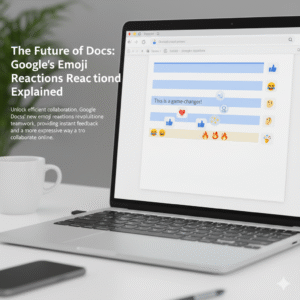
The Future of Docs: Google’s Emoji Reactions Explained

Have you ever found yourself in a Google Doc, wanting to show you agree or disagree, but a full comment just feels like too much? In fact, everyone has. Now, Google Docs has an answer for that common feeling. This is a game-changer for digital collaboration. Indeed, it is changing how teams work together. The new feature, therefore, is Google Docs’ real-time emoji reactions. You can now react instantly to text with a thumbs-up, a laughing face, or any other emoji. This simple addition, in a sense, is a big step forward for collaboration. Consequently, this change has major implications for how we work together.

Image of Google's emoji Reactions

Emojis: More Than Just Fun

You might wonder, naturally, if emoji reactions are just for fun. However, they serve a deeper purpose in today’s work environment. To begin with, they offer a quick way to give feedback. For example, you can give a thumbs-up to a section you like. This signals your support without a long comment. As a result, your colleague knows you have seen their input. Ultimately, this speeds up the review process.

Additionally, emojis add nuance. This is important. For instance, a simple sentence can be hard to read. A sentence like “This is a good idea” can be interpreted in different ways. Conversely, adding a 🙏 or a ✨ emoji makes the positive meaning clear. In contrast, a 🤔 emoji can gently suggest that you need more information. Therefore, emojis help with tone.

Furthermore, they streamline the review process. Consequently, this makes it easier for everyone. For example, instead of writing out long feedback, you can highlight text. You can then add a ❤️ or a ❓ emoji. This makes feedback visual. Likewise, it is less wordy.

More importantly, emojis build a better work culture. Since many people work remotely, this is very important. Therefore, emoji reactions add a human touch. A well-placed 😂 or 🎉 emoji can, in fact, celebrate a team win. Similarly, it can lighten the mood. Therefore, it helps with team morale. It is like having a silent cheerleading squad in your document. Finally, emojis help identify consensus. You can quickly see which parts of a document everyone likes (lots of 👍) or which parts need more discussion (a bunch of 🧐). As a result, this helps the document owner to see team sentiment.


How It Works: Super Easy!

Therefore, how does the feature work? In the first place, it’s quite simple. First, highlight the text you want to react to. After that, a small emoji icon appears. This icon is next to the text. It looks like the comment icon. Next, click the emoji icon. A selection of emojis will pop up. Then, choose your emoji. It will then appear next to the text. Of course, you can also see who reacted. In short, it’s a quick and easy process.


The Future of Collaboration

The new emoji reaction feature is a big step for Google Docs. Consequently, it is a big step for digital collaboration. For this reason, it makes our work more human. As our work changes, tools that help us communicate better will become very important. Therefore, this feature is very useful. It will, in fact, make online collaboration more expressive. This is because it is a very natural way to communicate. So, do not just comment. React. This will make your collaborative experience more engaging.

What do you think of this new feature?


FAQs

1. How do you add an emoji reaction in Google Docs?

To add a reaction, you must highlight the text. After that, you will see a small emoji icon. Then you can select your emoji.

2. Is this feature available to everyone?

This feature is available to most Google Docs users. In short, it is being rolled out to personal and business accounts.

3. Can I use any emoji?

Yes, you can use any emoji from the selection. This includes common emojis like 👍, ❤️, and 😂.

4. Can I see who added a reaction?

Yes, you can. You can see who added each emoji. This is very useful. It provides extra context.

5. How does this improve teamwork?

This feature helps teams in many ways. For example, it gives instant feedback. It also makes communication more expressive. Additionally, it helps build team morale. All things considered, it improves collaboration.

Also Read: Google Meet’s New AI Noise Cancellation: A Game-Changer

AI-Powered Writing in Gmail & Docs

In the fast-paced digital world, writing is a constant task. We write emails, create documents, and draft reports every single day. Therefore, any tool that can make this process faster and more efficient is a game-changer. For years, Google’s Smart Compose has offered simple sentence completions. In contrast, today’s AI-powered writing tools in Gmail and Docs, now powered by the Gemini model, are in a different league entirely. This new evolution moves far beyond simple suggestions. In fact, it provides a truly collaborative writing experience. This is a huge shift, consequently changing how we interact with our digital documents.

Image of AI-Powered Writing in Gmail & Docs

From Autocomplete to a True Co-Author

Smart Compose, originally a clever machine-learning feature, was a great start. It provided predictive text and helped correct grammar. However, it was, at its core, a reactive tool. It simply responded to what you typed. Today’s AI-powered writing is proactive. It can understand the context, purpose, and even the tone of your content. For instance, you can simply write a short prompt like, “Write an email to my team about the upcoming project deadline.” Immediately, the AI will generate a complete, professional draft. This is a significant improvement. It saves you time, of course. It also helps you overcome writer’s block.


Writing with AI in Google Docs: A Seamless Experience

The integration of Gemini into Google Docs offers a powerful new way to write. First, the “Help me write” feature acts as a blank canvas. You just give it a simple command, and it will generate a first draft. Furthermore, it can refine your work with remarkable ease. For example, you can select a paragraph. You can then prompt the AI to “shorten it,” “elaborate on this idea,” or “make it more formal.” This allows you to sculpt your text with a few simple clicks.

In addition, you can use the AI to generate bullet points from a dense paragraph, summarize a long article, or even brainstorm new ideas. Consequently, this makes the writing process more fluid. The AI-powered writing tool is always there, waiting to help you.


AI in Gmail: Mastering Your Inbox

The new AI-powered writing features in Gmail make managing your inbox far more efficient. In fact, it’s a huge time-saver. Consider this: you receive an email. You can now use the AI to draft an entire reply based on the original message. You can, for instance, ask it to “write a reply accepting the meeting invitation” or “draft a polite decline.” The AI understands the context. It can even extract details like names and dates. It then generates a personalized, context-aware response. Furthermore, it can summarize long email threads. This lets you quickly grasp the key points without reading every single message. Therefore, this helps you clear your inbox faster. It also helps you respond more thoughtfully and efficiently.


The Future of Writing is Collaborative

Ultimately, the goal of this AI-powered writing is not to replace human creativity. Instead, it is to enhance it. The AI acts as a smart co-pilot. It handles the mundane parts of writing. This frees you to focus on the more creative aspects. It helps you articulate your thoughts more clearly. It also helps you communicate more effectively. As these tools continue to evolve, they will become more personalized. They will learn your unique style and tone. Consequently, the collaboration will become even more seamless. We are, therefore, moving toward a future where writing is a partnership between human intelligence and AI, creating content that is both faster and better than ever before.


FAQs

1. What is the difference between Smart Compose and the new AI writing features?

Smart Compose provided simple word and sentence predictions. In contrast, the new AI-powered writing features, now based on the Gemini model, can generate entire drafts, rewrite selected text, and summarize content based on a detailed understanding of context.

2. How do I access these new AI features in Gmail and Docs?

These features are now being rolled out to Google Workspace users. You can find them through the “Help me write” button in Docs and through new prompts and options when drafting an email in Gmail.

3. Will these AI tools change my personal writing style?

The AI tools are designed to assist you, not replace you. They can, however, learn from your style. You should always review and edit the suggestions to ensure they align with your voice and intent.

4. Can the AI write about any topic?

The AI can write about a wide range of topics. However, you should use it responsibly. Always verify any facts or information it provides. In addition, avoid using it for sensitive or confidential material.

5. Is my data safe when using these AI writing tools?

Google states that it handles user data with care. It applies its standard data protection and privacy measures to these new AI features.

Also Read: Microsoft 365 Copilot: Complete Guide (2025)

Know More

Updates in Google Workspace: September 2025

The digital world changes fast. Staying updated with the latest tools is a must. Google Workspace, a leader in productivity and collaboration, is always innovating. This September 2025, a wave of new Workspace updates is here. These changes are exciting. They show Google’s commitment to a smarter, more intuitive work environment. Most of the new features use Gemini AI. They help you work better and faster. These improvements cover Gmail, Drive, Meet, and Sheets. Get ready to explore the key updates you shouldn’t miss.

Gemini AI: The Brain Behind the Brilliance

google workspace
Artificial intelligence is changing how we work. In Google Workspace, AI is no longer a separate tool. It’s now a part of everything you do. Gemini AI has become a proactive partner. It anticipates your needs and offers quick solutions. This deeper integration is a major step. It moves from simple automation to sophisticated intelligence. The goal is to make your work easier. Gemini helps you get rid of boring tasks. Consequently, you can focus on more important things. Google wants every user to feel like they have a personal assistant.

A Smarter Google Drive: Gemini Summaries

Looking for a specific document can be a hassle. You might have to open many files just to find the right one. This process is often time-consuming. However, a new update makes things much easier. Gemini summaries now appear on suggested files. This is a huge change. Before you open a file, Gemini gives you a quick summary. This includes Docs, Sheets, Slides, and PDFs. It helps you quickly see what a document is about. As a result, you can save valuable time. You can also prioritize your work more effectively. This makes your Drive home page an intelligent information hub.

Creating Perfect Presentations in Google Slides

Making a great presentation takes work. You spend hours writing the perfect text. Still, poor wording can ruin your message. Fortunately, the new Refine Text feature, powered by Gemini, is here to help. You no longer have to struggle to find the right words. Gemini helps you edit text boxes in Slides. It offers smart suggestions. For example, you can shorten a long paragraph. You can also rephrase an idea for better clarity. You can even formalize the tone. Additionally, you can use a custom prompt. This lets you get a very specific result. This feature helps you be more impactful and save time.

Enhanced Document Scanning on Android

Many of us work on the go. This means we often need to scan physical documents with our phones. But scans can be blurry or have shadows. This makes them look unprofessional. Google Drive on Android has a new and improved scanning tool. This update gives you professional-grade scanning. You can now crop and rotate documents easily. You can also apply filters to make the text clearer. Most importantly, you can now erase shadows. This makes your scans clean and professional-looking. Now, digitizing receipts or notes is both easy and reliable.

Smarter Tools for Education

AI is also transforming education. Google is helping both students and teachers. There is a new subscription called Google AI Pro for Education. It offers many powerful features. These new tools are in NotebookLM. Students can now use them to study better. For instance, NotebookLM can turn documents into flashcards and quizzes. You simply upload your notes. Then, the AI creates study aids for you. This helps with active recall, which improves memory. For teachers, it means more engaging lessons. For students, it’s like having a personal tutor.

Better Collaboration and Communication

Teams need to communicate well to succeed. Google Workspace is always improving its tools to help teams connect. September’s updates help you stay in the loop and work together smoothly.

Stay Notified in Google Chat

Sometimes, you miss small but important reactions to your messages. This can be frustrating. Now, Google Chat sends real-time push notifications for reactions. This helps you stay on top of conversations. You won’t miss any feedback. Therefore, communication with your team becomes more fluid and responsive.

Find Changes Easily in Google Sheets

Tracking changes in a shared spreadsheet can be hard. The version history often shows everything, making it confusing. Now, Sheets has a new condensed version history view. This view shows only the rows with changes. This helps you quickly see what’s been updated. It saves time and prevents you from missing important edits.

Smooth Meetings in Google Calendar

Scheduling meetings with people on different calendar apps can be tricky. They may not get the Meet link automatically. When you invite an Outlook user to a Google Meet, the link is now added to the location field. This simple change makes joining meetings much easier. It ensures your meetings start on time.

Protecting Your Privacy

Privacy is crucial. When you copy a Calendar event, you don’t want to share private notes. Now, when you copy or duplicate an event, the Meet conference and its notes are not copied over. This protects your information. It ensures that meeting access and details stay secure.

The Future of Your Workflow

These September 2025 updates show Google’s clear strategy. They are building an intelligent ecosystem. Gemini AI is a core part of this. It helps automate repetitive tasks. It also improves your creative potential. These updates are about more than just new features. It is  about smarter ways to work. They help you manage information better. It also improve how you collaborate. By using these new tools, you are future-proofing your workflow. You will produce higher-quality work and be more productive.

Frequently Asked Questions (FAQs)

1. What is the main focus of the Google Workspace September 2025 updates? The updates focus on deeper Gemini AI integration. This improves productivity in apps like Drive, Slides, and for educational tools. 2. How do Gemini summaries in Google Drive work? They give you quick, AI-generated summaries of documents on your Drive homepage. This helps you understand a file’s content without opening it. 3. What can Gemini AI do for Google Slides? Gemini’s new “Refine Text” feature helps you edit text in Slides. It can shorten text, rephrase sentences, or format them into bullet points. 4. Are there improvements for mobile users? Yes. The Google Drive app for Android has a new scanning tool. It helps you easily crop, filter, and remove shadows from scanned documents. 5. How do these updates improve collaboration? New features help in many ways. For instance, in Sheets, you can see a condensed version history. In Chat, you get notifications for message reactions. Also, Meet links are now automatically added to invitations for external users.  

Why IT Audit Is Necessary For An Company?

For your system to be safe from attacks, an IT audit is crucial. In an IT audit, the main objective is to determine the availability of computer systems, the security and confidentiality of the information in the system, and the accuracy, reliability, and timeliness of the system.

Between the different software updates, the addition of devices, and the possible configuration errors, there are a thousand and one possible problems that can endanger the IT infrastructure and therefore jeopardize the productivity of a company.

Carrying out an IT audit makes it possible to better face these problems, or even to anticipate them in most cases.

WHAT IS IT AUDIT?

A computer audit makes it possible to identify possible flaws in a computer system or an entire computer system.

By carrying out a complete inventory, it is easier later to organize the work, correct certain systems, to update or even change such software.

The Objectives Of An IT Audit Are:

  • Carry out a precise inventory: it will be necessary to inventory the operations on each computer station, on each server, each office application as well as the means of connection.
  • Set up preventive security: it is access to data that is at the center of the concerns of an IT audit. It is necessary to locate and identify each piece of data to better protect it and to determine a threshold of tolerance and accessibility.
  • Modify or improve the computer system: concern is given to material constraints as well as human resource constraints.

THE BENEFITS OF AN IT AUDIT

A GAIN IN PRODUCTIVITY

With an IT audit, you will save considerable time since you can anticipate possible problems related to technical errors and therefore react proactively and no longer curatively.

Your company will have a complete and recent inventory and this will allow you to measure yourself against the competition more calmly.

COMPLIANCE WITH THE LAW

A computer audit also makes it possible to check whether your computer equipment complies with the legislation in force.

If your company had to face a merger, a resale, or an assignment, the IT audit facilitates the process to help any manipulations be carried out.

WHO CARRIES OUT THE IT AUDIT?

The manager or the IT manager can take care of this audit but their time is often limited, it is strongly recommended to turn to an external service provider to carry out this intervention.

By calling on an IT service provider outside the company, you ensure that you have a fresh and impartial look at your system and your IT equipment. Its assessment will be more objective and therefore more relevant for the company itself.

The external service provider will collect neutral testimonials and will not have to come up against possible hierarchy conflicts: its diagnosis will be 100% reliable and close to reality.

5 Criteria For Choosing An ERP For Your SME/SMI

 Whether it is a first ERP project for your SME or the change of an existing solution, the choice of ERP software should not be taken lightly. Indeed, choosing the right ERP will positively impact the performance and productivity of your business. Before starting to compare the different solutions on the market, the first step is to precisely define and formalize your needs.

If your SME is already equipped and you hesitate to renew your current management solution, discover our article on the 5 reasons to change your ERP software.

So which ERP to choose for your SME and how? Among the criteria for selecting an integrated management software package (ERP), we suggest that you study certain fundamentals to take into account before you decide. Then, you can make a comparison of the ERPs on the market.

  1. Knowledge Of Your SME/SMI Business

Some integrated management software packages can be adapted to a very broad industry spectrum (Trading, HR, Project, Production, Process, Logistics, Stock, etc.) and others are oriented toward a specific industry, sector, or profession.

Choose An ERP Solution Adapted To Your SME/SMI Specificities

When looking for an integrated management solution, SMEs regularly turn to publishers of generalist solutions with a strong reputation. This type of ERP, which is both “generic” and often oversized, involves more adaptations. Adaptations that increase the complexity, risks, deadlines, the costs of an ERP project for SMEs and also add difficulty to future updates.

Conversely, ERP software geared to your field of activity allows you to have a ready-to-use solution much more quickly, better expertise, and fewer specific developments to plan for. 

Choose An ERP Integrator Who Understands Your Business

Choosing an ERP integrator with expertise in your industry is just as important. With knowledge of your industry, the integrator will be able to analyze and resolve problems more effectively, saving you time and money.

  1. Functional Coverage And System Agility

Your future ERP must offer a favorable environment for decision-making and be flexible enough to adapt to your organization and the needs that you have previously formulated. It should in no way force you to change your processes. Your ERP software must ensure the proper management of information flows between the different departments of your company: sales, production, accounting, purchasing, and management.

Flexibility And Adaptability Of The Software To The Medium-Term Strategy

The functionalities offered by an ERP must be able to meet at least 80% of the immediate needs of your organization but also the medium-term needs. Indeed, your requirements and your needs at the moment should not be the only arguments that guide you in your purchase decision.

It is, therefore, necessary to reflect on certain possible scenarios that can be part of the company’s development and medium-term strategy: internationalization, the opening of new production sites, staff mobility, new markets, etc.

The selected solution must be flexible and modular enough to support you toward new realities. If the ERP you want has excessive limitations in terms of functionality and customization, it is advisable to look elsewhere.

The selected solution must be flexible and modular enough to support you toward new realities. If the ERP you want has excessive limitations in terms of customization, it is advisable to look elsewhere.

  1. User Experience And Adoption Of Your ERP Software Within Your Company

The adoption and appropriation of ERP software by the personnel of the company is a major issue and must be taken into consideration.

Naturally, a good ERP must be able to present the right information to the right people at the right time. But it must also be intuitive, and easily customizable.

Each employee of the company, whatever their function, will have to work daily with this new tool. Perhaps even employees who are not users of the current system will have to use this new ERP.

  1. Medium-Term Costs

The cost of ERP software is a fundamental issue. But too often, the company limits itself to considering the initial costs whereas it is essential to take into account the total costs over the medium – long term to compare the offers and their ROI.

Even though business models are changing faster than in the past, an ERP system should be seen as a long-term investment. According to several studies, an integrated management software package has a life cycle of 8 to 10 years on average.

  1. Sustainability And Quality Of Support

Sustainability must be verified at the level of the product itself, but also at the level of the service provider who will deploy the solution, and above all ensure support in the years that follow.

Ensuring the sustainability of software is not easy when you are not an IT specialist, especially considering that companies change ERP software every 10-12 years.

But do not hesitate to ask questions about the technologies used, and the architecture of the software, or even ask to have a presentation of the technical developments that have been made in recent years on the software. Many solutions available on the market today are more than 30 years old, and if technically the product has not evolved at all, this should concern you.

Beyond the solution, it is essential to choose the right partners because the human factor is the key to the success of your ERP project. Do not hesitate to inquire about after-sales service, customer service, ticket management, etc.

You must therefore carefully analyze the profile of the integrator and the ERP editor before you start. They will be present for several years at your side and will guarantee the performance of the system put in place. Be all the more vigilant if you are considering an open-source solution.

How Can ERP Software Improve Business Quality?


              benefits include  Benefits also include the ability to run the business more efficiently. Ever since ERP was invented, it has grown steadily to become indispensable.

The first thing to do to improve the quality of the company is to learn about ERP. There are different types of ERP software today, including those that have been designed for large enterprises. It is important to choose an ERP software adapted to the size of the company, which meets its needs, as well as its budget.

Once the company has chosen ERP software, the next step should be to educate employees in different departments about the usefulness of implementing an ERP.

The next step in ERP is to define the business functions. This will help the ERP software identify the right areas that need improvement and make the necessary changes. Certain areas should be considered when designing ERP software for a small or large business.

One of the best ways to determine areas for improvement is to use the tools available with ERP software. An example of this tool is the inventory management tool. When this tool is used, one can easily discover the problems that arise and make the necessary changes.

Once the company’s inventory has been identified, the company should also consider the distribution process. Indeed, the distribution must be carried out in such a way as to maximize profits. If the distribution is not carried out correctly, the profits of the company are reduced.

ERP is very important for any business and it must be installed by the business for success of the business. This will allow the company to better manage its processes, which will ERP is the abbreviation of “enterprise resource planning”. The term ERP refers to different types of software or rather software packages, which include ERPs for different sizes of companies and different types of ERP (Cloud, SAAS, etc).

ERP And Optimization Of The Quality Of Operation

Using ERP software has many advantages. These also help increase its productivity. With proper ERP implementation, a company will be able to conduct business more efficiently and can provide maximum profit.

We have to consider many things when it comes to ERP. But with proper planning, it can be managed effectively. As mentioned earlier, there are different aspects to consider when a small business uses ERP.

The next step is to look at the cost of ERP implementation. It always pays to spend more money when the benefits it can bring are worth it. Of course, benefits can only be delivered if the cost exceeds the costs.

The third step of ERP is to make employees understand the importance of ERP. Ultimately, they must ensure that ERP is used correctly so that the benefits of ERP are realized. Once the right people are in charge of using the ERP, the benefits will certainly follow.

What To Do If The Management Software Is Not Suitable?

For various reasons, it is possible that the PGI that is currently installed does not meet the needs or is obsolete.

In this case, do not hesitate and change ERP by studying the alternatives on the market.

Why An ERP Can Improve Business Efficiency?

The ERP software has made the management of business processes, production, sales, after-sales, accounting, etc., effective and efficient. With this software, the company can track data produced by employees and can also produce reports and make them accessible to executives. This is the reason why ERP software is beneficial for companies that want to improve their productivity as well as their business efficiency.

The benefits that an ERP can bring are many, but the main one is the increase in productivity. With this software, productivity will increase because the software can keep track of data and can provide the organization with all the information it has.

But ERP can also help the company identify its problems, not just because of its ability to track data. As problems are identified, the business will be able to fix them, get rid of them, and be more successful in the future

To improve a company’s efficiency, ERP can also help reduce costs. Indeed, the software can calculate the cost of assets as well as their value and provide information on the company’s cash flow. With the correct information, the company can reduce operating costs and increase efficiency.

In addition, ERP is also useful for business process management. It can help streamline management processes so employees don’t have to attend meetings. All tasks can be performed using the software.

Besides, ERP also helps in increasing profitability as the software will help the management to control the costs of the business and improve its efficiency. Therefore, ERP is beneficial for both business owners and employees.

Because of the benefits that ERP can bring companies will be able to afford to purchase the software. This is the reason why many companies buy this software. It is a cost-effective way to improve the efficiency of the organization and increase its profitability because this software is very easy to use and the organization does not have to worry about its management.

Another great benefit of ERP is that it will save the organization a lot of time. As the software does not have complicated and lengthy procedures, so it will help in speeding up the work of the company.

Finally, ERP can also help increase the productivity of the organization as ERP software is capable of increasing the efficiency of workers and employees. This is one of the reasons why this software is considered the most suitable for improving the efficiency of the organization.

Conclusion

Ultimately, ERP has several benefits and one of the benefits it can bring to any business is the ability to better manage overall business processes and performance. The company can get the most out of its investments by implementing ERP and improving the quality of the business.

What Is A CRM And How Can These CRM Solutions Help Your Business?

What Is A CRM?

CRM comes from the acronym Customer Relationship Management, translated, as Management of customer relations. CRM is an intelligent approach composed of a set of tools and technologies that help companies improve the relationships they have with existing customers and win new customers in a short time.

The Use Of CRM Solutions Within A Company

CRM-type applications are used by at least one department within a company.

The key department that will continuously use the application is the Sales department. The CRM helps the sales teams to organize their databases, and diaries about clients, so that the information about them is very well structured and easy to find and filter.

Sales consultants can record relevant information about customers and the interactions they have had with them. Managers of sales departments also frequently use CRM software to create and impose new relations procedures with existing customers and win new customers by applying relevant sales strategies.

CRM is not just for the sales team Another department that will be interested in interacting with the CRM is the Marketing Department.

What Does CRM Mean In Marketing:

Accessing the data from the database and better understanding the client and the evolution of the market, the staff from this department is the main beneficiary of using the application. They use customer segmentation, helping them launch personalized marketing campaigns and, as a result, win new customers.

Another department that accesses CRM software is the Customer Relations Department, which records all interactions with customers: by phone, online, and at the headquarters. Thus, a complete picture of the client is gathered, helping to create an approach centered around her.

What Is The Purpose Of A CRM Application?

The purpose of a CRM is to unify the interactions that a company has had with its customers, in any possible way, so that it can then use this information to determine a company strategy.

How Do You Know That You Have Chosen The Perfect CRM Solution For You?

To ensure a perfect dynamic for your company, the implementation of a CRM starts with understanding how to approach existing customers and win new ones. The interfaces are easy and generate reports that will help you observe your business at 360 degrees.

CRM Advantages

Beneficial influence on sales growth, by optimizing the 4 most important factors: decreasing the average length of the sales cycle, increasing the number of potential customers and thus sales opportunities, increasing their conversion rate, as well as increasing the average value of a contract.

Sales can be efficiently and continuously monitored, customized flows can be established depending on the client and best practices can be improved at the company level, all of which contribute to the quality of the sales process.

Among the advantages of CRM is the fact that marketing activities can be automated in the marketing department, creating more sales opportunities.

In addition to all these advantages, CRM increases the quality of the relationship with customers. Within the application, employees always have access to complete information about customers, with the help of which they can solve any problem in the shortest possible time.

Other CRM advantages: providing employees with automated workflows induces a massive increase in productivity within the company. The CRM application can be accessed from any type of mobile device, desktop, or laptop, allowing the sales team to work from anywhere, anytime.

So, you have learned what a CRM is and what are the advantages of this application.

What Requirements Should A Good Website Meet?

Do you want to have a website made or do you jump in the deep end yourself? Whichever of the two cases it is, you want your website to be a good website that keeps up with the times. The world is changing rapidly, including the online world. Visitors expect more and more, everything has to be faster and Google is getting smarter all the time. So more and more is being asked of a website, but what are the characteristics of a good website? Or rather, what requirements should a good website meet?

Are you going to have a website made or are you planning to make your own? We have listed the characteristics of a good website. With this checklist, you can check whether your website meets the requirements that a good website must meet! 

  1. The Website Must Be Well-Designed And Functional :

Eye-catchy web design is very important for websites, just as a neat-looking interior is important for shops. Once a potential customer lands on your page, it only takes 50 milliseconds to decide whether they want to continue browsing or stay on your website. The web design must be in line with your brand strategy so that people immediately recognize your company when they land on the website.

Another important point to consider in the design is the usability of the website. Make sure the website is user-friendly in any browser. The best thing about web design is that there are no restrictions and you can experiment and innovate as you, please. After researching your customers’ preferences, you can act on what your customer keeps on the website and converts.

A beautiful website is nice, but a good website must also work well. Therefore, always make sure that the functionality of your website is not at the expense of the design of your website. If a website does not work correctly, there is a good chance that visitors will also drop out quickly.

  1. A Fast-Loading Website Is Essential :

A slow website is quickly abandoned and does not convert. The society we live in demands that everything is done as soon as possible. If your page takes 5 seconds to submit, your visitor will drop out and go to your competitor. A slow loading time also results in a poorer position in search engines such as Google. Not entirely unimportant if you ask us! The speed of a website or a page can be measured in different ways. The most popular tool for this is PageSpeed ​​Insights. This tool is from Google itself and therefore very reliable. When you run your website through PageSpeed ​​Insights, you will have to be patient. After a few seconds, the tool will give your website a score of 0-100 for both the mobile version and the desktop version. They are also nice enough to mention what is wrong with the website in terms of speed and how you can optimize this!

  1. The Website Must Have Clear CTAs :

And we have arrived at the ‘CTAs‘, but what are these anyway? A CTA is a Call To Action. CTAs are often displayed in the form of buttons such as “Contact Now” or “Request Quote”. A CTA translates as ‘Call to action. You want the visitor to your website to do something. With a good CTA, you can bring visitors to where you want them within 1 click. Think about the purpose of your website and make sure there are clear CTAs.

  1. A Good Website Shows Customer Reviews :

Customer reviews show that you have proven yourself before and thus inspire confidence among potential new customers. Think about it for yourself, if you want to buy a product and you are in doubt between two parties. One party has a lot of good reviews and the other party has none. Then you are more inclined to purchase the product from the party that does have reviews. After all, this party has proven itself and provides good service.

Building trust is very important. People now know that unfortunately, not every site is equally reliable and often even prefer to spend a little more money for more security than to buy something from the cheapest, without being sure whether the service is good.

  1. A Good Website Has A Portfolio :

This also applies to the previous one. As we said, trust is important. People simply want to purchase services from companies with experience and expertise. Show your portfolio and make sure that it contains works that you are proud of and of the type of customers you would like to attract again. A portfolio often has little relation to a site such as a webshop, but for a construction company or other type of company that offers a service, a portfolio is nowadays essential.

  1. The Website Should Tell Your Story :

Make it personal! Make sure you tell the story behind your company. In this way, you build a bond with your customer and they also see that there are people behind your company. By telling your story, you also inspire confidence. It doesn’t matter whether you’re a B2B or B2C company; people do business with people. Potential customers, therefore, want to know who they are doing business with. 

  1. The Website Must Contain A Frequently Asked Questions Section (FAQ) :

This is a perk, but very useful. If you have good content, all of your customer’s questions are often already answered. However, some visitors just like to have quick answers to all their questions. It is useful to prepare a FAQ for this. Here visitors can see all their questions and answers to these questions at a glance. Moreover, an FAQ does not take up too much on your page.