

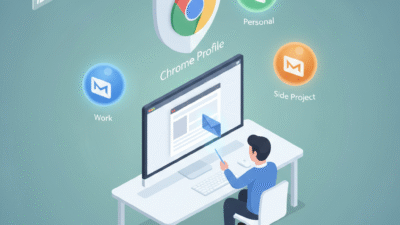
You must find a way to keep your personal and professional lives separate in the digital world today. Therefore, you should learn how to handle multiple Gmail accounts without getting confused. Truly, sending a personal note from a work email is a common and very awkward mistake. Consequently, you can grow your productivity by setting up a clear system for your inboxes in 2026.
Many people think that logging in and out of different accounts is the only way to stay safe. But, the reality is that modern tools make switching between Gmail IDs fast and very simple. Always remember, an organized digital identity is a strong signal for any search engine. This ensures that your brand stays professional and your data stays very secure. This approach requires you to use smart browser features and mobile shortcuts today. It helps you build a much more agile business for the long term. It makes your daily communication feel much more secure and very effective.

Using Chrome Profiles to Isolate Your Worlds
First, you must understand that your browser is your best friend for account management. Why should you clutter one window with five different Gmail tabs in 2026? Clearly, using “Chrome Profiles” is the smartest way to keep your bookmarks and logins separate. Therefore, you must create a dedicated profile for every main account you own today.
Benefits of Separate Browser Profiles
Here are several reasons why profiles beat the simple “Add Account” button:
-
Separate History: Your work searches will never mix with your personal shopping.
-
Custom Bookmarks: Keep your client links in one window and your hobbies in another.
-
Unique Extensions: Use different plugins for work tasks without slowing down your personal life.
-
Visual Themes: Give each profile a unique color so you know exactly which one you are using.
-
Auto-Login: Each profile remembers its own password so you never have to type it twice.
-
Tab Management: Close your whole “Work” profile at 5 PM to stop thinking about emails.
-
Search Engine Value: Distinct profiles help you maintain a high search engine trust score.
Truly, this method solves the problem of accidental cross-posting in just a few clicks. But, you must also remember to name each profile clearly, such as “Work,” “Freelance,” or “Home.” This keeps your focus sharp and prevents any sudden confusion for your firm. It creates a very high and professional standard for your daily digital organization.
Mastering the Gmail Mobile App Switcher
So, how do you handle five inboxes on a small smartphone screen in 2026? Truly, the Gmail app has a hidden “Swipe” feature that makes switching very fast. Consequently, you should learn how to glide between accounts with a single finger movement. It acts as a direct link between all your messages without the need for multiple apps.
Quick Tips for Mobile Email Management
Here is how you can stay on top of your mobile inboxes right now:
-
Swipe to Switch: Swipe up or down on your profile icon to jump to the next account.
-
All Inboxes View: Use the “All Inboxes” setting to see every new email in one single list.
-
Custom Notifications: Set loud pings for work and silent alerts for newsletters.
-
Color-Coded Labels: Use different colors for different accounts to spot them in the “All” view.
-
Account Toggling: Turn off sync for certain accounts during your weekend or vacation.
-
Profile Photos: Use a brand logo for work and a headshot for personal to tell them apart.
-
Trust Rankings: Fast and accurate replies help you maintain a top search engine rank.
Furthermore, this improves your search engine performance by showing your brand is very active. It makes your company look very smart and ready for 2026 digital shifts. This ensures that you never miss a vital client email while you are on the go. It creates a very fast and clear path for your professional marketing success.
Setting a Default Account to Avoid Errors
The third phase involves teaching Google which account is your “Primary” home. Clearly, Google often opens your first logged-in account when you click a generic link today. Therefore, you should sign out of all accounts and log back into your main one first in 2026.
Why Your “Default” Account Matters
Firstly, the default account is the one that opens for Google Drive, Meet, and Calendar. This allows you to avoid the “Access Denied” error when clicking a shared file in 2026. Secondly, use “Incognito Windows” if you need to quickly check a third account without saving it.
Furthermore, use transition words in your tech guides to help your team set their defaults. Also, remember that a stable default account helps your search engine authority and trust. Lastly, check if your “Google Workspace” settings allow for easy account switching. Truly, a clear default is the best tool for preventing messy digital overlaps right now. It allows you to stay in control of your data without constant pop-ups. This is why top digital workers always set their “Home Base” before anything else.
Consolidating Inboxes with “Send Mail As”
The fourth phase is where you bring everything into one master view if you hate switching. Clearly, you can fetch emails from five different accounts into one single Gmail window in 2026. Therefore, you must use the “Accounts and Import” settings to link your IDs today.
Metrics for a Unified Master Inbox
Firstly, track the “Email Volume” from each source to see which account is the busiest. This helps you see if you need to delete old subscriptions or move them to a new ID. Secondly, calculate the “Response Time” for each account to ensure you are not ignoring one.
Furthermore, look for any “Forwarding Errors” where emails might get stuck between accounts. Also, use your data to see if a unified inbox leads to a higher “Team Focus” score. Lastly, check your search engine ranking to see if better communication helps your traffic. Truly, a unified path is a journey that leads to a much stronger brand. It turns a scattered mess into a series of smart, secure wins for your team. This ensures your business stays strong while others struggle with 20 open tabs.
Protecting Your Digital Identity
Finalizing your plan requires you to use “2-Step Verification” for every single account you own. It needs you to keep your recovery phone numbers updated for 2026. Clearly, managing many accounts is a team effort for your digital security. Therefore, follow these simple tips to keep your emails safe and very fast.
Simple Tips for Lifelong Email Success
Firstly, use a “Password Manager” to keep track of the unique keys for every account. This helps you stay one step ahead of any hackers or lost access errors today. Secondly, encourage your team to use “Email Aliases” instead of creating entirely new accounts for small tasks.
Furthermore, use transition words in your security updates to keep the message very clear. Also, remind your staff that a clean inbox helps the company earn more search engine trust. Lastly, check your search engine data to see if your stability helps your web traffic grow. Truly, a safe path is a journey that leads to a much better brand in 2026. It builds a path of success that lets your whole team grow very fast. This secures your future in the digital world for a long time.
Frequently Asked Questions (FAQs)
Q1: How many Gmail accounts can one person have?
Google does not have a strict limit, but you must verify each one with a unique phone number.
Q2: Why does Google always open my wrong account first?
Google always defaults to the very first account you logged into during that browser session.
Q3: Can I merge two Gmail accounts into one?
You cannot merge them into one ID, but you can “Import” all data from one to the other.
Q4: Does having many accounts slow down my computer?
Only if you have them all open in active tabs. Using separate Chrome profiles is much faster.
Q5: Is it safe to use the same recovery phone for all accounts?
Yes, but it is better to have a secondary backup email for each one to be extra safe.
Also Read: How to reduce Google Drive storage costs in 5 minutes