In an era defined by rapid technological advancement, artificial intelligence (AI) continually reshapes our professional landscape. Specifically, Google’s Gemini AI, a powerful and multimodal AI model, is revolutionizing how we interact with Google Workspace. Clearly, this integration is not just an incremental upgrade; instead, it represents a fundamental shift in productivity, creativity, and collaboration. Truly, Gemini AI aims to become an intelligent assistant embedded directly into the tools we use every single day—Gmail, Docs, Sheets, Slides, and more. Therefore, understanding its capabilities is crucial for anyone looking to maximize their efficiency and output in the modern workplace.
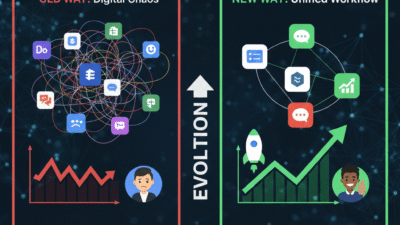
Many people still perceive AI as a futuristic concept, separate from their daily work. However, Gemini AI in Workspace brings this future directly to your fingertips. It moves beyond simple automation, offering sophisticated assistance that understands context, generates original content, and streamlines complex tasks. Furthermore, this integration transforms Google Workspace from a collection of powerful tools into an intelligent, interconnected ecosystem. This means you can spend less time on tedious, repetitive tasks and more time on strategic thinking, creative problem-solving, and meaningful human interaction. Ultimately, Gemini AI empowers us to work smarter, not just harder, redefining what’s possible within our digital workspaces.
Understanding Gemini AI: The Brain Behind the Workspace Revolution
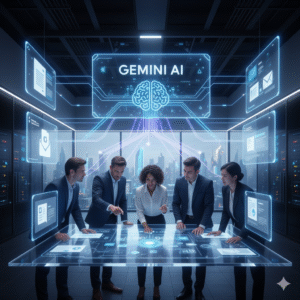
To fully grasp the impact of Gemini AI on Google Workspace, we must first understand what Gemini AI truly is. Simply put, Gemini is Google’s most advanced and capable AI model, renowned for its multimodal capabilities. This means it can seamlessly understand and operate across various types of information—text, code, audio, image, and video. Consequently, this versatility allows Gemini to perform a wide array of complex tasks that were previously impossible for AI. Furthermore, its ability to process diverse data types makes it exceptionally powerful for integrating into a suite like Google Workspace, where different content formats are handled daily.
The Core Strengths Driving Workspace Innovation
Naturally, several core strengths of Gemini AI make it particularly suited for transforming Google Workspace. Firstly, its multimodality allows it to understand context far better than previous models. For instance, it can look at a spreadsheet, read an email about it, and then generate a summary, all while understanding the underlying data. Secondly, Gemini boasts incredible reasoning capabilities. This means it can go beyond simple pattern recognition to logically deduce, plan, and execute more intricate tasks. Clearly, this is essential for drafting complex documents or analyzing detailed data.
Moreover, Gemini’s advanced coding abilities are significant for developers and non-developers alike, potentially assisting with script generation or debugging within Workspace applications. Its speed and efficiency also mean that AI-powered assistance is almost instantaneous, minimizing interruptions to your workflow. Lastly, its continuous learning and improvement ensure that its capabilities will only grow over time. Truly, these combined strengths make Gemini AI an unprecedented tool, capable of fundamentally altering how individuals and teams operate within the Google Workspace environment, driving unparalleled levels of productivity and innovation.
Enhanced Productivity in Docs and Gmail with Gemini AI
One of the most immediate and impactful areas where Gemini AI is changing work is within Google Docs and Gmail. These applications are central to daily communication and content creation, and Gemini’s integration brings a new level of intelligent assistance. Clearly, the goal is to reduce the time spent on drafting, editing, and summarizing, allowing users to focus more on the substance of their work. Therefore, understanding these enhancements is key to unlocking significant productivity gains.
Transforming Content Creation and Communication
Firstly, in Google Docs, Gemini AI acts as a sophisticated writing assistant. It can generate initial drafts from simple prompts, helping to overcome writer’s block and accelerate content creation. For example, you could ask it to “draft a project proposal for a new marketing campaign targeting Gen Z.” Furthermore, Gemini can summarize lengthy documents, saving valuable time when reviewing reports or catching up on shared files. Its ability to refine tone, suggest grammatical improvements, and even translate content further streamlines the writing process. This means higher quality output in less time.
Secondly, Gmail receives a substantial boost from Gemini AI. It can compose entire email replies based on the context of an incoming message, allowing for quicker responses and more efficient communication. Imagine simply prompting, “reply to this email, agreeing to the meeting and suggesting a follow-up agenda.” Gemini can also summarize long email threads, ensuring you quickly grasp the key points without wading through dozens of messages. Additionally, it can help sort and prioritize emails, ensuring that important communications are not missed. Truly, these features in Docs and Gmail are set to transform everyday tasks, making communication and content creation significantly more efficient and intelligent.
Smarter Data Analysis and Visualization in Sheets and Slides
Beyond text-based applications, Gemini AI extends its powerful capabilities to data-centric tools like Google Sheets and presentation software like Google Slides. These integrations promise to simplify complex data analysis, reveal hidden insights, and automate the creation of compelling visual narratives. Clearly, for anyone who deals with numbers or creates presentations, Gemini offers a significant leap forward in efficiency and analytical depth. Therefore, understanding its role here is vital for data-driven decision-making.
Unlocking Deeper Insights and Streamlining Presentations
Firstly, in Google Sheets, Gemini AI revolutionizes data analysis. It can understand natural language queries, allowing you to ask questions like, “What was our highest-selling product in Q3?” or “Compare sales growth between regions A and B over the last six months.” Gemini can then automatically generate formulas, create charts, and even identify trends or outliers within your datasets. This transforms complex data manipulation into a more intuitive, conversational experience, making advanced analytics accessible to a wider audience. Furthermore, it helps in cleaning and organizing data, reducing manual effort and improving data integrity.
Secondly, Google Slides benefits immensely from Gemini’s generative capabilities. You can prompt Gemini to “create a presentation outlining our Q4 sales performance, highlighting key achievements and challenges” and it will generate slides with relevant layouts, suggested content, and even initial data visualizations based on your linked Sheets data. Moreover, it can help refine existing presentations by suggesting design improvements, rephrasing bullet points, or summarizing lengthy sections. This means less time spent on formatting and more time focused on delivering impact. Truly, Gemini in Sheets and Slides empowers users to extract more value from their data and communicate their findings with unprecedented ease and polish.
Redefining Collaboration and Innovation with Gemini AI
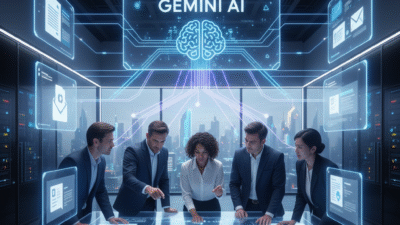
The true power of Gemini AI within Google Workspace extends beyond individual productivity; it profoundly redefines how teams collaborate and innovate. By embedding intelligent assistance directly into shared workflows, Gemini fosters a more interconnected and efficient working environment. Clearly, this shift moves collaboration from simply co-editing documents to actively co-creating with an AI partner, unlocking new potentials for innovation and collective problem-solving. Therefore, understanding its collaborative implications is crucial for modern teams.
Fostering Intelligent Teamwork and Creative Solutions
Firstly, Gemini AI facilitates more effective team communication and knowledge sharing. Imagine a team working on a complex project. Gemini can summarize lengthy discussion threads in Google Chat, distill key decisions from meeting transcripts in Google Meet, and even identify action items, ensuring everyone is on the same page. This reduces miscommunication and ensures that valuable information is easily accessible to all team members, regardless of when they join a project. Furthermore, it can help draft shared project plans or brainstorm ideas collectively, serving as an intelligent facilitator.
Secondly, Gemini boosts collective creativity and problem-solving. When a team is stuck on a challenge, Gemini can generate diverse ideas, suggest alternative approaches, or provide relevant research, acting as a tireless brainstorming partner. For example, in a shared Google Doc, team members could prompt Gemini to “suggest five innovative solutions for improving customer retention,” and then collaboratively build upon those AI-generated ideas. This democratizes access to advanced analytical and creative support, empowering every team member to contribute more effectively. Truly, Gemini AI transforms Google Workspace into an intelligent hub for collaboration, driving teams toward more innovative solutions and streamlined, efficient joint efforts.
Preparing Your Organization for the Gemini AI Era
As Gemini AI increasingly integrates into Google Workspace, organisations must prepare to fully leverage its capabilities. This involves more than just enabling new features; it requires a strategic approach to training, change management, and establishing best practices. Clearly, proactive preparation ensures a smooth transition and maximizes the benefits of this powerful AI integration. Therefore, understanding how to ready your workforce and systems is paramount for successful adoption.
Strategies for Seamless AI Adoption
Firstly, invest in comprehensive training and upskilling. Your employees will need to understand not just how to use Gemini’s features, but when and why to use them effectively. This training should cover practical applications across various Workspace apps and address potential new workflows. Providing examples and hands-on exercises will be crucial. Secondly, develop clear guidelines for AI usage. This includes policies around data privacy, ethical considerations, and responsible content creation. For instance, ensuring that AI-generated content is reviewed for accuracy and bias before public use is vital.
Furthermore, foster a culture of experimentation and continuous learning. Encourage employees to explore Gemini’s capabilities and share their findings and best practices. Establishing internal AI champions can help spread knowledge and excitement. Also, review and adapt existing workflows. Gemini AI will likely automate or streamline many current tasks. Therefore, re-evaluating existing processes and redesigning them to incorporate AI assistance will be necessary to truly unlock efficiency gains. Ultimately, by proactively addressing these areas, organisations can ensure their teams are well-equipped to harness the transformative power of Gemini AI, driving a new era of productivity and innovation within Google Workspace.
Frequently Asked Questions (FAQs)
Q1: Is Gemini AI replacing human jobs in Google Workspace?
No, Gemini AI is designed to augment human capabilities, not replace jobs. It handles repetitive, time-consuming tasks and provides intelligent assistance, allowing users to focus on more strategic, creative, and human-centric aspects of their work. It’s a tool to enhance productivity and creativity, making human workers more effective.
Q2: How does Gemini AI handle data privacy and security in Workspace?
Gemini AI adheres to Google’s robust data privacy and security standards. It processes data within your Workspace environment according to your organization’s existing data governance policies. Google emphasizes that your data is not used to train models accessible by other customers, ensuring your information remains confidential and secure.
Q3: Can Gemini AI generate entirely accurate content, or does it need human review?
While Gemini AI is highly capable, especially with factual information, all AI-generated content should undergo human review for accuracy, context, tone, and any potential biases. AI is a powerful assistant, but human oversight remains crucial to ensure the quality and appropriateness of the final output, particularly for critical communications or data.
Q4: Which Google Workspace apps will Gemini AI be integrated into first?
Gemini AI is being integrated across core Google Workspace applications, including Gmail, Docs, Sheets, Slides, and Meet. The rollout is progressive, with new capabilities and deeper integrations continuously being introduced across the entire suite to enhance various aspects of work.
Q5: How can my organization prepare employees for using Gemini AI effectively?
Preparing employees involves several key steps: providing comprehensive training on how to use Gemini’s features across different Workspace apps, establishing clear guidelines for responsible AI usage, fostering a culture of experimentation and learning, and adapting existing workflows to incorporate AI assistance. Executive sponsorship and internal champions are also vital for successful adoption.