Refresh loader

Archive : cybersecurity

Home > Posts tagged cybersecurity

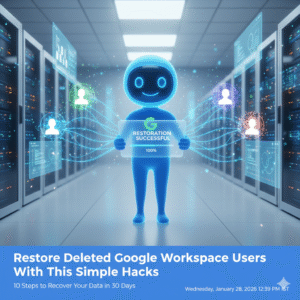
Restore Deleted Google Workspace Users With This Simple Hack

Losing critical employee data due to an accidental deletion can feel very stressful because your entire business operation relies on those files. However once you learn the proper way to restore deleted Google Workspace users you will see how easy it is to recover your lost information. I have used these exact methods to help IT admins reverse costly mistakes while seeing zero data loss for their organizations.

The Problem With Accidental Deletion

Many admins feel a sense of panic when a user account disappears because they assume the data is gone forever. This approach creates a massive amount of unnecessary pressure on your internal support team. You might feel frustrated when you realize that important emails and drive files are no longer accessible to your staff. To restore deleted Google Workspace users you must act quickly before the system purges the files forever.

The solution lies in acting quickly within the standard recovery window provided by Google. The admin console allows you to bring back a deleted user and all their associated data if you follow the right path. Once you apply these recovery steps you will see your workspace return to its normal state. I have seen companies save hundreds of hours of work by knowing the right process to restore deleted Google Workspace users.

Restore Deleted Google Workspace Users With This Simple Hacks

Step 1: Verify the Twenty Day Recovery Window

Google only allows you to restore deleted Google Workspace users within twenty days of the initial deletion. Specifically you must check the date the account was removed to ensure you are still within this vital timeframe. If you wait longer than twenty days the data is purged from the system permanently. Therefore your first priority is to confirm that you can still take action.

Step 2: Access the Users Section in Admin Console

You should log in to your Google Admin console using an account that has super admin privileges. Once you are inside navigate to the directory section and select the users option from the sidebar. This area contains all the tools you need to manage your employee accounts. This simple navigation is the starting point for every mission to restore deleted Google Workspace users.

Step 3: Use the Recently Deleted Filter

The default view only shows active users so you must change your settings to find the missing account. You can click on the add a filter option and select the recently deleted category from the list. This will reveal every account that has been removed within the last three weeks. To restore deleted Google Workspace users you simply need to find the specific name in this list.

Step 4: Review the User Data Before Restoration

Before you click the restore button you should double check the user’s details to avoid any confusion. For instance you want to make sure you are recovering the correct person if you have multiple employees with similar names. This ensures that you do not waste time while you restore deleted Google Workspace users. Consequently you maintain a clean and accurate directory for your entire business.

Step 5: Check for Available License Seats

Google Workspace requires an active license for every user you want to have in your system. If your current plan is full you may need to buy an extra seat before you can complete the restoration. You should check your billing section to see if you have any unassigned licenses ready to go. Having a license ready ensures that you can restore deleted Google Workspace users without any technical errors.

Step 6: Click the Restore Button

Once you have selected the correct user simply hover over their name and click the restore link. A pop up window will appear asking you to confirm that you want to bring the account back to life. This action triggers the system to begin reassembling the user’s emails and drive files. Therefore you are just one click away from the goal to restore deleted Google Workspace users.

Step 7: Assign the User to an Organizational Unit

You must decide where the restored user fits within your company structure to ensure they have the right permissions. For example you might need to place them back into the sales or marketing department. This step ensures that the user can immediately access the shared folders they need for their job. Proper placement keeps your security policies consistent when you restore deleted Google Workspace users.

Step 8: Reset the User Password for Security

As a safety measure you should always create a new password for any account that has been restored. Specifically this prevents any old credentials from being a weak point in your company security. You can send the new login details directly to the employee or their manager. Prompt password resets are a primary way to keep your business data protected.

Step 9: Verify Google Drive and Gmail Content

After the restoration is complete you should ask the user to check their most important files and emails. Because the system can take up to twenty four hours to fully sync you might see some items appearing slowly. This verification step ensures that every piece of vital information has returned to its original home. You should see all their previous work restored exactly as it was before the deletion.

Step 10: Set Up an Ownership Transfer Policy

To avoid future deletion scares you should implement a policy for transferring file ownership. For instance when an employee leaves you can move their drive files to a manager before deleting the account. This ensures that the business keeps the data even if the individual user is gone. Taking this proactive step is the smartest way to manage your digital assets.

Conclusion and Next Steps

If you follow the steps in this guide you should soon see your deleted users back in your directory. Please do not forget to let me know how you got on in the comments below. I am always interested in hearing your thoughts so tell me which part of the recovery process you felt was most helpful.

FAQs

1 How long do I have to restore a deleted user?

You have exactly twenty days from the date of deletion to recover a user and their data.

2 Do I lose emails when a user is deleted?

If you restore the account within twenty days all emails and files will return to the user.

3 What if the twenty day window has passed?

Once twenty days have passed the data is permanently deleted and cannot be recovered by Google.

4 Do I need a super admin account to do this?

Yes only a user with super admin privileges can restore deleted accounts in the console.

5 Can I restore multiple users at once?

You can select multiple names from the recently deleted list and restore them as a batch.

Also Read: Top 10 Admin Console Mistakes That Are Hurting Your Business Right Now

The Zero Trust Shift: Securing Hybrid Work with ZTNA

The old security walls are gone. Hybrid work is the norm today. Relying on the old “castle-and-moat” idea is risky. This old plan trusted all inside the work net. Consequently, Zero Trust Architecture (ZTA) is the key to safe work. Zero Trust uses one rule: never trust. Always verify.

All users, devices and data must be checked. This is true even for access inside the network. This constant check is vital.

New Zero Trust fixes are part of the net. They use smart tools like AI. They use flexible access rules. Thus, these tools give better security. Workers are everywhere now. For this reason, a strong Zero Trust plan is a must for all firms. Moreover, this plan knows threats are everywhere. Therefore, the net is never trusted by default. This change helps keep the whole system safe.

Image Of The Zero Trust Shift: Securing Hybrid Work with ZTNA

Beyond The Basics: The Evolution of ZTA Pillars

The first Zero Trust design only focused on two things. First, it focused on strong Identity and Access Management (IAM). Second, it focused on dividing the net. However, threats are much smarter now. Therefore, the whole design has changed. Now it includes more detail. Also, it includes smarter access checks across all digital tools. Thus, these new improvements are making security stronger. Also, they are making the process clearer for the workers who use the system.


Context-Aware Access and Evaluation

Access checks cannot stay static. They cannot only depend on a name and a code. Instead, access decisions are always changing. They change based on many factors. Therefore, new Zero Trust systems check many different things. They check these things all the time. They check for every access request. This non-stop check is great.

For example, the system checks these key factors:

  • User Identity and Role: Who is the person trying to log in? What can this person do based on their job?
  • Device Posture: Is the device following all company rules? Is the system fully up-to-date? Does the device have the right virus scan running? For this reason, if a device’s score drops, the system cuts off access fast. Or, it lowers the access level right away.
  • Location and Geolocation: Where is the access request starting from? Is this a strange place for this worker to be?
  • Time of Day: Is the worker trying to look at secret data late at night? For instance, is it at 3 AM?

This continuous check means the system never just gives trust easily. Access can quickly change. Also, the system can stop access right in the middle of a session. This happens if the risk goes up. This action prevents a hacker from moving inside the net. Therefore, Zero Trust gives great control.


The Rise Of AI And Automation

Artificial intelligence (AI) is the main power source for the next step in Zero Trust. AI and machine learning look at huge logs of data. They do this in real time by looking for strange things. They flag risky actions that people would miss. This speed is vital now.

New AI improvements give great help. For example, AI-driven fixes include:

  • Automated Data Classification: AI automatically reads and sorts data. It gives the data labels like “Secret.” This task is crucial. This ensures that the rules for Data Loss Prevention (DLP) work right. This is true no matter where the data is kept. This helps protect private customer details.
  • Behavioral Analytics: The system learns what is normal for a user. Consequently, if a worker suddenly uses an app they never touch, the AI sees it. Or, if the worker starts getting too much data, the AI detects the odd change. Then, the system forces a re-check. Or, it blocks the action. This step helps a lot. It also stops bad behavior.

The system uses Threat Detection and Response (XDR). XDR combines security facts. It gathers data from emails and computers. It gives a full picture of any threat. Thus, the system can quickly block bad computers or users. Truly, Zero Trust gets its power from these tools.


From VPN to ZTNA: Securing The Hybrid Workforce

The biggest change in the Zero Trust setup is the move from old VPNs. Now, everyone uses Zero Trust Network Access (ZTNA). This move is necessary. It secures all remote work teams.

VPNs had a major fault. They gave a user access to the whole net once checked. This was a single point of failure. Conversely, ZTNA replaces this old way. It uses true least-privileged access. Therefore, a remote worker only makes a small, safe link. This link goes only to the one app the worker needs. It does not connect to the whole net.

This change has many pluses. The attack area shrinks greatly. Thus, it makes it hard for a hacker to find a way in. Also, the risk of harm is low if a computer is hacked. This cuts the “blast radius” of any break-in. ZTNA also runs quietly. It is fast and better for the user. It avoids the slow-down issues that were common with old VPNs. Thus, choosing ZTNA is a main step toward full Zero Trust.


ZTNA Versus VPN Comparison

Feature Old VPN Model Zero Trust Network Access (ZTNA)
Trust Model Implicit Trust (Trusts all once door opens) Never Trust, Always Verify (Checks every action)
Access Granularity Grants network access (You get the whole floor) Grants application access (You get one desk)
Attack Surface High (Exposes the net to hackers) Low (Apps stay hidden from hackers)
Lateral Movement Easy (Hacker moves freely) Blocked (Access is limited to one app)

ZTNA simplifies security a lot. You do not need to check complex firewall rules for every user. Instead, the rule is based on the user’s name. This rule follows the user. Thus, the security stays the same everywhere. Consequently, ZTNA fixes the main problem of securing workers who move often.


Key components for a robust zero trust workspace

Building a full ZTA needs many layers of defense. You must cover every part of your digital work area. These three core parts work well together. They deliver very strong workspace security.

1. Identity and Endpoint Security

A strong system for Identity and Access Management (IAM) is the most basic need. This involves forcing all users to use Multi-Factor Authentication (MFA). MFA adds a safe step after the password. It also requires using Single Sign-On (SSO). SSO centralizes the login process. Furthermore, the focus on Endpoint Security has grown. Zero Trust Architecture checks all devices deeply. It checks phones and computers. It must ensure that all devices meet strict rules before they can connect. If a worker uses their own phone, the system keeps company info separate. This is vital.


2. Micro-Segmentation and Networking

Micro-segmentation is a powerful tool. It cuts the whole net into small zones. Gaining access to any zone needs a separate, clear pass. This stops a hacker from moving around easily. If an attacker breaches one part, their harm is small. They cannot move to the finance server from the marketing server easily. They need a new key. Likewise, the network side has changed. It now views the computers in the main office as just another untrusted part. This is key. This guarantees that the rules work the same way for every link. It does not matter if a worker is at home or in the main office.


3. Data Protection and Governance

In the end, the main job of Zero Trust is to protect the info. New fixes focus on applying consistent DLP policies. These rules apply to all apps. They work for cloud apps. They work for in-office apps. This step ensures that secret info is always safe. It must be safe when it sits still. It must be safe when it moves. Also, Zero Trust creates a full record. This audit trail shows every access try. It shows every data action. This clear record is needed. It greatly improves security. Moreover, this transparency makes meeting rules much simpler. Thus, security teams can easily prove compliance.


Conclusion: Building a Secure Future

The move to Zero Trust Architecture is not a trend. It is a required security shift. The shift to hybrid work has killed the idea of a safe net border. Consequently, firms must use the “never trust, always verify” rule. This ensures that security is used everywhere. It is used on every person and device. It does not matter where they are.

This modern security plan is built on many key fixes. For instance, ZTNA replaces old VPNs. AI uses constant checks to find threats fast. Micro-segmentation stops hackers from moving around inside the net. Furthermore, focusing on the person and the device’s health makes access choices smart. Therefore, companies that use a full Zero Trust plan will gain a major plus. They will keep their data safer. They will simplify compliance and will also give their workers a safe way to work from anywhere. Truly, a strong Zero Trust plan is the best choice for future business safety.


Frequently Asked Questions

1. What does “never trust, always verify” actually mean in practice?

It means the system checks the user every time they want to do something. For example, when a user logs in, the system checks them. When they click on a new app, the system checks them again. Consequently, the system treats the whole net as a dangerous place. It trusts nothing easily.


2. How does zero trust prevent lateral movement?

Zero Trust uses micro-segmentation. This divides the net into small, secure areas. When a user gets access, they only get a small link to just one resource. Therefore, if a hacker gets that user’s access, they cannot move to other parts of the net. They are stuck in a tiny zone.


3. Is ZTNA a replacement for my VPN?

Yes, Zero Trust Network Access (ZTNA) is now taking the place of old VPNs. VPNs gave users access to the entire net. This was risky. However, ZTNA grants access only to one specific app. This is after the user and device are fully checked. This makes security much better for people working from home.


4. How does context-aware access improve security?

Context-Aware Access makes security decisions smart. It uses real-time info. For instance, it checks the device’s health. It checks the user’s location. It uses this info to guess the risk. Then, it changes the access level right away. It can deny access if the risk is too high.


5. Why is ai so important to the latest zero trust enhancements?

AI is key because it can check for threats faster than any person. It learns what is normal. It then flags strange actions fast. This allows the system to find hackers right away. Consequently, the hacker has very little time to cause harm in the workspace.


Also Read: Latest Outlook Updates: Smarter Scheduling and AI Suggestion