
Refresh loader

Archive : Business Productivity

Home > Posts tagged Business Productivity

Is scaling your brand via Workspace better than free Gmail?

In today’s fast-paced digital world, businesses need the right tools to thrive. Many small businesses start with free Gmail accounts. However, as they grow, these free tools often fall short. Because of this, upgrading to Google Workspace is a game-changer. It offers advanced features, better security, and a professional look. For instance, this move is not just an expense. In fact, it is a smart investment.

The Limitations of Free Gmail for Businesses

Free Gmail is great for personal use. However, it has many limits for business. First, your email address looks unprofessional. Specifically, an email like yourbusiness@gmail.com lacks trust. Furthermore, free Gmail has fewer storage options. You also miss out on shared calendars. Similarly, collaborative documents are not as powerful. Security features are also very basic. This puts your business data at risk. In contrast, Google Workspace solves all these issues. Indeed, it is a necessary step for serious operations.
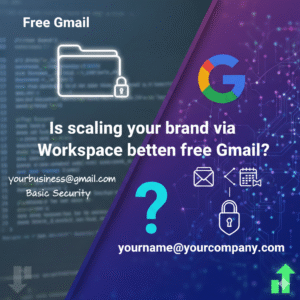
Is scaling your brand via Workspace better than free Gmail?

Google Workspace: More Than Just Email

Google Workspace offers a full suite of apps. It includes Gmail, Calendar, Drive, and Docs. Additionally, you get Meet for video calls and Chat for team messages. All these tools work together seamlessly. Therefore, your team can collaborate easily from anywhere. For example, you can edit a document with a teammate in real-time. Files save automatically to the cloud. Thus, you never lose work. It truly boosts team productivity every day.

Enhanced Security and Control

Security is a major concern for any business. Free Gmail offers standard security. Google Workspace, however, provides advanced protection. For example, it has stronger spam filters. It also uses data encryption. You also get admin controls. This allows you to manage user access and device security. For instance, you can wipe data from lost phones. Plus, you get 24/7 support. This keeps your business safe from threats. Your data and reputation are too important to risk.

Professional Branding with Custom Email

A custom email address makes your business look professional. Imagine yourname@yourcompany.com. This builds trust with clients. Similarly, it reinforces your brand identity. Google Workspace makes setting this up very easy. For instance, you can create multiple email aliases for different roles. Consequently, this presents a unified front to the world. Indeed, first impressions truly matter in the business world.

ROI Example 1: Increased Productivity

Let’s look at a small team of 5 people. Each person wastes 30 minutes a day on basic tasks. This includes finding files or dealing with email issues. This totals 2.5 hours lost per day. Over a month, that is 50 hours. If an employee’s wage is $20 per hour, that is $1,000 lost monthly. With Google Workspace, team collaboration saves time. For example, shared docs and smart search cut down wasted time by half. Therefore, you save $500 per month.

ROI Example 2: Better Security Prevents Costly Breaches

A data breach can cost a small business thousands. In fact, it can even lead to closure. Studies show average breach costs are very high. Imagine a breach costs your business $5,000. Google Workspace’s advanced security reduces this risk greatly. By spending a small amount on Workspace, you protect against huge losses. This is like buying insurance for your data. Furthermore, the peace of mind is worth it. It is a smart move for your future.

ROI Example 3: Scalability and Future Growth

As your business grows, your needs change. Google Workspace scales with you. For instance, you can easily add new users. Similarly, storage can expand as needed. New features roll out regularly. This ensures your tools stay modern. Therefore, you will not outgrow your software. This long-term thinking saves money and effort. Consequently, you avoid changing systems later. It sets a strong foundation for future success.

Invest in Your Business’s Future

Choosing Google Workspace is a strategic decision. It is about more than just email. It is about security, collaboration, and professional image. The clear ROI examples show its value. Small businesses that upgrade gain a competitive edge. Therefore, they work smarter and not harder. They protect their data and build trust. Make the switch today and watch your business thrive.


FAQs

1 Why should I pay for Workspace if Gmail is free?

Professional email and better security are worth the cost. Therefore, your business looks more trustful.

2 Can I keep my old emails when I move?

Yes, Google has tools to move your old mail. Consequently, the transition is very easy.

3 Is Workspace safe for my business data?

Yes, it has advanced encryption and admin controls. Thus, your data stays very safe.

4 What if my team is very small?

Even a team of one benefits from a custom domain. For instance, it builds your brand fast.

5 Is it hard to set up Workspace?

No, the setup is very simple and fast. Furthermore, Google offers 24/7 help.

Read More:

Will New Workspace Rules Help Your Team Scale?

Why Gmail Blocks Your Emails and How to Fix It Easily

Restore Deleted Google Workspace Users With This Simple Hack

How Did Google Chat Evolve for Teams: Full Guide

Google Chat has changed a lot. It has moved from simple chats to powerful tools. These tools help teams work better. This change is big for business productivity. Google Chat is now more than just a chat app. It helps teams of all sizes work together. This story will look at how Google Chat has grown. It will show its new features. It will explain how these help make ‘super teams’ in any company.

The Early Days: Simple Chat and Basic Teamwork

Google Chat began as a part of Google Workspace. Before, it was Google Hangouts Chat. Its main job was simple. It let people send messages to each other. Users could chat one-on-one. They could also chat in small groups. The first goal was quick talk. It was good for fast questions. It helped teams share simple updates.

At that time, features were basic. You could send text and could share files. You could start a video call. This was fine for many teams. But as work changed, teams needed more. They needed deeper ways to work together and needed tools to manage projects. They needed better ways to share info. Google Chat had to grow. It had to meet these new needs. It had to help businesses do more.

Image Of The Evolution of Google Chat for Business Productivity

The Rise of “Spaces”: Organized Work Hubs

The biggest step in Google Chat’s growth was “Spaces.” Google renamed the feature from “Rooms” to “Spaces.” This change was more than just a new name. It showed a new way of thinking. Spaces became central hubs for teamwork. They were not just for chat but for working on projects which helped manage tasks and let teams share files easily.

A Space is like a project room. All things related to a project go there. This includes talks, files, and tasks. Think of a Space for a marketing project. All talks about ads, images and videos are there. All tasks like “design new banner” are listed there. This makes work much more organized. It helps teams stay on track. This design helps cut down on many emails. It stops endless group chats. It puts all key info in one spot. This boosts teamwork a lot.

Smart Features for Better Productivity

Google Chat did not stop at Spaces. It added many smart features. These features help teams do more. They make daily work easier.

  • Integrated Task Management: Tasks are now part of Spaces. You can create a task and assign it to a team member. You can set a due date and can track its progress. All team members can see these tasks. This helps keep everyone aligned. It makes sure no task is forgotten.
  • Enhanced File Sharing and Collaboration: Google Chat connects deeply with Google Drive. You can share documents, sheets, and slides easily. Team members can open files right from Chat. They can work on them together. They can even see file updates in the Space. This smooth flow saves time. It makes working on documents much easier.
  • Smart Replies and Suggestions: The app uses AI to help. It suggests quick replies. This saves time when you are busy. It also suggests useful actions. For example, it might suggest “create a task” based on your chat. These small helps add up. They make work faster.
  • Powerful Search: Finding old info in chats can be hard. Google Chat has strong search tools. You can find messages, files, and tasks fast. You can search across all your Spaces. This means no more digging through old emails. All info is at your fingertips.

From Teams to “Super Teams”: The Evolution in Action

The goal of these changes is clear. It is to turn regular teams into “super teams.” A super team works very well together which is highly productive. It gets things done fast. Google Chat helps make this happen in several ways:

  • Improved Clarity and Focus: Spaces keep work topics separate. This means less noise. Team members can focus on one project at a time. They do not get lost in too many chats.
  • Better Project Management: With tasks and files in one place, project tracking is simple. Managers can see progress. Team members know their roles. This leads to projects finishing on time.
  • Faster Decision Making: All info is easy to find. Team members can quickly talk and share ideas. This speeds up choices. It helps avoid delays.
  • Enhanced Team Cohesion: A shared Space builds a sense of team. Everyone works towards the same goal. They share wins. This makes the team feel stronger. It makes them work better together.
  • Integration with Other Tools: Google Chat works well with other apps. It connects with apps inside and outside Google Workspace. This means you can add tools your team already uses. This makes it a central hub for all work.

Security and Control for Business Use

For businesses, security is key. Google Chat offers strong security features. This helps protect sensitive company data.

  • Data Encryption: All messages and files are encrypted. This keeps info safe from bad actors.
  • Admin Controls: IT admins have full control. They can manage who joins Spaces and can set rules for data sharing. They can track usage. This ensures data compliance. It meets company policies.
  • Retention Policies: Businesses can set rules for how long data is kept. This helps meet legal needs. It keeps company records safe.

These security features mean businesses can trust Google Chat. They can use it for all kinds of team work. They know their data is protected.

The Future of Google Chat

Google Chat will keep growing. We can expect even more smart features. It will likely get deeper links with AI. It might offer more ways to automate tasks. The focus will stay on helping teams. It will aim to make them more productive. It will help them achieve more.

Google Chat is not just a messaging app. It is a full platform for teamwork which helps turn any group of people into a powerful, efficient “super team.” For businesses, this means better results and happier teams. It means reaching goals faster.


FAQs

1. How has Google Chat changed from its early days?

Google Chat started as a simple messaging app. It was mostly for quick talks. Now, it has grown into a full teamwork platform. It includes features for tasks, files, and project management, mainly through “Spaces.”

2. What are “Spaces” in Google Chat, and why are they important?

“Spaces” are central hubs for team projects. They bring together conversations, files, and tasks for a specific topic or project. They are important because they organize work, reduce email clutter, and improve team focus.

3. How does Google Chat help with task management?

Google Chat lets users create, assign, and track tasks directly within a Space. You can set due dates and see progress. This feature helps teams manage project workflows and ensures everyone knows what needs to be done.

4. Can Google Chat integrate with other business tools?

Yes, Google Chat connects deeply with Google Drive for file sharing. It also works well with other apps inside and outside Google Workspace. This makes it a central tool for managing different aspects of business work.

5. What security features does Google Chat offer for businesses?

Google Chat includes strong security features. These include data encryption for messages and files. It offers admin controls for managing users and data rules. It also has data retention policies to meet legal and company needs.

Also Read: The Zero Trust Shift: Securing Hybrid Work with ZTNA