

You must protect your business secrets when you work with people outside your firm today. Therefore, you should learn how to share Google Drive files with external clients safely. Truly, a single wrong click can expose your private data to the whole web. Consequently, you can secure your digital assets by using the right sharing tools for 2026.
Many people think that clicking a “Share” button is all they need to do. But, the reality is that open links can lead to big security risks for you. Always remember, a secure file system is a strong signal for any search engine. This ensures that your brand stays professional and your client data stays very private. This approach requires you to set strict rules for every document you send out. It helps you build a much more reliable business for the long term. It makes your daily digital collaboration feel much more secure and very effective.
Using Specific Email Access instead of Public Links
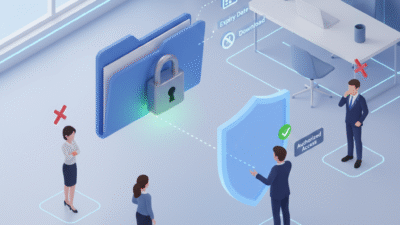
First, you must stop using the “Anyone with the link” setting for private work. Why is sending a public link so dangerous for your business? Clearly, anyone who finds that link can see your files without your permission. Therefore, you must only invite specific email addresses to view your documents in 2026.
The Benefits of Direct Email Sharing
Here are several reasons why direct sharing is a win for your safety:
-
Access Control: Only the people you invite can open the file.
-
Identity Proof: Google checks their email before they can see the data.
-
Revoke Power: You can remove a single person’s access in one second.
-
Tracking: You can see exactly who opened the file and when.
-
No Leaks: If the link is forwarded, the new person cannot see anything.
-
Professionalism: Clients feel safer knowing you take their privacy seriously.
-
Search Engine Value: Secure data handling improves your overall brand trust.
Truly, these steps solve the problem of accidental data leaks in just a few clicks. But, you must also check your sharing list every month to remove old clients. This keeps your file system clean and prevents any sudden data breaches for your firm. It creates a very high and professional standard for your daily digital security.
Setting Expiry Dates and Disabling Downloads
So, how do you ensure a client loses access once a project is finished? Truly, you do not want your old files sitting in a stranger’s folder forever. Consequently, you should use “Expiry Dates” to automatically lock your files in 2026. It acts as a direct fix for long-term security risks.
Advanced Sharing Settings for Extra Safety
Here is how you can put a digital lock on your shared files:
-
Set Expiry: Tell Google to stop sharing the file on a specific date.
-
Disable Downloads: Stop viewers from saving or printing your private work.
-
Prevent Copying: Turn off the option for others to make a copy of the file.
-
View-Only Mode: Ensure clients cannot change your words or data by mistake.
-
Hide Comments: Keep your internal team notes private from the external client.
-
Use Watermarks: Add your logo to images so people know who owns the work.
-
Trust Rankings: High security habits help you keep a top search engine rank.
Furthermore, this improves your search engine performance by showing you are a security pro. It makes your company look very organized and ready for 2026 digital growth. This ensures that your intellectual property stays under your total control. It creates a very fast and clear path for your professional peace of mind.
Managing Shared Drives and Folders Correctly
The third phase involves organizing your files so you do not share too much. Clearly, sharing a whole folder is faster but it can also be very risky. Therefore, you should use “Shared Drives” with strict member roles to stay safe today.
Organizing Your Client Folders for Safety
Firstly, create a unique folder for every different client you have in 2026. This allows you to keep one client’s data far away from another client’s view. Secondly, use the “Contributor” role if they need to add files but not delete them.
Furthermore, use the “Viewer” role for anyone who only needs to read your reports. Also, use transition words in your folder names to keep them very easy to find. Lastly, remember that a neat file structure helps your search engine authority and trust. Truly, a clean folder plan is the best tool for avoiding sharing mistakes. It allows you to invite people to work without fearing they will see the wrong file. This is why top agencies use “Client Portals” to manage their work right now.
Monitoring Your Sharing Audit Logs
The fourth phase is where you check who is actually looking at your data. Clearly, you must know if your files are truly staying within your safe circle. Therefore, you must track the “Sharing Activity” in your Google Workspace reports today.
Metrics for a Secure Shared Drive
Firstly, track the “External Sharing” report to see every file shared outside your firm. This helps you see if a team member is sharing too many public links in 2026. Secondly, check the “Audit Log” to see if any unknown devices tried to access your work.
Furthermore, look for any “Large Downloads” that might show a data theft in progress. Also, use your data to see if a secure office leads to more “Client Referrals” for you. Lastly, check your search engine ranking to see if site safety helps your web traffic. Truly, a safe office is a journey that leads to a much stronger brand. It turns a boring task into a series of smart, secure wins for your whole team. This ensures your business stays strong while others face digital leaks.
Keeping Your Drive Safe and Fast
Finalizing your plan requires you to make “Safe Sharing” a part of your office culture. It needs you to train your team and update your sharing rules every single year. Clearly, staying safe in the cloud is a team effort in 2026. Therefore, follow these simple tips to keep your workspace safe and very fast.
Simple Tips for Lifelong File Safety
Firstly, run a “Sharing Audit” once every three months to find any open links. This helps you stay one step ahead of any old project files that are still live today. Secondly, encourage your team to use “Temporary Access” for all short-term contractors.
Furthermore, use transition words in your security emails to keep them very clear and helpful. Also, remind everyone that their clean work helps the company earn more search engine trust. Lastly, check your search engine data to see if safety helps your web traffic grow. Truly, a safe path is a journey that leads to a much better brand in 2026. It builds a path of trust that lets your whole team grow very fast. This secures your future in the digital world for a long time.
Frequently Asked Questions (FAQs)
Q1: Can people without a Google account see my shared files?
Yes, you can use “Visitor Sharing” to let them view files with a secure pin code.
Q2: What happens when an expiry date is reached?
The client loses all access to the file automatically, and they can no longer open the link.
Q3: Does secure sharing affect my website’s SEO?
Yes, brands that handle data safely earn more trust, which is a key signal for search engines.
Q4: How do I stop a client from sharing my file with someone else?
Go to sharing settings and uncheck the box that allows viewers to share the file.
Q5: Is it safer to share a folder or a single file?
Sharing a single file is always safer because it limits what the client can see in your drive.
Also Read: Why your secure your workspace needs an update now