

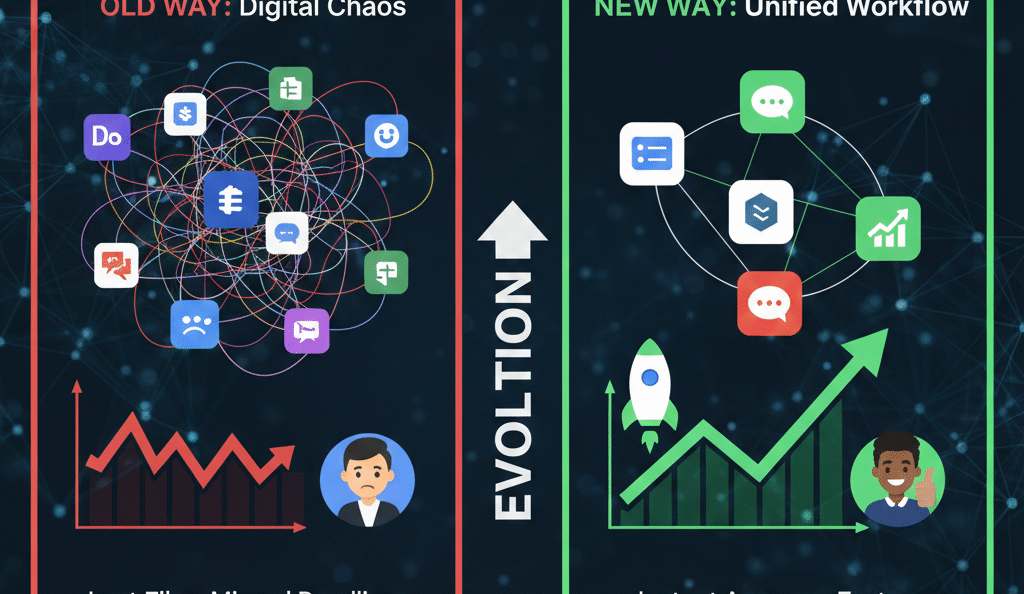
The modern office is no longer a physical location; it is a digital environment where speed and clarity define success. Most teams believe they are using their cloud tools to the fullest, yet they often barely scratch the surface of available features. For an administrator, the goal is to transform these tools from simple apps into a cohesive engine for growth. By focusing on smart habits and hidden shortcuts for workspace, you can eliminate the digital friction that slows down your best people.

Solving the Collaboration Puzzle with Unified Workflows
When a team lacks a unified approach to their digital tools, information becomes siloed. One person may save a file in a private folder while another searches for it in a chat thread. This chaos is the primary cause of lost billable hours. To solve this, you must establish a clear path for how every digital workspace interaction should occur.
Start by creating standardized naming conventions for every shared drive. When every file follows a predictable pattern, your team can find what they need in seconds. This small change acts as a force multiplier for productivity. Furthermore, by using shared labels in your communication channels, you ensure that no critical task falls through the cracks. Statistics from the last twelve months show that teams with structured cloud habits complete complex projects 25% faster than those who work in a disorganized digital environment.
Leveraging Automated Security to Build Internal Trust
In an era of increasing data risks, an administrator must act as a silent protector. Security should not be a hurdle that stops work; it should be an automated background process. By setting up advanced data loss prevention rules, you ensure that sensitive info never leaves your secure workspace accidentally.
Specifically, you should move beyond simple passwords and implement hardware-based security keys. This creates a “hardened” perimeter around your team’s creative output. When your staff knows that their work is safe, they feel more confident in using collaborative features. This trust is the foundation of a high-performing digital culture. By automating these safety checks, you free your team to focus on innovation rather than worrying about permissions or leaks.
The Power of Shortcuts: Efficiency as a Habit
True efficiency is found in the seconds saved during the workday. Most users perform thousands of clicks that could be replaced by a single keystroke. As a leader, your job is to turn these shortcuts into a team-wide habit.
-
Command Menus: Teach your team to use universal search bars within their workspace apps to insert tables, chips, or files instantly.
-
Offline Access: Enable local caching so that work continues even when the connection drops, ensuring no workspace momentum is lost.
-
Integrated Scheduling: Use appointment slots to remove the endless “back and forth” of finding a meeting time.
By mastering these small technical moves, your team recovers hours of lost time every week. This creates a “flow state” where the tools disappear, and only the work remains. This level of mastery is what separates a standard office from a high-output digital powerhouse.
Future-Proofing with AI-Driven Insights
We are moving toward a future where our tools anticipate our needs. The latest updates in your digital workspace now include assistants that can summarize long threads or draft initial project outlines. To stay ahead, you must train your team to view these AI features as digital interns.
By allowing the AI to handle the routine 80% of data sorting, your human experts can spend 100% of their time on strategy. This shift in focus ensures your brand stays relevant in an increasingly competitive market. As you refine your workspace strategy, remember that the goal is not to work harder, but to work with greater intent. Every small optimization you make today builds a more resilient and agile team for tomorrow.
FAQs
1 What is the biggest mistake admins make during training?
Ans. They focus on too many features at once instead of mastering the three or four tools that drive the most value daily.
2 How do I encourage my team to adopt new cloud habits?
Ans. Lead by example. When you use the shortcuts and naming rules yourself, the team will naturally follow your lead.
3 Can a digital workspace really improve my local Google ranking?
Ans. Yes. Fast, organized teams respond to customers quicker, leading to better reviews and higher local search visibility.
4 Is it safe to let my team use AI in our shared drives?
Ans. As long as you have the correct admin privacy settings active, AI can be a safe and powerful tool for data analysis.
5 How often should we hold workspace refresher courses?
Ans. A quick fifteen-minute update every quarter is enough to keep your team current with the latest efficiency features.
READ MORE:
Why Gmail Blocks Your Emails and How to Fix It Easily
Restore Deleted Google Workspace Users With This Simple Hack
Top 10 Admin Console Mistakes That Are Hurting Your Business Right Now